Short answer: Claude Code can export its own usage as OpenTelemetry metrics and events. Set CLAUDE_CODE_ENABLE_TELEMETRY=1, choose an exporter with OTEL_METRICS_EXPORTER and OTEL_LOGS_EXPORTER, point OTEL_EXPORTER_OTLP_ENDPOINT at your collector, and sessions, tokens, cost, lines of code, commits and tool decisions start arriving in Grafana, Datadog, Honeycomb or any backend that speaks OTLP.
It is off by default, and prompt text is not included unless you ask for it.
What is the minimal setup?
export CLAUDE_CODE_ENABLE_TELEMETRY=1
export OTEL_METRICS_EXPORTER=otlp
export OTEL_LOGS_EXPORTER=otlp
export OTEL_EXPORTER_OTLP_PROTOCOL=grpc
export OTEL_EXPORTER_OTLP_ENDPOINT=http://localhost:4317
claudeTo check it works before you have a collector, use the console exporter and a short interval:
export CLAUDE_CODE_ENABLE_TELEMETRY=1
export OTEL_METRICS_EXPORTER=console
export OTEL_METRIC_EXPORT_INTERVAL=10000
claudeThe metrics are printed to the terminal every ten seconds.
Which environment variables matter?
| Variable | What it does |
|---|---|
CLAUDE_CODE_ENABLE_TELEMETRY | 1 turns the export on. Nothing is sent without it |
OTEL_METRICS_EXPORTER | otlp, prometheus or console |
OTEL_LOGS_EXPORTER | otlp or console, for the events |
OTEL_EXPORTER_OTLP_PROTOCOL | grpc, http/json or http/protobuf |
OTEL_EXPORTER_OTLP_ENDPOINT | Where your collector listens |
OTEL_EXPORTER_OTLP_HEADERS | Authentication, such as Authorization=Bearer <token> |
OTEL_METRIC_EXPORT_INTERVAL | Milliseconds between metric exports (60 seconds by default) |
OTEL_RESOURCE_ATTRIBUTES | Your own labels, such as team.id=platform,department=eng |
OTEL_LOG_USER_PROMPTS | 1 includes prompt text in events. Leave it off unless you need it |
What metrics does Claude Code export?
| Metric | What it counts | Useful attributes |
|---|---|---|
claude_code.session.count | Sessions started | session.id |
claude_code.lines_of_code.count | Lines added and removed | type, model |
claude_code.pull_request.count | Pull requests created | |
claude_code.commit.count | Git commits created | |
claude_code.cost.usage | Cost in US dollars | model |
claude_code.token.usage | Tokens | type (input, output, cacheRead, cacheCreation), model |
claude_code.code_edit_tool.decision | Edits accepted or rejected | tool_name, decision, language |
claude_code.active_time.total | Active time in seconds | type |
Every metric also carries standard attributes such as the session id, the organization and a hashed user account id, so you can group by person without exporting names.
What events does it send?
Events go through the logs exporter, one per thing that happened:
claude_code.user_prompt: a prompt was submitted (its length, and its text only withOTEL_LOG_USER_PROMPTS=1)claude_code.api_request: a call to the model, with model, tokens, cost and durationclaude_code.api_error: a failed call, with the error and status codeclaude_code.tool_result: a tool finished, with its name, success and durationclaude_code.tool_decision: a tool call was accepted or rejected, and by whom
Metrics answer "how much"; events answer "what exactly happened, and how long did it take".
How do I turn it on for the whole team?
Put the variables in the env block of the managed settings file, so every developer's Claude Code exports to the same collector and nobody has to remember to set them:
{
  "env": {
    "CLAUDE_CODE_ENABLE_TELEMETRY": "1",
    "OTEL_METRICS_EXPORTER": "otlp",
    "OTEL_LOGS_EXPORTER": "otlp",
    "OTEL_EXPORTER_OTLP_PROTOCOL": "grpc",
    "OTEL_EXPORTER_OTLP_ENDPOINT": "https://otel.example.com:4317",
    "OTEL_RESOURCE_ATTRIBUTES": "team.id=platform"
  }
}Managed settings override what users set themselves. See Claude Code managed settings for where the file lives on each system.
Which charts are worth building first?
Start with the four that answer real questions:
- Cost per day by model, from
claude_code.cost.usage. The model mix is usually the biggest lever on spend. - Active people per week, from distinct user ids on
claude_code.session.count. That is adoption. - Commits, pull requests and lines added, from the three counters. That is output, not volume.
- Edit acceptance rate, from
claude_code.code_edit_tool.decision. A falling rate means Claude's edits are being thrown away.
Keep team dashboards at the level of groups, not people. A rule many teams use: never show a group smaller than five.
What if I have no collector?
OpenTelemetry only records from the day you turn it on, and it needs somewhere to send the data. Claude Code already keeps every past session in ~/.claude/projects (see where Claude Code keeps your history), with the same tokens, cost, tool calls and decisions.
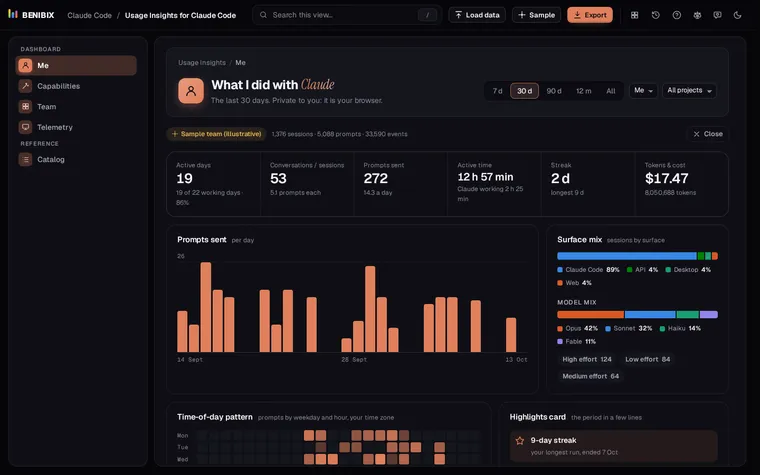
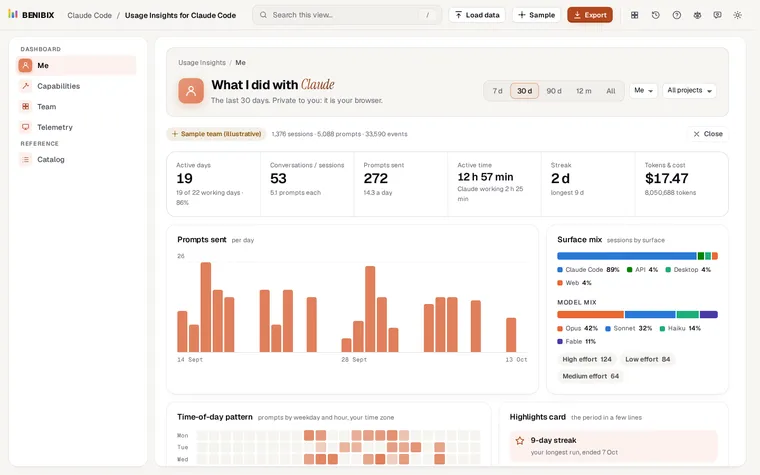
Usage Insights for Claude Code reads that folder in your browser, with nothing uploaded, and draws the charts above without any collector: cost by model, tokens, commits, kept edits, turn times, API errors and tool health. Its Catalog view lists the OpenTelemetry names next to every metric, so you can rebuild any chart in Grafana or Datadog later. The lesson Is Claude Code working well? walks through the telemetry side.
Where can you check this?
What is the short version?
CLAUDE_CODE_ENABLE_TELEMETRY=1plus an exporter and an endpoint.- Eight metrics: sessions, lines, PRs, commits, cost, tokens, edit decisions, active time.
- Events for prompts, model calls, errors, tool results and decisions.
- Roll it out with the
envblock of managed settings; keep prompt text off.