Skip to content
70
metrics in the catalog
5
views
k ≥ 5
team privacy floor
0
bytes uploaded
What it does

What Usage Insights for Codex does.

Codex writes every session to a file in ~/.codex/sessions: each turn, the token counts of every response, your usage limits at that moment, each command and patch and whether it worked. Usage Insights for Codex reads those files in your browser, compressed ones included, and answers three questions: what did I do with Codex, what did we do as a team, and is it working well.

Every number follows a published data catalog with its definition and where Codex records it, estimates are labelled as estimates, and prompt and response text never enters the dashboard.

What I did

Active days and streaks, a weekday by hour heatmap, sessions by surface (CLI, IDE extension, app, codex exec), projects and branches, languages patched, lines added and removed, commits and pull requests, and how many of Codex's patches you kept.

Your usage limits

The highest share of your 5-hour and weekly windows used each day, the peaks and how often a limit was reached, read from the limits Codex stores with every token count. Next to it, input, cached and reasoning tokens per model and effort.

Everything Codex used

Every skill and who started it (you with $name, or Codex on its own), every MCP server down to each tool, the built-in tools such as exec_command and apply_patch, and each subagent with its time and tool calls, read from its own session file.

Is it working

Turn duration and time to first token at p50 and p95, turn errors by class, command and patch success with 30-day sparklines, sandbox and approval modes, declined and blocked calls, connector health and context compactions.

What we did

Load everyone's exported events for weekly active people against seats, stickiness, retention cohorts, depth of use, adoption by team, reused skills, connector coverage and limit hits, with small teams merged or hidden.

Private, then shareable

Your session files never leave the tab. When you want to keep or pass on what you see, save the dashboard as an HTML page or a PDF laid out to read, your events under a pseudonymous id for a team roll-up, or one CSV row per day for a spreadsheet or a BI tool.

What a session file holds

Codex writes every turn down. The dashboard keeps the numbers.

Each line of ~/.codex/sessions is one thing that happened, as JSON. The dashboard reads them in your browser tab, keeps the counts, names and times on the right, and drops the text on the far right as each line goes by. Nothing is uploaded.

In a minute

See Usage Insights for Codex in action.

A short video of Usage Insights for Codex doing its one job, from an empty screen to the finished result.

Nothing loads from YouTube until you press play. Then Google receives your IP address and may set its own storage. Narrated with an AI-generated voice. Privacy
How it works

How to use Usage Insights for Codex in three steps.

Best for: You use Codex every day and want to see where the time, tokens and usage limits go, or you lead a team and want adoption numbers without reading anyone's prompts.

01

Open your history

Drop ~/.codex/sessions on the page or pick it (on Windows, %USERPROFILE%\.codex\sessions). Add ~/.codex/session_index.jsonl for your threads' names. Large folders are streamed, so gigabytes are fine.

02

Read the dashboard

Pick a range and a project, then move between Me, Capabilities, Team, Telemetry and the Catalog. Point at any chart for its numbers and at any label for how it is worked out.

03

Export or share

Save the whole dashboard as an HTML file or a PDF, copy your recap, save a daily CSV, or export events so a team lead can load everyone's together.

Course

Learn Usage Insights for Codex, from 0 to 100.

A free course of 6 short lessons, from your first minute in Usage Insights for Codex to using all of it, with a picture of every step.

Usage Insights for Codex6 lessons

Usage Insights for Codex, from zero to pro

A free course on reading your Codex usage, from opening your session history in five minutes to your usage limits, telemetry and a team dashboard that never shares a prompt.

  • 6 lessons
  • 17 min
  • 6 of 6 with video
  • Beginner to Pro
0 · Start6 lessons100 · Pro
  1. 01See your Codex usage in five minutesBeginner3 min
  2. 02Read your Codex activityBeginner3 min
  3. 03Track your Codex usage limits, tokens and modelsIntermediate3 min
  4. 04Every skill, MCP server and tool Codex usedIntermediate2 min
  5. 05Is Codex working well? Turn times, errors and successAdvanced3 min
  6. 06A Codex usage dashboard for a team, and taking it with youPro3 min
From the blog

Read more about Usage Insights for Codex.

Every post

What's new

The latest release.

Latestv1.0.0First release

First release: see what you did with Codex, from your own session files

  • Usage Insights for Codex turns the session files Codex keeps in ~/.codex/sessions into a dashboard, read in your browser, with nothing uploaded; compressed sessions (.jsonl.zst) are read too, and auth.json and config files are skipped even inside a dropped folder.
  • Me shows your rhythm: active days, streaks, a weekday by hour heatmap, projects and branches, languages patched, lines changed, commits and how many of Codex's patches you kept.
  • Usage limits shows the highest share of your 5-hour and weekly windows used each day, the peaks and how often a limit was reached, from the limits Codex records with every token count, beside your tokens, reasoning and models.
  • Capabilities lists every skill and who started it, every MCP server down to each tool, the built-in tools and each subagent with its time and tool calls.
Questions

Usage Insights for Codex questions, answered.

Where does Codex keep its session history?

In ~/.codex/sessions on macOS and Linux and %USERPROFILE%\.codex\sessions on Windows, in folders by year, month and day, one rollout-*.jsonl file per session. Codex compresses older files to .jsonl.zst; this tool reads both. If you set CODEX_HOME, the folder is there instead.

Is my data sent to you or uploaded anywhere?

No. Usage Insights for Codex has no server: it is plain files your browser runs. Your session files are read on your device, the numbers are worked out in your browser tab, and nothing is sent to me or anyone else. Prompt, response and command text is dropped as the files are read, auth.json and config files are never opened, even inside a dropped folder, and only your settings (view, range, baselines, seats and the ids you export with) are remembered in your browser.

Can it show my 5-hour and weekly usage limits?

Yes, when you use Codex with a ChatGPT sign-in. Codex stores how much of each window you had used with every token count, and the dashboard shows the highest share per day, your peaks and how often a limit was reached. With an API key there are no such windows to show.

Does it show what my Codex usage cost?

Not from the session files: they hold tokens and usage limits, not prices. The dashboard shows input, cached, output and reasoning tokens per model instead. Events from a gateway that carry cost_usd are added up when you load them.

How does the Team view work if Codex only has my history?

Everyone opens their own ~/.codex/sessions folder here and exports their events, under a pseudonymous id and a team id. One person loads all those files at once and gets the team. A gateway or proxy that writes the catalog's unified event schema can feed it the same way.

How are skills and subagents counted?

A skill you pick with $name or /skills is counted as yours; a skill Codex picks itself is counted when it reads that skill's SKILL.md. A subagent counts once per spawn_agent call, with its time and tool calls taken from its own session file.

Why are some teams missing from the Team view?

A team of fewer than five people is folded into Other teams, and hidden if even that has fewer than five, so no one can be picked out of a total. Retention cohorts follow the same floor of five.

Is Usage Insights for Codex made by one of the companies it names?

No. Usage Insights for Codex is independent: it is not made, endorsed or supported by OpenAI, GitHub, Microsoft or any other company whose products it works with. Product names on this page are their owners' trademarks, used only to say what it works with.

Free, no sign-up

Try Usage Insights for Codex now.

Usage Insights for Codex turns your Codex history into a dashboard. Drop your sessions folder and see your rhythm, what Codex built, the tools and skills it used, how close you came to your usage limits and how well it ran, without uploading a thing.

From the same shelf

More Codex tools.

Codex

Config Studio for Codex

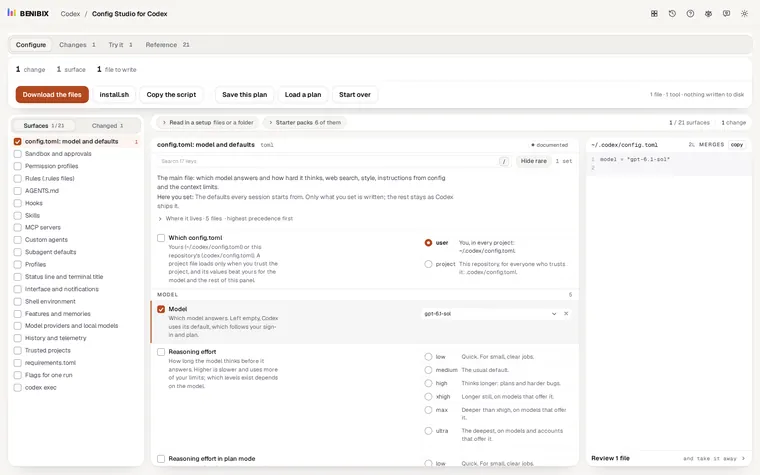
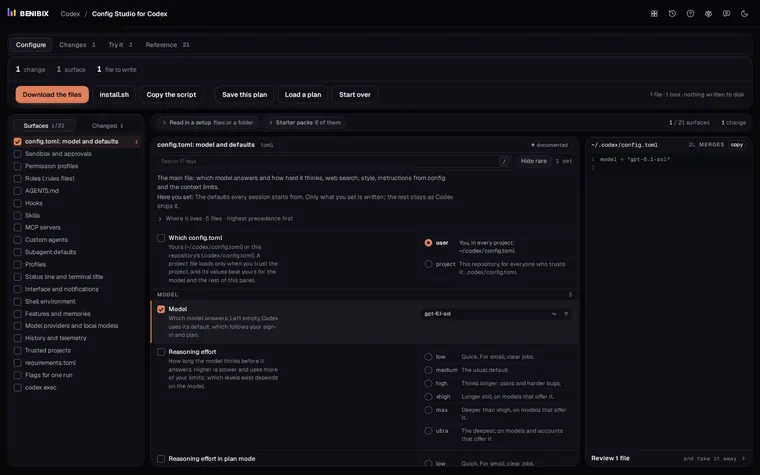
Every file Codex reads, explained: config.toml, sandbox and approvals, AGENTS.md, rules, hooks, skills, MCP servers and the status line, with an editor that writes them for you.

Contact