Skip to content
21
surfaces Codex reads
31
status line items
6
starter packs
0
files written until you run it
What it does

What Config Studio for Codex does.

Codex is shaped by more files than its one config.toml: a sandbox and approval policy, permission profiles, rules for commands in .rules files, AGENTS.md instructions, hooks, skills, custom agents, MCP servers, profiles and the status line.

They live in your home folder and in the project, and override each other in an order that is easy to get wrong. Config Studio for Codex puts all 21 in one place, says what every option does, shows which layer wins, and writes the files for you without touching your disk.

Start from yours

Drop your .codex folder, a repository or a single config.toml, and what you have set opens in the editors. What no editor can hold is listed and kept as it is.

All 21 surfaces

config.toml, sandbox and approvals, permission profiles, rules, AGENTS.md, hooks, skills, custom agents, MCP servers, profiles, the status line, requirements.toml and more, in one list.

Which layer wins

Each surface shows every place it is read from, in order of precedence: requirements, flags, the project, a profile, your own file. So you can see why a setting is ignored.

One valid config.toml

Set the model in one surface, the sandbox in another and an MCP server in a third: they come out as one TOML file with every key in the right table.

The status line, drawn

Pick from Codex's 31 footer items and 25 title items, drag them into order and watch the footer render with Codex's own separator and colours.

Starter packs

Begin from seatbelts, a read-only review profile, an unattended CI profile, a short list of allowed hosts, a useful footer or a team repository.

One install script

Take the files, or one script that merges them into the config.toml you already have, keeping your trusted projects, and sets the old files aside first, with an undo.sh that puts them back.

Which layer wins

Four layers, one answer.

Codex reads its settings from your config.toml, a profile, the project's and the command line, under whatever an administrator requires. When two of them set the same key, the higher one wins. The studio shows the order for every surface before it writes anything.

  1. 01

    Requirementsadministrators

    /etc/codex/requirements.toml

    requirements.toml does not set values; it allows some and refuses the rest. A value it refuses falls back to an allowed one, whoever set it.

  2. 02

    Flagsthis run

    codex -c key=value

    A -c override or a flag such as --model, for one run. Nothing on disk changes.

  3. 03

    Project configthe repository

    ./.codex/config.toml

    A .codex/config.toml in the repository, read only when you trust the project. The one nearest your working folder wins.

  4. 04

    Your config.tomlyou, everywhere

    ~/.codex/config.toml

    Your defaults for every project on this machine, in ~/.codex. The lowest of the four: the others can override it. A profile you pick with --profile (~/.codex/<name>.config.toml) is laid over it, still under the project.

Untrusted projects skip their own layer. Codex asks the first time you open a folder; until you trust it, its .codex/ config, hooks and rules are not loaded at all.

In a minute

See Config Studio for Codex in action.

A short video of Config Studio for Codex doing its one job, from an empty screen to the finished result.

Nothing loads from YouTube until you press play. Then Google receives your IP address and may set its own storage. Narrated with an AI-generated voice. Privacy
How it works

How to use Config Studio for Codex in three steps.

Best for: you want to know what a Codex setting does, which file it goes in, or why Codex ignores the one you set.

01

Pick a surface

config.toml, the sandbox, rules, AGENTS.md, hooks, skills, MCP servers or any other file Codex reads.

02

Set what you want

Every option says what it does, and the file it would write updates as you go.

03

Copy the result

Take the files or the install script; nothing touches your disk until you run it.

Course

Learn Config Studio for Codex, from 0 to 100.

A free course of 7 short lessons, from your first minute in Config Studio for Codex to using all of it, with a picture of every step.

From the blog

Read more about Config Studio for Codex.

Every post

What's new

The latest release.

Latestv1.0.0First release

First release: every file Codex reads, explained and editable

  • Config Studio for Codex covers the 21 surfaces Codex reads, from config.toml, sandbox and approvals, permission profiles, rules, AGENTS.md and hooks to skills, MCP servers, custom agents, profiles, the status line and requirements.toml, checked against Codex 0.162.1 and its documentation.
  • Each surface shows every place it is read from, the one that wins at the top, and the exact file your choices produce; only what you set is written, and several surfaces that write config.toml come out as one valid file.
  • Read in a setup takes your .codex folder, a repository or any of their files and opens what is set there in the editors, one config.toml filling up to 12 surfaces; what no editor can hold is listed and kept, and your sign-in, sessions and history are never opened.
  • Pick and order the status line and terminal title items (31 footer items and 25 title items) and see the footer drawn the way Codex draws it.
Questions

Config Studio for Codex questions, answered.

Where is the Codex config file?

In ~/.codex/config.toml for you, and .codex/config.toml in a project, which Codex reads only when you trust the project. Set CODEX_HOME to move the whole ~/.codex folder.

Can I load the Codex config I already have?

Yes. Read in a setup takes your .codex folder, a repository, or files such as config.toml, hooks.json, AGENTS.md and .rules files, read in your browser, and opens them in the editors. Anything it cannot edit is listed and stays in your files: the install script merges into config.toml rather than replacing it.

Which Codex setting wins when two files set it?

Requirements set by an administrator limit everything. Below them a -c override or flag wins, then the project's .codex/config.toml (the one nearest your folder first), then a profile chosen with --profile, then your ~/.codex/config.toml, then Codex's defaults.

What happened to approval_policy = "untrusted"?

Codex retired it. Use on-request with a read-only sandbox, or mark the project untrusted with trust_level = "untrusted" under [projects], which also skips the project's own .codex/ files. The studio offers on-request, never and granular.

How do I customise the Codex status line?

Codex draws it from its own items, set in [tui] status_line in config.toml or picked with /statusline. There is no script to install. The studio lets you pick and order the 31 items and the terminal title, and shows the result.

Does it change files on my computer?

No. It runs in your browser and cannot reach your disk. It gives you the files or an install script to copy, and the script keeps a copy of every file it changes, with an undo.sh that puts them back.

Which Codex version is it checked against?

Codex 0.162.1, and the Codex documentation as read on 11 October 2026. Every fact carries a badge saying where it came from: the documentation with its date, the source code, or the installed program's help.

Is Config Studio for Codex made by one of the companies it names?

No. Config Studio for Codex is independent: it is not made, endorsed or supported by OpenAI, Microsoft or the Python Software Foundation. Product names on this page are their owners' trademarks, used only to say what it works with.

Free, no sign-up

Try Config Studio for Codex now.

Every file Codex reads, explained in one place. Pick what you want to change, see the exact file it would write, and copy it.

From the same shelf

More Codex tools.

Codex

Usage Insights for Codex

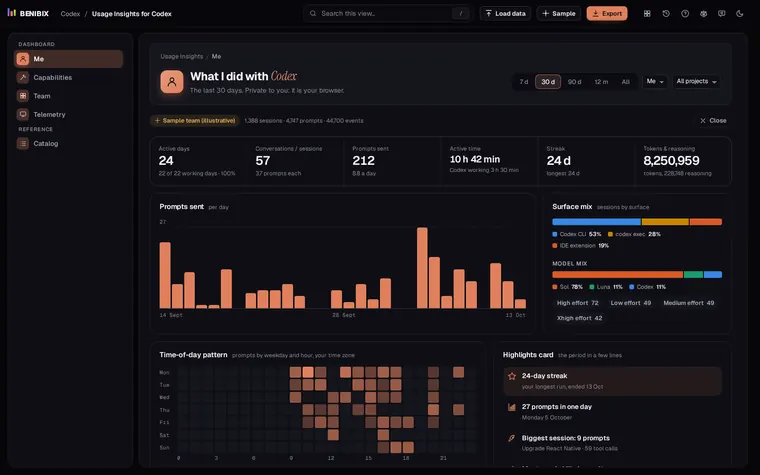
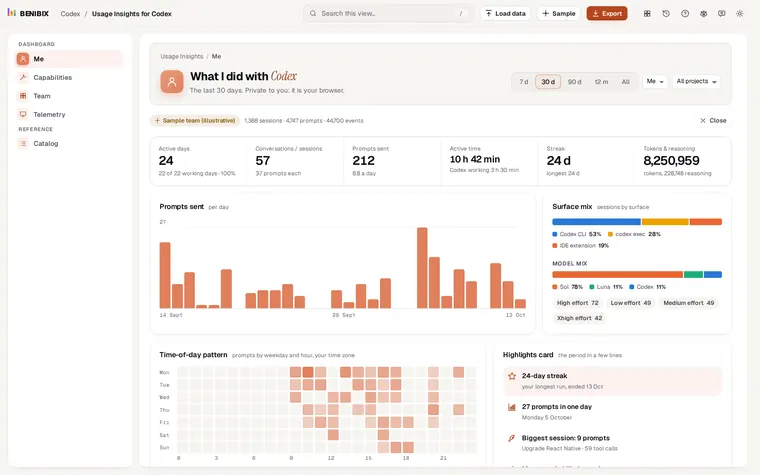
See what you and your team did with Codex: activity, patches and commits, tools and skills, tokens, your 5-hour and weekly limits and telemetry, from your Codex session files, in your browser.

Contact