Short answer: sandbox_mode sets where Codex's commands may write (read-only, workspace-write or danger-full-access) and approval_policy sets when it stops to ask you (on-request, never, or a granular table). For everyday work in a git repository, workspace-write with on-request is the default and the right choice. For a review, read-only. For CI, read-only or workspace-write with never. danger-full-access is for a machine you can throw away.
The first time Codex asks before running npm install, it is reassuring. The fortieth time, people reach for the switch that turns everything off. The better fix is knowing what the two dials do, so you open exactly as much as the work needs.
What does each sandbox mode allow?
sandbox_mode | Codex's commands may |
|---|---|
read-only | Read files and run commands that change nothing |
workspace-write | Also write inside the workspace (and the temp folder) |
danger-full-access | Do anything on the machine: no sandbox at all |
Even with workspace-write, a few folders inside the workspace stay read-only: .git, .codex, .agents and .aws when they exist. So Codex can edit your code but not rewrite your git history or its own settings from inside the sandbox.
Network access is off in the sandbox by default. Turn it on for workspace-write with:
[sandbox_workspace_write]
network_access = trueThat lets every command reach every host. To allow only some domains, a permission profile ([permissions.<name>] with network.domains) is the finer tool. Folders outside the workspace that Codex should be able to write go in writable_roots, or --add-dir for one run.
What does each approval policy do?
approval_policy | What happens |
|---|---|
on-request | Commands the sandbox allows run without asking; Codex asks before it steps outside: writing outside the workspace, reaching the network, running something the sandbox blocks |
never | Codex never asks. Anything the sandbox blocks fails and the failure goes back to the model |
granular | You choose which kinds of prompt you still see: leaving the sandbox, rules that say prompt, MCP servers asking questions, requests for more permissions, a skill's script. The rest are declined without asking |
With approvals_reviewer = "auto_review", a reviewer agent answers the prompts first: low and medium risk goes through, critical risk is refused, and only high risk reaches you.
Which combination should I use?
| Situation | Flags | Or in config.toml |
|---|---|---|
| Everyday work in a git repository | none (the default) | sandbox_mode = "workspace-write", approval_policy = "on-request" |
| Reviewing or exploring code you do not trust | --sandbox read-only --ask-for-approval on-request | sandbox_mode = "read-only" |
| A read-only job in CI | --sandbox read-only --ask-for-approval never | |
| Fewer prompts, still guarded | add -c approvals_reviewer=auto_review | approvals_reviewer = "auto_review" |
| A throwaway container or VM | --dangerously-bypass-approvals-and-sandbox (alias --yolo) | sandbox_mode = "danger-full-access" |
Codex's own help calls the last one extremely dangerous and meant only for environments that are sandboxed from outside. If the number of prompts is the problem, a few rules that allow the commands you approve every day are almost always the better answer.
What happened to approval_policy = "untrusted"?
It is retired, and Codex no longer starts cleanly with it set. Remove it from config.toml, profiles and scripts. For the old behaviour, leave approval_policy unset and mark the project untrusted in ~/.codex/config.toml:
[projects."/home/you/code/some-repo"]
trust_level = "untrusted"Commands then need approval unless a rule allows them, and Codex also ignores that project's own .codex/ settings.
Which setting wins when two places set it?
A -s, -a or -c flag beats the files. Below the flags, a trusted project's .codex/config.toml beats a profile chosen with --profile, which beats your ~/.codex/config.toml. An administrator's requirements.toml limits all of them. Which Codex config.toml wins has the full order.
Newer setups can use permission profiles instead (default_permissions = ":read-only", ":workspace" or one of your own). A session uses either a profile or sandbox_mode, not both.
Where can you check this?
Can I set this up without editing TOML by hand?
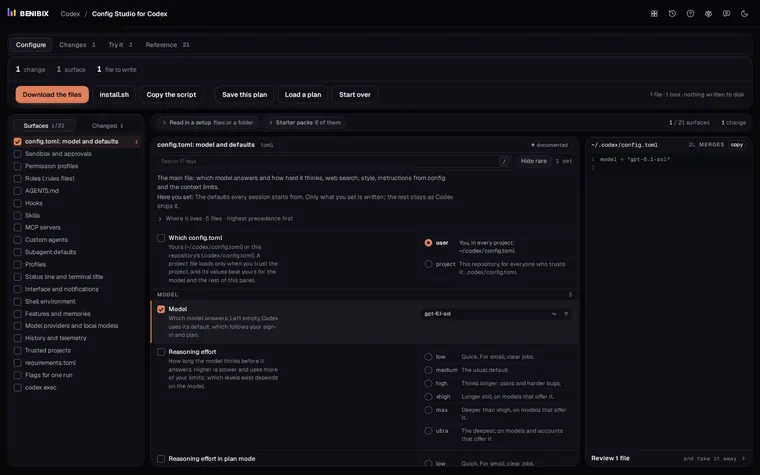
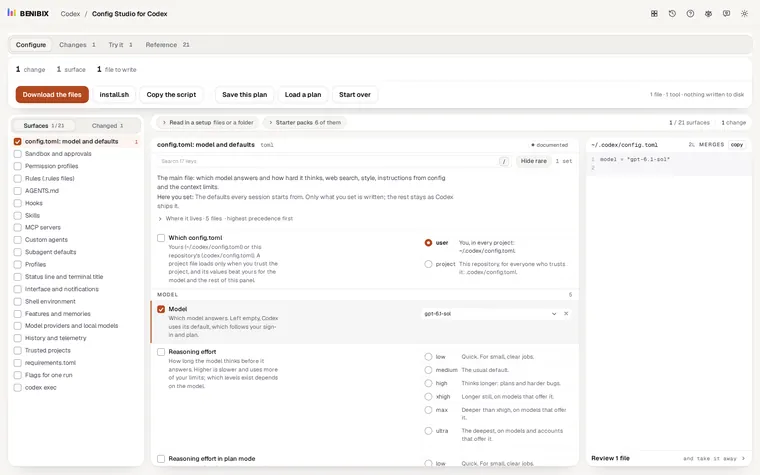
Config Studio for Codex has Sandbox and approvals as one surface: pick the mode and the policy, each with a sentence on what it does, switch on granular prompts or the auto reviewer, add writable folders, and watch the config.toml it would write. Its Seatbelts starter pack is a careful everyday setup, and the read-only review and unattended CI profiles are packs too. It runs in your browser and writes nothing until you copy the file or the install script, which keeps a copy of what it changes.