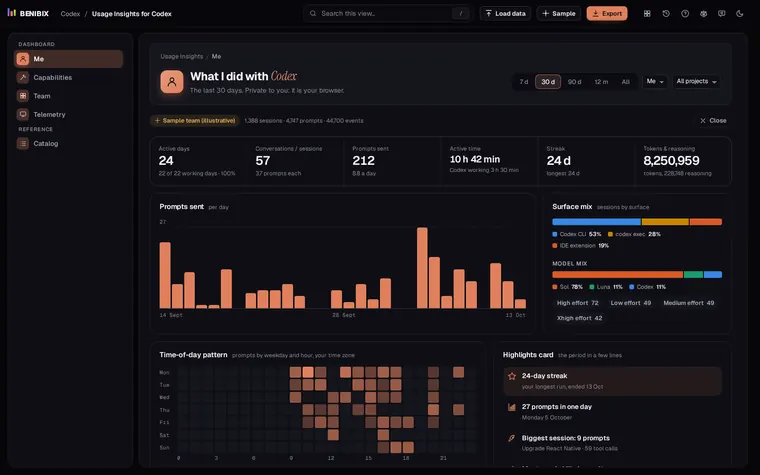
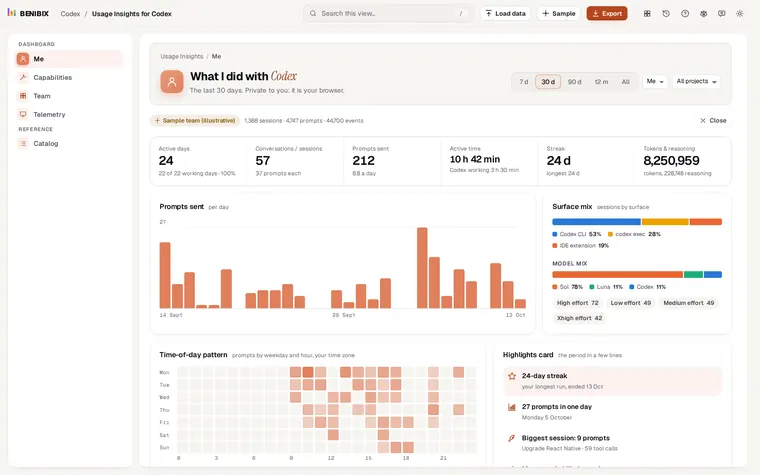
Short answer: Codex writes every session to ~/.codex/sessions on the developer's own machine, so a team view has to be collected. The simplest way: each person exports counts from their own sessions under a pseudonymous id and a team id, and one person loads all the files together. For a team, watch weekly active people against seats, patch acceptance and commits, codex exec automations, and how often people hit their 5-hour or weekly limit, with every group under five people merged or hidden.
A Codex rollout raises the same question in every team a few weeks in: is anyone actually using it, and is it worth the seats? The answer is on everyone's laptop. Here is how to get it out without asking anyone to hand over their prompts.
Why is there no team view out of the box?
Codex keeps its history locally: one rollout-*.jsonl file per session, filed by date, with every prompt, response, command, patch, token count and usage limit. That is good for privacy and bad for a manager, because the only person who can read a developer's history is that developer.
Two ways around it:
- Exports from each person. Everyone turns their own sessions into counts (events with a time, a type and a name, no text) and sends the file. No server, nothing to install.
- OpenTelemetry. The
[otel]table inconfig.tomlsends events such as tool decisions, API requests and token usage to a collector you run. Good when you already have one; prompt text stays out unless someone turns onlog_user_prompt.
Which numbers matter for a Codex team?
| Number | How it is worked out | What it tells you |
|---|---|---|
| Weekly active people | People with at least one session in the week, against seats | Reach, and seats nobody uses |
| Stickiness | Daily active ÷ monthly active | Habit, or occasional use |
| Retention | Share of a starting week's people still active weeks later | Whether it lasts past the first try |
| Depth of use | Light (under 5 prompts a week), regular, and power users who use agents, skills or connectors | How far people go |
| Patch acceptance | Patches applied ÷ applied plus declined at the prompt | Whether Codex's edits are good enough to keep |
| Commits and pull requests | git commit and gh pr create runs that succeeded | Work that left the session |
| Automations | codex exec runs and their success rate | Codex in scripts and CI, not just at the keyboard |
| Limit hits | Times a 5-hour or weekly limit was reached, and how many people | Whether the plan fits the work |
Tokens and prompt counts are easy to collect and hard to read. A developer sending two hundred prompts a day may be stuck in a loop. Patch acceptance, commits and retention say more.
What do limit hits tell a team?
Codex records the share of your 5-hour and weekly windows used with every token count, and a turn that runs into a limit ends with a usage-limit error. If the same few people hit the limit every week, their plan does not match their work; if nobody ever gets near it, you may be paying for headroom no one uses. Look at the people affected, not just the count: one heavy user can hit the limit twenty times.
How do I keep it private?
- Counts, never content. The export holds event types, tool and skill names, models, numbers and times. No prompt, response or command text.
- Pseudonymous ids. A made-up id per person, never an email address or a name.
- Groups of at least five. A team under five people is folded into "Other teams", and hidden if even that has fewer than five, so no one can be picked out of a total. Retention cohorts follow the same floor.
- No named rankings. Show light, regular and power as a distribution, not a list of people.
- Label estimates. Time saved is an estimate; show how it was made.
Tell people what the export contains before you ask for it. Most are happy to share counts once they have seen there is no text in the file.
What should I do with the numbers?
- Seats unused: ask those people what got in the way, or move the seats.
- Low patch acceptance: Codex's edits are often declined. Better
AGENTS.mdinstructions and a shared skill or two for the codebase usually help more than a bigger model. - Many limit hits: spread heavy work, lower the reasoning effort for routine tasks, or change plans for the people who need it.
- No automations: if your team reviews code or fixes lint by hand every day,
codex execin CI may be the next step.
Where can you check this?
Can I build the team view in the browser?
Usage Insights for Codex does the export route with no server. Each person opens their own ~/.codex/sessions folder in the browser and, under Export, saves their Events with a pseudonymous id and a team id. One person loads everyone's files at once and gets the Team view: weekly active people against the seats you enter, stickiness, retention cohorts, depth of use, adoption by team, engineering output per repository, reused skills, connector coverage, automations, limit hits and policy events, with small teams merged or hidden. The lesson Codex usage dashboard for a team walks through it, and measuring Claude Code adoption covers the same idea for Claude Code.