Short answer: to measure Claude Code adoption, count weekly active people against the seats you pay for, then check stickiness (do they come back every day), retention (are they still using it a month later), depth (do they use agents, skills and connectors, or only chat) and outcomes (commits, pull requests and kept edits). None of that needs a single prompt. Counts, names of tools and timestamps are enough.
Here is what each number means, how to collect it, and how to keep it from turning into surveillance.
Which numbers actually show adoption?
| Number | How it is worked out | What it tells you |
|---|---|---|
| Weekly active people | People with at least one session in the week | Reach |
| Seat utilisation | Monthly active people divided by seats | Money on the table |
| Stickiness | Average daily active divided by monthly active | Habit, or occasional use |
| Retention | Share of a starting week's people still active weeks later | Whether it lasts past the trial |
| Depth of use | Light, regular and power users, where power means agents, skills or connectors | How far people go |
| Outputs | Commits, pull requests, lines kept, files created | Whether it produces work |
Messages and tokens are the easiest numbers to get and the least useful. A person sending three hundred prompts a day might be stuck. Outputs and retention say far more.
What is a good stickiness number?
Stickiness is daily active people divided by monthly active people. Around 20% means people use it about one working day in five, which is occasional. Above 50% means it is part of the daily routine for most of the people who have it. Watch the trend rather than one week: a team that rose from 25% to 45% over two months has adopted it.
Where does the data come from?
Claude Code keeps every session on the developer's own computer, in ~/.claude/projects. Two ways to get a team view:
- OpenTelemetry. Turn on Claude Code's export for everyone through managed settings and send it to a collector. Good if you already run Grafana or Datadog. See Claude Code OpenTelemetry.
- Exports from each person. Each developer exports their own counts with a made-up id and the team's id, and one person combines the files. No server, nothing to run.
How do I keep it private?
Adoption numbers are only trusted if nobody feels watched. The rules worth adopting from day one:
- Counts, never content. No prompt text, no answers, no session titles in any team view.
- Groups of at least five. A team under five people is merged into a larger group or hidden, so no one can be picked out of an average.
- No named leaderboards. Show distributions (light, regular, power), not a ranking of people.
- Pseudonymous ids. A made-up id per person, never an email address.
- Label every estimate. Time saved is an estimate; say how it is made.
Tell the team what is collected before you collect it. Most people are glad to share counts once they know prompts stay with them.
What should I do with the numbers?
- Low seat utilisation: some seats are unused. Ask those people what got in the way, or move the seats.
- High reach, low stickiness: people tried it and drifted. Usually a setup problem (permissions that interrupt, no CLAUDE.md, no shared skills).
- Low depth: everyone chats, nobody uses agents or skills. Share two or three skills that fit your codebase and see if depth moves.
- Falling retention after week two: the first tasks people tried did not work. Collect the good examples and show them.
Can you build the team dashboard in your browser?
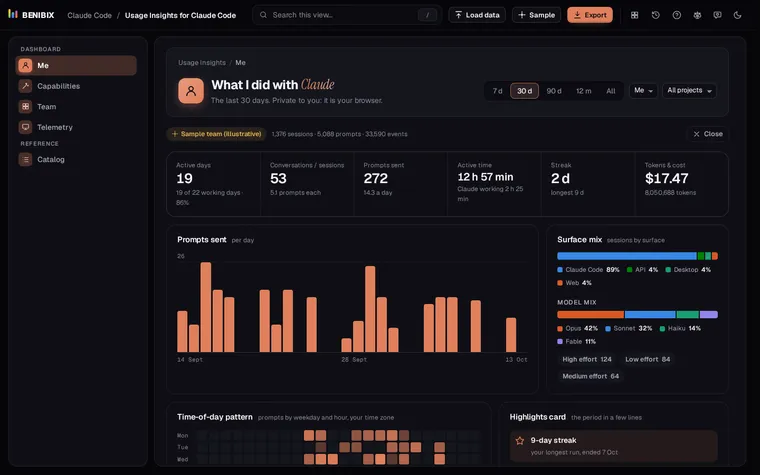
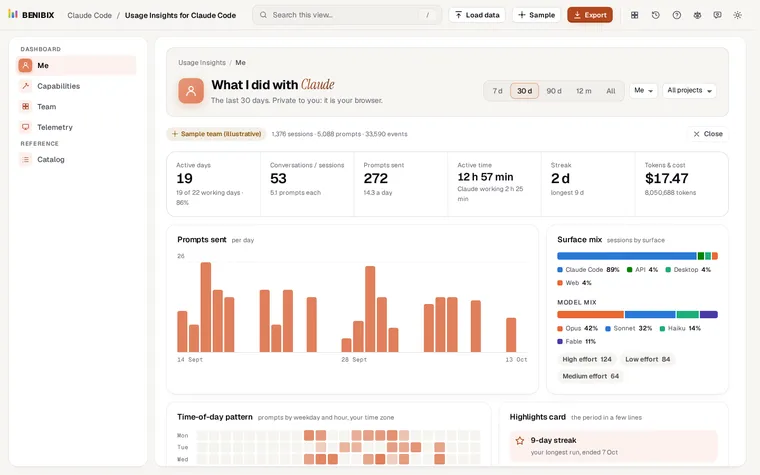
Usage Insights for Claude Code does the export route with no server at all. Each person opens their own history in the browser and exports their events with a pseudonymous id and a team id. The team lead loads all the files at once and gets active people against seats, stickiness, retention cohorts, depth of use, adoption by team, reused skills and connector coverage, with every group under five merged or hidden. The lesson A team dashboard that never shares a prompt shows each step, and the sample team lets you see the whole view before anyone exports anything.
Where can you check this?
What is the short version?
- Weekly active people against seats is the headline; stickiness and retention show whether it lasts.
- Outputs beat messages and tokens.
- Counts only, groups of five or more, no named rankings.
- Collect through OpenTelemetry or per-person exports; both work without reading a prompt.