Skip to content
75
segments, plus 15 for subagent rows
25
ready-made templates
12
colour palettes
3
output languages
What it does

What Statusline Studio does.

Claude Code can show a line of live information under its prompt: the model, the folder, the git branch, how full the context window is, what the session costs. You get it by writing a script that reads a JSON payload and prints the line.

Statusline Studio replaces that with a designer: start from a template, add and style segments while a preview updates, and copy one command that installs the script and turns it on.

Live preview with real scenarios

Switch between a fresh, working, heavy and near-the-limit session, and turn git or rate limits off to see which segments drop out.

~/projects/api · claudeClassic
> refactor the auth middleware to use the new token service
● Read src/middleware/auth.ts
● Update src/middleware/auth.ts +42 −17
>
● Opus 5.5 │ $3.42 │ ↻ 2h14m │ ◔ 5H 23% │ ◑ 7D 41%

75 segments, and 15 for subagent rows

Model, cost, context window, git, rate limits, session, machine and more, each as a number, a progress bar or a colour that turns from green to red.

Style every segment

Icon or emoji, a text label, text and background colour, and format variants for each segment, with 12 colour palettes.

Bash, Python or Node.js

The same design in three languages, with identical output, tested with full, minimal and empty payloads in the shape Claude Code sends.

Layouts beyond one line

Up to four lines in four shapes, plus 13 separators, 8 progress bars and 6 wrappers.

Subagent rows too

Build the subagentStatusLine as well: one row per running subagent with its tokens, context, model and status.

Install by hand

Prefer to do it yourself?

The builder's Copy install command does both steps for you. If you downloaded the script instead, this is all it takes.

  1. 1

    Move the script into place

    mv ~/Downloads/statusline.sh ~/.claude/statusline.sh
  2. 2

    Turn it on in ~/.claude/settings.json

    "statusLine": { "type": "command", "command": "bash ~/.claude/statusline.sh" }
  3. 3

    Start Claude Code

    The line shows under the prompt and updates as you work. Nothing else to install.

Running it through bash means it works even if the file lost its executable permission, which downloaded files always do.

In a minute

See Statusline Studio in action.

A short video of Statusline Studio doing its one job, from an empty screen to the finished result.

Nothing loads from YouTube until you press play. Then Google receives your IP address and may set its own storage. Narrated with an AI-generated voice. Privacy
How it works

How to use Statusline Studio in three steps.

Best for: you want Claude Code to show the model, branch, cost or context usage right under the prompt.

01

Pick a template

Start from one of 25 designs (including 5 for subagent rows), or from a blank line.

02

Make it yours

Add segments, drag them between lines, and restyle colours, icons and separators while the preview updates.

03

Copy and install

Click Copy install command and paste it into a terminal; it saves the script and turns it on in settings.json.

Course

Learn Statusline Studio, from 0 to 100.

A free course of 12 short lessons, from your first minute in Statusline Studio to using all of it, with a picture of every step.

From the blog

Read more about Statusline Studio.

Every post

What's new

The latest release.

Latestv1.0.0First release

First release: build a Claude Code status line without writing a script

  • Statusline Studio builds the status line under Claude Code's prompt: pick segments, style them, and watch the line render live before you install it.
  • 75 segments for the status line and 15 for subagent rows, from model and cost to git branch, context use, plan limits, Spend in dollars and prompt cache misses, and 25 templates to start from. Subagent rows show each subagent's type, such as Explore or your own code-reviewer.
  • Every segment comes as text, an emoji or a Nerd Font icon, and one switch changes all of them at once; the preview draws the icons even without a Nerd Font installed, and the icon picker takes your own.
  • Edit right in the preview: click a segment to change it and drag it to move it. Undo and Redo in the bar (Ctrl+Z, Ctrl+Shift+Z) take back or bring back any change, a Reset too. In the layout, the arrow keys move a segment along its line or to another line.
Questions

Statusline Studio questions, answered.

What is a Claude Code status line?

It is the line under the prompt in Claude Code that shows live information: the model, the folder, the git branch, how full the context window is, what the session costs and more. Claude Code runs a script you choose and prints its output there. Statusline Studio writes that script for you.

How do I customise my Claude Code status line?

Open the builder, pick a template, then add, remove and style segments while the preview updates. Click Copy install command and paste it into a terminal: it saves the script to ~/.claude/ and sets statusLine in ~/.claude/settings.json. Restart Claude Code to see it.

Can it show context window usage, cost and rate limits?

Yes. There are segments for context used and remaining, tokens, cache reads, session cost, burn rate, and the 5-hour and 7-day limits of Pro and Max plans with their reset times.

Do I need a Nerd Font?

No. Text symbols and emoji work in every terminal. Nerd Font icons and the powerline look need a Nerd Font installed and chosen in your terminal; the builder shows which templates need one.

What do I need installed?

The Bash version needs jq (and awk for some segments). The Python and Node.js versions need only their interpreter. Git segments call git. The builder lists the exact dependencies of your design as you build.

I installed it but nothing shows. What is wrong?

Most often the script is not where settings.json points, Claude Code has not been restarted, or the folder is not trusted yet. Open Generated code and click Not working?: its one-paste check looks at the file, its permission, the tools it needs and settings.json, then runs the script with sample data and shows any error.

Does it send my data anywhere?

No. Your design is kept in your browser, and a share link carries the whole design inside the link itself. Nothing you build is sent to a server.

Is Statusline Studio made by one of the companies it names?

No. Statusline Studio is independent: it is not made, endorsed or supported by Anthropic, Microsoft, Apple or any other company whose products it works with. Product names on this page are their owners' trademarks, used only to say what it works with.

Free, no sign-up

Try Statusline Studio now.

A visual builder for the line under the Claude Code prompt. Pick from 75 segments, style each one and watch it render live, then copy a ready-to-run script.

From the same shelf

More Claude Code tools.

Claude Code

Config Studio for Claude Code

Every file Claude Code reads, explained: what each setting does, where it lives, which file wins, and an editor that writes it for you.

Claude Code

Usage Insights for Claude Code

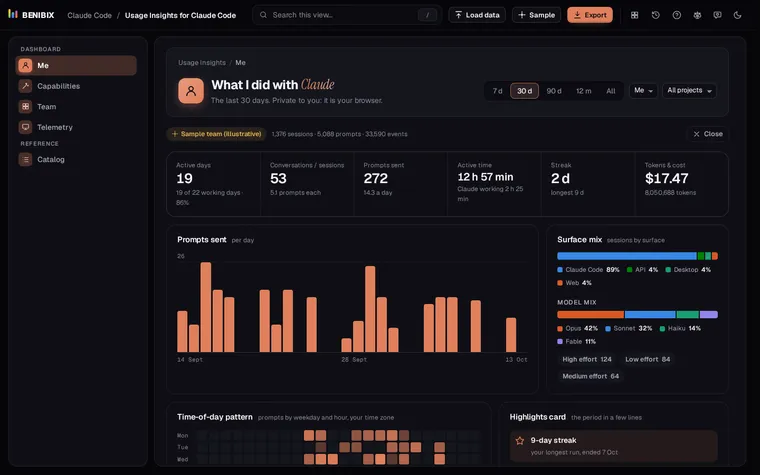
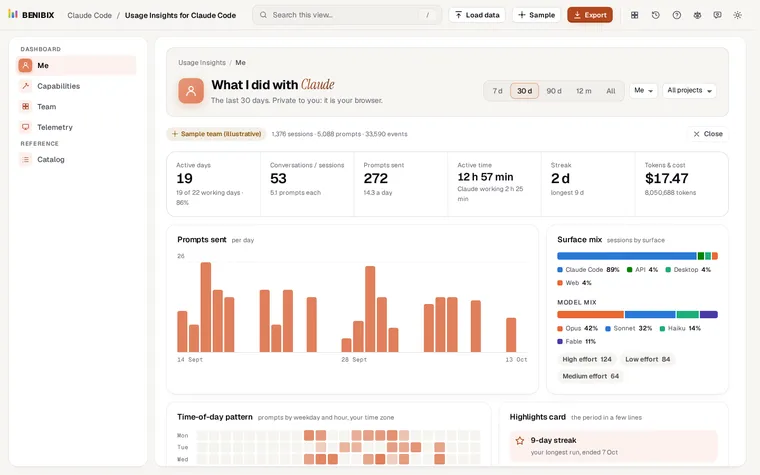
See what you and your team did with Claude: activity, what you built, the tools and skills you used, cost and telemetry, from your Claude Code history, in your browser.

Claude Code

Skills Gallery for Claude Code

32 ready-to-use Agent Skills with a "Will it trigger?" tester, a quality checklist, install commands and zip downloads.

About the toolOpens Jan 17
Contact