Short answer: write a script that reads the session's JSON from standard input and prints one line, then point Claude Code at it with { "statusLine": { "type": "command", "command": "bash ~/.claude/statusline.sh" } } in ~/.claude/settings.json.
Claude Code can show a line of live information under its prompt: the model, the folder, the git branch, how full the context window is, what the session costs. It is off until you turn it on, and turning it on means giving Claude Code a script to run.
How does the status line work?
The status line is a command you choose. Claude Code runs it, passes it a JSON payload describing the session on standard input, and prints whatever the command writes to standard output under the prompt. The command can be a Bash, Python or Node.js script; it reads the fields it wants and prints one line (or a few).
You tell Claude Code about the command in ~/.claude/settings.json:
{ "statusLine": { "type": "command", "command": "bash ~/.claude/statusline.sh" } }How do you install one by hand?
If you have a script, two steps are all it takes:
# 1 · move the script into place
mv ~/Downloads/statusline.sh ~/.claude/statusline.sh

# 2 · add the statusLine setting above to ~/.claude/settings.jsonThen restart Claude Code.
Running the script through bash (as the setting above does) means it works even if the file lost its executable permission, which files saved from a browser always do.
What can it show?
Anything in the payload, and anything a script can work out. Statusline Studio has 75 ready-made segments, among them:
- Model and session: the model name and tier, the session name, the Claude Code version, the output style.
- Context and cost: context used and remaining, tokens, cache reads, the session cost and the burn rate.
- Rate limits: the 5-hour and 7-day limits of Pro and Max plans, with their reset times.
- Git: the branch, changes, ahead and behind, the pull request.
- Machine: the folder, the Kubernetes context and more.
Each can be a number, a progress bar, or a colour that turns from green to red as it fills.
What do you need installed?
- The Bash version needs
jq, andawkfor some segments. - The Python and Node.js versions need only their interpreter.
- Git segments call
git.
Text symbols and emoji work in every terminal. Nerd Font icons and the powerline look need a Nerd Font installed and chosen in your terminal. Colours are exact 24-bit values by default; how terminal colours work explains why that matters when you change theme.
Why does nothing show after installing?
Other things to check:
- The JSON in settings.json parses. A trailing comma breaks the whole file.
- The path is right.
~/.claude/statusline.shmust exist where the setting says. - The dependencies are there. Run
jq --versionfor the Bash version. - You restarted Claude Code after changing the setting.
- No other settings file replaces yours. A project's own
.claude/settings.jsoncan set a differentstatusLine, and it wins in that project. Which settings file wins explains the order.
The status line troubleshooting lesson has a one-paste check that finds most of these for you.
Where can you check this?
Can you design one without writing the script?
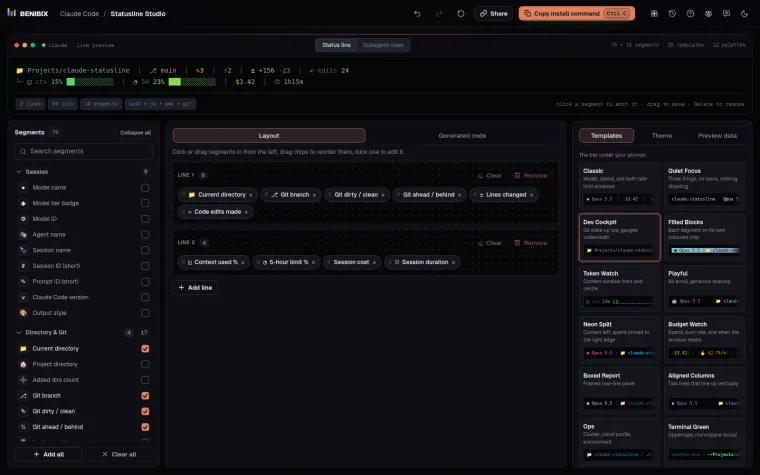
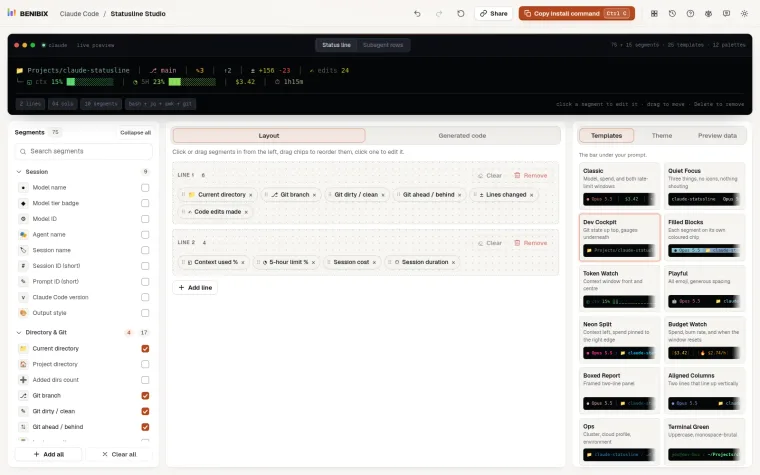
Statusline Studio is a visual builder: start from one of 25 templates, add and style segments while a live preview updates, switch between a fresh and a nearly full session, and copy one install command. That command saves the script, turns it on in settings.json and backs up your old settings first. The same design comes out as Bash, Python or Node.js with identical output.