Short answer: the more specific file wins: .claude/settings.local.json beats .claude/settings.json, which beats ~/.claude/settings.json, with command-line flags above all three. A managed policy, if your organization deploys one, beats everything.
You set a model in your settings, restart Claude Code, and it uses a different one. Nothing is broken: another settings file set the same key, and that file wins. Claude Code does not read one settings file, it reads up to four, and it merges them in a fixed order.
This post walks through the four files, who each one is for, and how to work out which value is in effect. Everything here is what Config Studio for Claude Code checks against Claude Code 2.1.296.
What are the four settings files?
| File | Who it is for | Shared? |
|---|---|---|
~/.claude/settings.json | You, in every project on this machine | No |
.claude/settings.json | Everyone who works on this project | Yes, it is committed with the code |
.claude/settings.local.json | You, in this one project | No, it is kept out of git |
Managed policy (/etc/claude-code/managed-settings.json on Linux) | An organization's administrators | Set on the machine |
The first three are ordinary JSON files you can edit. The managed policy is different: an administrator puts it on the machine, and it is there to enforce rules, not to be edited by the person using Claude Code. On macOS it lives at /Library/Application Support/ClaudeCode/managed-settings.json and on Windows at C:\Program Files\ClaudeCode\managed-settings.json.
In what order do they apply?
When two files set the same key, the higher one in this list wins:
- Managed policy. It beats everything, and nothing below it can undo it.
- Command-line flags for this one session, such as
--permission-mode. .claude/settings.local.json: you, in this project..claude/settings.json: the team, in this project.~/.claude/settings.json: you, everywhere.
So a team can set a default in the project file, you can override it for yourself in the local file without committing anything, and an organization can lock a setting for everyone with the managed policy.
What does that look like in practice?
Say three files set model:
// ~/.claude/settings.json
{ "model": "opus" }

// .claude/settings.json
{ "model": "sonnet" }The local file does not set model, and there is no managed policy. The project file is higher than your user file, so Claude Code uses sonnet in this project and opus everywhere else.
Now add a local file that sets the permission mode:
// .claude/settings.local.json
{ "permissions": { "defaultMode": "acceptEdits" } }Your user file may say "default", but in this project the local file wins, so edits go through without asking.
Do permission rules override each other too?
Single values such as model come from the highest file that sets them. Permission rules behave differently: an allow, ask or deny rule counts whichever file it is in, and then the rules are weighed against each other. A deny beats an ask, and an ask beats an allow.
That means a deny for Read(./.env) in the team's project file still stops the call even if your own user file allows everything. There is more on this in Claude Code permissions: allow, ask and deny.
Why does a setting seem to be ignored?
When a setting does not take effect, work down this list:
- A higher file sets the same key. Check the local file and the project file of the folder you started Claude Code in.
- You edited the wrong project.
.claude/is per project: the one next to the folder Claude Code runs in. - The JSON does not parse. A trailing comma or a comment makes the whole file unreadable.
- You did not restart. Some settings are read when a session starts.
- A managed policy is in place. If your organization set one, it wins over anything you write.
- The key does not count in that file. A few keys only work in a managed policy (
allowManagedHooksOnly,deniedModels), and a few only in your user file or a managed policy (processWrapper,prependPlugins). Anywhere else they are not overridden, they are ignored.
A common case is the status line: your statusLine lives in ~/.claude/settings.json, so a project that sets its own in .claude/settings.json replaces yours in that project. Fix a Claude Code status line that shows nothing walks through this and the other causes.
Where can you check this?
Can you see it all in one place?
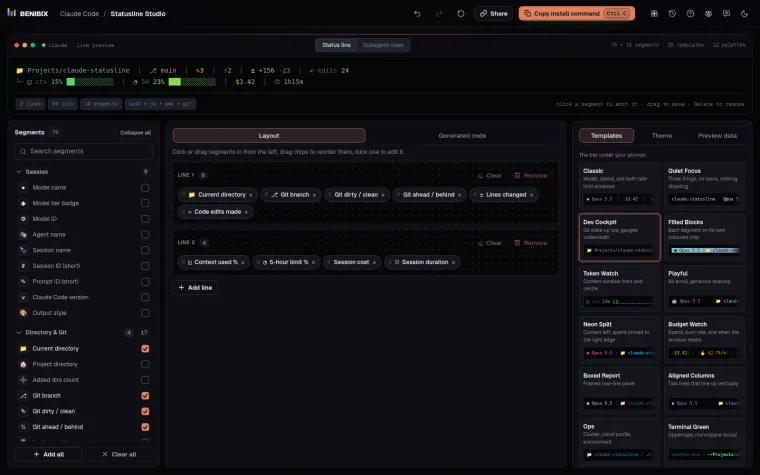
Config Studio for Claude Code lists every file Claude Code reads, 20 surfaces in all, and for each setting shows which file it lives in and the order they are read in. You change what you want and it shows the exact file it would write, merged into what you already have, before anything touches your disk.