LiveClaude Code · free · no sign-up · runs in your browser
Usage Insights for Claude Code
Usage Insights for Claude Code turns your Claude Code history into a dashboard. Drop your projects folder and see your rhythm, what you built, the tools and skills you used, what it cost and how well it ran, without uploading a thing.
~/.claude/projectsread in your browser · nothing uploaded
73
metrics in the catalog
5
views
k ≥ 5
team privacy floor
0
bytes uploaded
What it does
What Usage Insights for Claude Code does.
Claude Code writes every session to a file in ~/.claude/projects: each prompt, each response with its token counts, each tool call and whether it worked. Usage Insights for Claude Code reads those files in your browser and answers three questions: what did I do with Claude, what did we do as a team, and is it working well.
Every number follows a published data catalog with its definition and source, estimates are labelled as estimates, and prompt and response text never enters the dashboard.
01
What I did
Active days and streaks, a weekday by hour heatmap, sessions by surface, projects, languages edited, lines added and removed, commits and pull requests, and how many of Claude's edits you kept.
MeCapabilitiesTeamTelemetryCatalog
22active days
269prompts
12 dstreak
$54.79cost
Prompts per day
When you work
Skills
brand-voice23
xlsxanthropic-skills17
incident-reviewteam-kit10
pdfanthropic-skills9
Connectors, tool by tool
GitHub97%
search_code14
create_pull_request10
get_file7
Jira95%
search18
create_issue13
update_issue11
25active of 26
96%seats used
52%stickiness
594outputs
Weekly active people against seatsRetention, week by week
100887588751006363
10010083671008367
100808080
20 sturn p50
1.2%API errors
96.2%tool success
62compactions
How long a prompt took
file_edit94%
bash100%
github · search_code93%
Search 73 metrics
Active daysDays with at least one promptshown here
Edit acceptance rateAccepted ÷ (accepted + rejected)shown here
Retention cohortsStill active N weeks after first useshown here
RetriesTime spent on retried requestsshown here
Time to first tokenp50 / p95 to the first tokenadmin data
02
Capabilities and cost
Every skill with its plugin and who started it, every MCP server down to each tool, the built-in tools, subagents and slash commands, with calls, success and last use, plus the model mix, tokens, cache efficiency and cost.
03
What we did
Load everyone's exported events for weekly active people against seats, stickiness, retention cohorts, depth of use, adoption by team, reused skills and connector coverage, with small teams merged or hidden.
04
Is it working
Turn duration p50 and p95, API error classes, tool success with 30-day sparklines, permission decisions, connector health, context compactions, interruptions and agent runs.
05
Every number explained
Point at a label for its definition and source. The Catalog view lists all 73 metrics, the unified event schema and the Claude Code OpenTelemetry names, and marks which ones need admin data.
06
Private, then shareable
Nothing is uploaded. Save the whole dashboard as an HTML file or a PDF laid out to read, your events with a pseudonymous id for a team roll-up, or a daily CSV for a spreadsheet or BI tool.
Your data stays with you
Everything happens on your computer, nothing crosses the line.
Usage Insights for Claude Code has no server, no account and no upload. The page opens your files the way a text editor would, works out the numbers inside your browser tab, and forgets them when you close it.
Your computer
01Your folder~/.claude/projectsYou pick it. Nothing is sent.
02Read in your tabline by lineA worker keeps counts, names and times.
03Your screenDrawn here. Gone when you close the tab.
Kept, as numberscountstool namestimestokenscostmodels
Dropped as it is readyour promptsClaude's answersfile contentscommand output
no way out
The internet0 bytessent to me or anyone. No server, no account, no tracking, no upload.
In a minute
See Usage Insights for Claude Code in action.
A short video of Usage Insights for Claude Code doing its one job, from an empty screen to the finished result.
Nothing loads from YouTube until you press play. Then Google receives your IP address and may set its own storage. Narrated with an AI-generated voice. Privacy
How it works
How to use Usage Insights for Claude Code in three steps.
Best for: You use Claude Code every day and want to see where the time, tokens and money go, or you lead a team and want adoption numbers without reading anyone's prompts.
01
Open your history
Drop ~/.claude/projects on the page or pick it (on Windows, %USERPROFILE%\.claude\projects). Large folders are streamed, so gigabytes are fine.
02
Read the dashboard
Pick a range and a project, then move between Me, Capabilities, Team, Telemetry and the Catalog. Point at any chart for its numbers.
03
Export or share
Save the whole dashboard as an HTML file or a PDF, copy your recap, save a daily CSV, or export events so a team lead can load everyone's together.
Course
Learn Usage Insights for Claude Code, from 0 to 100.
A free course of 7 short lessons, from your first minute in Usage Insights for Claude Code to using all of it, with a picture of every step.
A free course on reading your Claude Code usage, from opening your history in five minutes to cost, telemetry, a team dashboard that never shares a prompt, and every metric behind it.
First release: see what you did with Claude Code, from your own history
Usage Insights for Claude Code turns the history Claude Code keeps in ~/.claude/projects into a dashboard, read in your browser, with nothing uploaded.
Me shows your rhythm: active days, streaks, a weekday by hour heatmap, projects, languages, lines changed, commits and how many of Claude's edits you kept, plus cost per day and by model (each model once, its 1M-context variant counted with it), session length and your habits, such as tool calls per prompt and prompts outside working hours.
Capabilities lists every skill with its plugin, every MCP server down to each of its tools, every built-in tool, subagent and slash command, with calls, success, sessions and last use, and marks the ones used for the first time.
Team adds everyone's exported events for active people against seats, retention and adoption by team, with teams under five people merged or hidden.
Usage Insights for Claude Code questions, answered.
Where does Claude Code keep its usage data?
In ~/.claude/projects on macOS and Linux and %USERPROFILE%\.claude\projects on Windows. There is one folder per project and one .jsonl file per session, holding every prompt, response, token count and tool call.
Is my data sent to you or uploaded anywhere?
No. Usage Insights for Claude Code has no server: it is plain files your browser runs. Your transcripts are read on your device, the numbers are worked out in your browser tab, and nothing is sent to me or anyone else. Prompt and response text is dropped as the files are read, and only your settings (view, range, baselines, seats and the ids you export with) are remembered in your browser.
How is the cost worked out?
Claude Code records each session's total cost in its transcript, and the dashboard adds those up. Events from other sources carry their own cost_usd. On a flat-rate plan the figure is what the usage would have cost at API prices, not what you paid.
How does the Team view work if Claude Code only has my history?
Each person opens their own folder here and uses Export to save their events with a pseudonymous id and a team id. One person then loads all the files together. Any gateway or proxy that writes the catalog's unified event schema works the same way.
How is time saved estimated?
Every session that ended in an output, a commit or an accepted edit counts as a task, simple or agentic. Each is multiplied by a baseline in minutes that you set, and the result is shown as a range of plus or minus 30 percent. It is an estimate, and it says so.
Why are some teams missing from the Team view?
Groups smaller than five people are merged into Other teams, or hidden when even that is under five, so nobody can be singled out from an aggregate. The same rule applies to retention cohorts.
Does it work with Claude Code's OpenTelemetry export?
The Catalog view lists the OpenTelemetry metric names Claude Code exports, for building the same widgets in Grafana or Datadog. The dashboard itself reads the transcripts and the unified event schema rather than an OpenTelemetry collector.
Is Usage Insights for Claude Code made by one of the companies it names?
No. Usage Insights for Claude Code is independent: it is not made, endorsed or supported by Anthropic, GitHub, Atlassian or any other company whose products it works with. Product names on this page are their owners' trademarks, used only to say what it works with.
What I did✦Capabilities and cost✦What we did✦Is it working✦Every number explained✦Private, then shareable✦What I did✦Capabilities and cost✦What we did✦Is it working✦Every number explained✦Private, then shareable✦
What I did✦Capabilities and cost✦What we did✦Is it working✦Every number explained✦Private, then shareable✦What I did✦Capabilities and cost✦What we did✦Is it working✦Every number explained✦Private, then shareable✦
Free, no sign-up
Try Usage Insights for Claude Code now.
Usage Insights for Claude Code turns your Claude Code history into a dashboard. Drop your projects folder and see your rhythm, what you built, the tools and skills you used, what it cost and how well it ran, without uploading a thing.
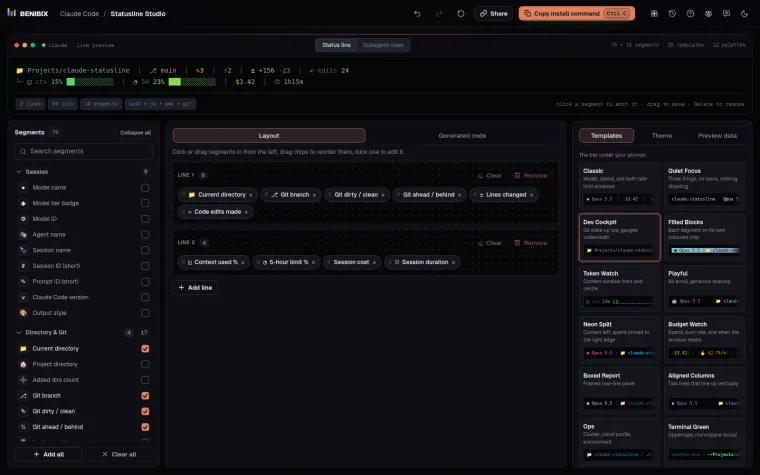
Pick from 75 segments (and 15 more for subagent rows), style each one and watch the status line render live, then copy a ready-to-run script in Bash, Python or Node.js.