Short answer: Claude Code is worth it when the work it finishes costs less than the time it saves. You can check that with three numbers from your own history: what it cost (per day, per model), what it produced (commits, pull requests, edits you kept) and an estimate of the time saved per finished task, shown as a range and not a single number. Everything else is opinion.
What should I compare?
| Question | Number to look at |
|---|---|
| What does it cost? | Cost per day and per active person, by model |
| Does it produce work? | Commits, pull requests, lines added and files created |
| Is the work any good? | Edit acceptance rate: how many of Claude's edits you kept |
| Does it save time? | Finished tasks multiplied by a baseline you set, as a range |
| Do people keep using it? | Active days per week and retention after a month |
Messages and tokens are not on the list. They measure effort, not value.
How do I estimate time saved without fooling myself?
- Count tasks, not prompts. A task is a session that ended in something: a commit, a kept edit, a file.
- Split simple from agentic. A one-file fix and a multi-step refactor do not save the same time.
- Set your own baselines. How many minutes would that kind of task take you by hand? Use your own number, not a vendor's.
- Show a range. Plus or minus 30% is honest; a single precise number is not.
- Say it is an estimate. Anyone who reads it should see how it was made.
If the low end of the range is still worth more than the cost, the answer is yes.
What does a bad sign look like?
- Low edit acceptance. You reject most of Claude's edits. Better instructions in CLAUDE.md, or smaller tasks, usually fix this.
- High cost, few outputs. Long sessions that never reset, or the largest model used for everything. See how to see what Claude Code costs you.
- Many interrupted sessions. You stop Claude halfway often. The tasks may be too vague.
- Use that drops after two weeks. The first tries did not work, and nobody went back.
Subscription or API: does it change the answer?
On a subscription you pay a flat fee, so the question is whether you use it enough. Active days per week answer that. On an API key you pay per token, so cost per finished task is the number to watch. Either way, the cost Claude Code records is what the usage would cost at API prices, which makes the two easy to compare.
Where do the numbers come from?
All of them are already on your computer. Claude Code writes every session to ~/.claude/projects, with tokens, cost, tool calls, edits and whether you accepted them. See where Claude Code keeps your history.
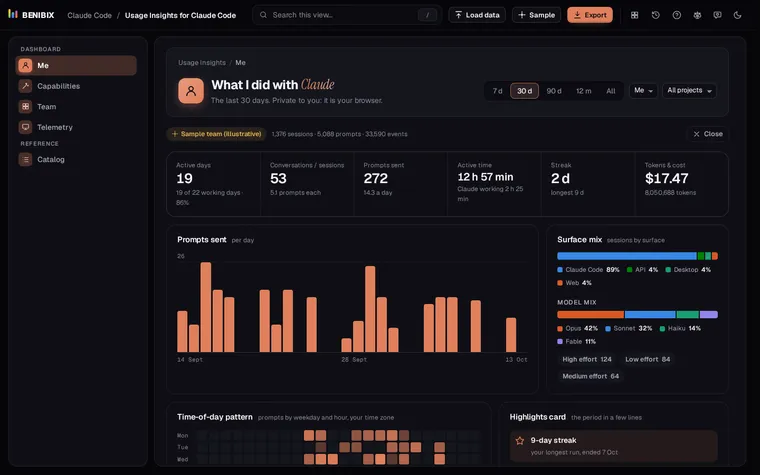
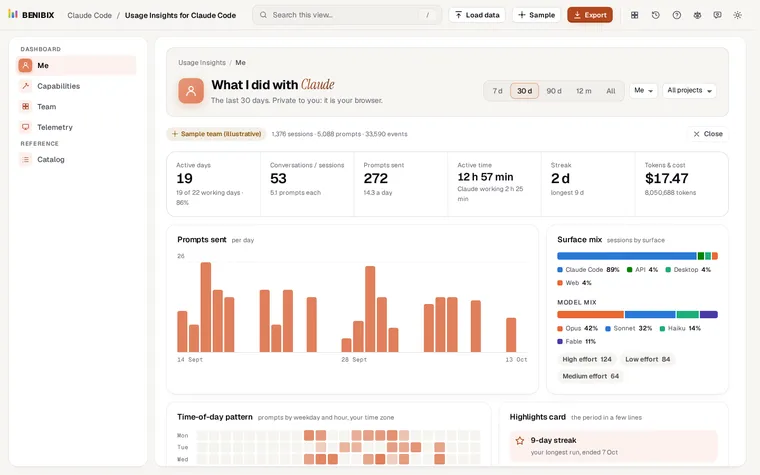
Usage Insights for Claude Code reads that folder in your browser, with nothing uploaded, and shows each number from the table above: cost per day and by model, outputs, lines, commits and pull requests, edit acceptance, and an estimated time saved with baselines you set, shown as a range. For a team, it adds active people against seats and retention (see how to measure Claude Code adoption on a team). The lesson Claude Code cost, tokens and models walks through the cost and time-saved panels.
Where can you check this?
What is the short version?
- Compare cost with outputs and kept edits, not with tokens.
- Estimate time saved per finished task, with your own baselines, as a range.
- Low acceptance, high cost with few outputs, or fading use are the warning signs.
- The data is already in
~/.claude/projects.