Short answer: for the session you are in, type /cost in Claude Code: it shows the tokens used and what they cost so far. For anything longer (a week, a month, one project) the numbers are in your session history under ~/.claude/projects, one JSON line per reply, each with its token counts. Add them up per model and multiply by the model's price, and you have your cost.
What those tokens are, and what actually moves the number, is less obvious. Here it is.
What are the four kinds of tokens?
Every reply from Claude records four counts:
| Field | What it is | Effect on cost |
|---|---|---|
input_tokens | New text sent to the model this turn | Full input price |
output_tokens | What the model wrote back, including tool calls | The most expensive per token |
cache_creation_input_tokens | Context written to the prompt cache | A little more than input, once |
cache_read_input_tokens | Context read back from the cache | A small fraction of the input price |
The surprise for most people is the cache. Claude Code sends your whole conversation, the files it read and its instructions with every turn. Most of that is the same as last turn, so it is read from the cache instead of charged in full. In a long session, cache reads are usually by far the biggest count, and a healthy cache is what keeps long sessions affordable.
Subscription or API?
If you use Claude Code with a Claude subscription, you do not pay per token; there are usage limits instead, and the token counts tell you how close to them your work runs. If you use an API key, you pay per token at the model's price. Either way the counts are the same, and the same habits reduce them.
What makes a session expensive?
- Long sessions that never reset. Every turn carries the whole history. After a task is done, start fresh with
/clearinstead of carrying an old conversation into a new one. - Reading big files for small questions. A 5,000-line file read into context is paid for on every following turn. Point Claude at the function, not the folder.
- The biggest model for everything. Use the strongest model for hard reasoning and a faster one for routine edits. The model mix is often the single largest lever on cost.
- Output-heavy work. Generating long files is paid at the output price. Asking for a diff instead of a whole rewritten file saves output tokens.
- A cache that keeps breaking. Changing instructions or tools in the middle of a session invalidates the cache, and the next turn is charged in full.
How do you watch it while you work?
Two ways to see the number without asking for it:
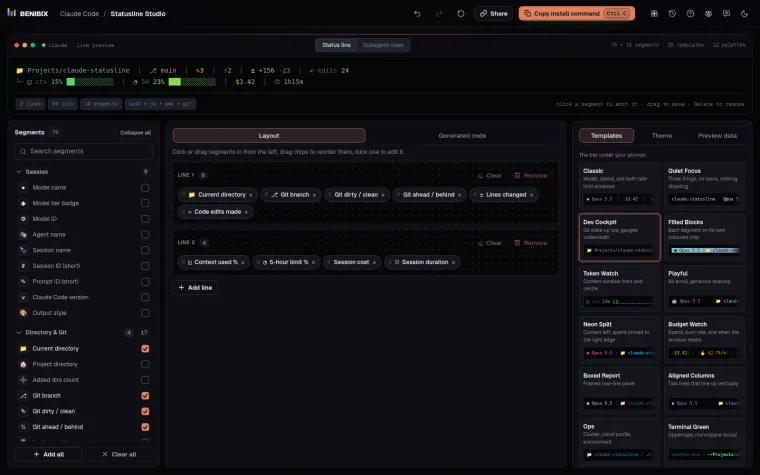
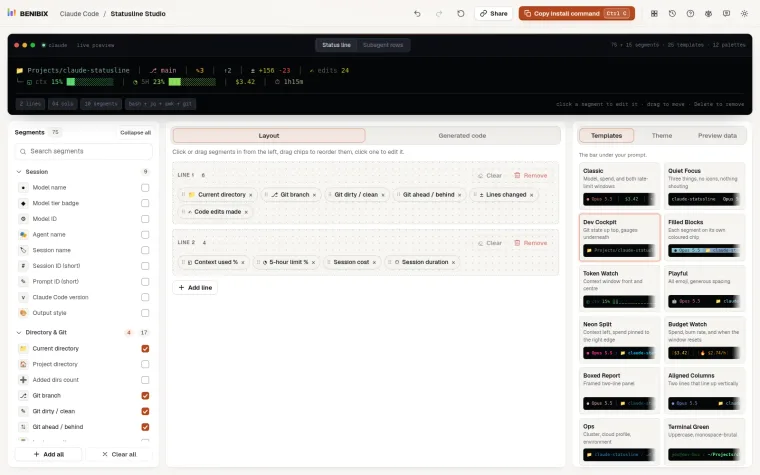
- A status line. Claude Code can show a line under the prompt with the model, the session's cost and how full the context is. Statusline Studio builds one without writing the script yourself.
- Compaction. When the context fills up, Claude Code compacts the conversation into a summary. Seeing the context meter climb is your cue to wrap up the task or start a new session. More in what /compact does and how to stop losing context.
How do you see it over weeks?
/cost forgets when the session ends; your history does not (for 30 days by default, see where Claude Code keeps your history). Over weeks, the questions worth asking are:
- Which projects take most of the tokens?
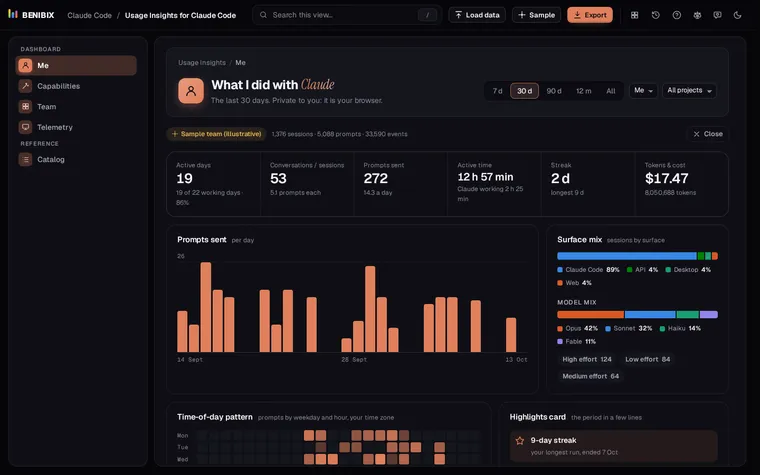
- What share goes to each model?
- How much of the input is read from the cache?
- Which days and hours do you actually use it?
For a team, or to send the same numbers to Grafana or Datadog, see Claude Code OpenTelemetry and how to measure Claude Code adoption on a team.
Where can you check this?
What is the short version?
/costfor the current session;~/.claude/projectsfor everything else.- Output tokens cost the most; cache reads the least.
- Reset finished sessions, read less, pick the model per task.
- A status line keeps cost and context in view as you work.
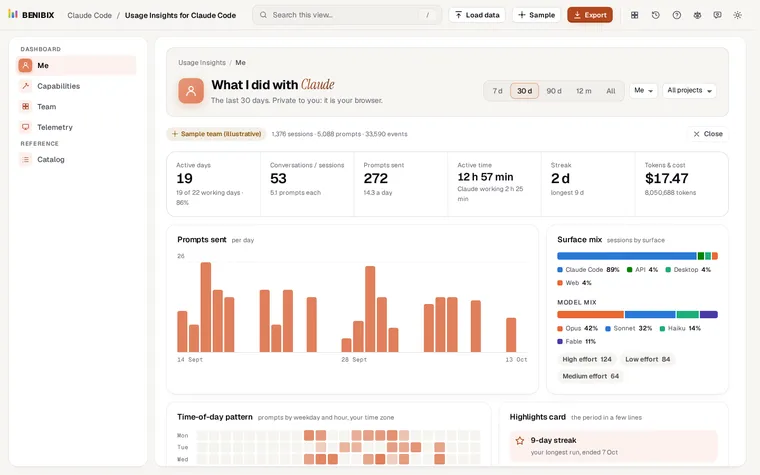
Usage Insights for Claude Code reads your history in the browser, with nothing uploaded, and shows tokens, cache use, model mix and cost per day, for every project or one, next to your rhythm, tools and skills. Load the sample team first to see what it shows.