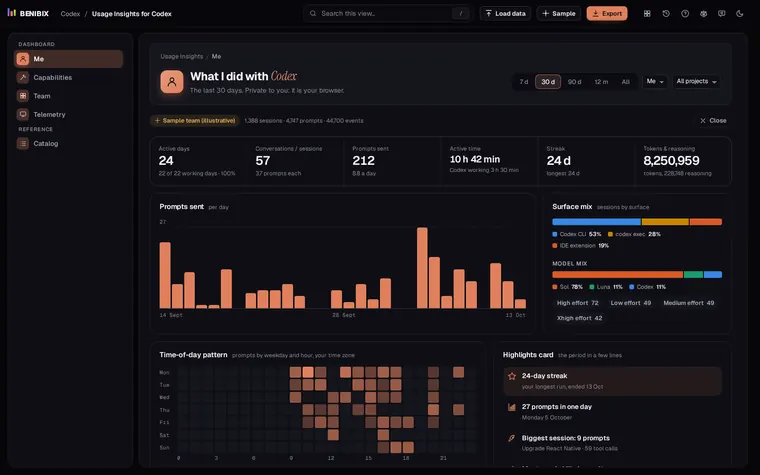
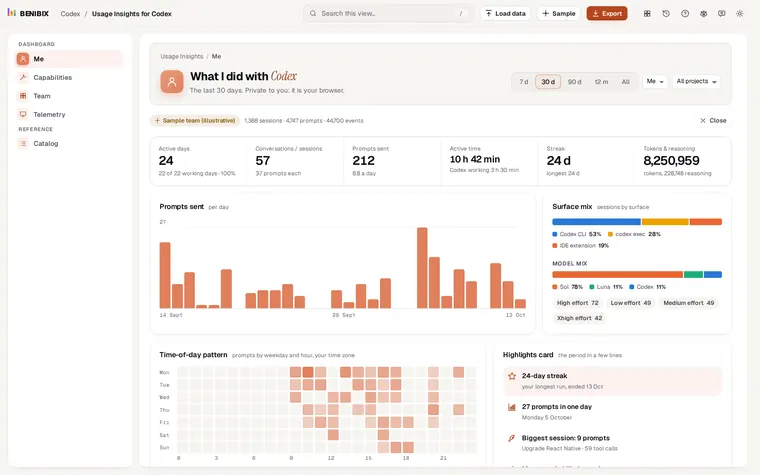
Short answer: Codex writes every session to ~/.codex/sessions, one file per session, and each token count in those files carries how much of your 5-hour and weekly windows you had used at that moment. /status shows the current session; to see weeks, read the files, for example with Usage Insights for Codex.
Codex shows the current limits in the footer and in /status, but not what happened last Tuesday, which project used the most tokens, or how close you came to the limit each day of the month. All of that is already on your computer.
Where does Codex keep its session history?
| System | Folder |
|---|---|
| macOS and Linux | ~/.codex/sessions |
| Windows | %USERPROFILE%\.codex\sessions |
Inside, sessions are filed by date: 2026/10/13/rollout-2026-10-13T09-41-12-<id>.jsonl. Codex compresses older ones to .jsonl.zst to save space. If you set CODEX_HOME, the folder is there instead of ~/.codex. Thread names you gave with /rename are in ~/.codex/session_index.jsonl.
Do not share the whole ~/.codex folder: it also holds auth.json, your sign-in.
What is in a session file?
One JSON object a line. The lines that matter for usage:
session_meta: where the session ran (the folder, the git branch), from which surface (the CLI, the IDE extension, the app,codex exec) and on which Codex version.turn_context: the model, the reasoning effort, the sandbox mode and the approval policy for the turns that follow.token_count: after each response, its tokens (input, cached input, output and reasoning) and, with a ChatGPT sign-in,rate_limits: how much of the primary window (5 hours) and the secondary window (a week) you have used, as a percentage.task_complete: how long the turn took, the time to the first token, and the error class if it failed (usage_limit_exceededwhen you hit a limit).- Tool calls and their results: every command, patch, MCP call and web search, and whether it worked.
How do I see my usage over weeks?
Add up the files. Usage Insights for Codex does that in your browser: open the app, drop your sessions folder on it, and it reads every file, compressed ones included, without uploading anything. You get:
- active days, streaks and a weekday by hour heatmap;
- your 5-hour and weekly limits as the highest share used each day, the peaks, and how often a limit was reached;
- tokens by model and effort, with cached input and reasoning separated;
- patches applied and declined, lines changed, commits and pull requests;
- every skill, MCP server and tool Codex used, and how often each worked;
- turn times and time to first token at p50 and p95, and turn errors by class.
Why does it show no cost?
Session files hold tokens and limits, not prices. With a ChatGPT plan you do not pay per token; with an API key the price depends on the model and your agreement. Usage Insights for Codex shows the tokens and limits it can count rather than a guessed bill.
Where can you check this?
Can a team see its usage without sharing prompts?
Yes. Each person opens their own folder in Usage Insights for Codex and exports their events with a pseudonymous id and a team id. The export holds counts, names and times, never prompt or response text. One person loads everyone's files together for the Team view, which hides any group under five people.