Short answer: after each response, Codex writes a token_count line to the session file with five numbers: input_tokens (everything sent to the model, cached part included), cached_input_tokens (the part the model had seen before), output_tokens (what it wrote), reasoning_output_tokens (the part of the output spent thinking) and total_tokens. The single figure Codex shows you is fresh input plus output: input_tokens − cached_input_tokens + output_tokens.
Token numbers look simple until you try to add them up and get a total three times larger than the one Codex showed. Almost always the reason is cached input counted twice. Here is what each number means.
Where does Codex record tokens?
In the session files under ~/.codex/sessions (one rollout-*.jsonl per session, filed by date; %USERPROFILE%\.codex\sessions on Windows). After each model response there is an event_msg of type token_count with an info object:
last_token_usage: the tokens of that one response;total_token_usage: the running total for the session so far;model_context_window: the size of the model's context window.
The same line also carries rate_limits, how much of your 5-hour and weekly windows you have used. See your Codex usage and your 5-hour and weekly limits covers those.
What does each number mean?
| Field | What it counts |
|---|---|
input_tokens | Everything sent to the model for this response: instructions, the conversation so far, files and tool results. Includes the cached part |
cached_input_tokens | The part of the input the model had already seen, read from the prompt cache |
output_tokens | What the model wrote: the answer, commands, patches |
reasoning_output_tokens | The part of the output the model spent reasoning, which you do not see as text |
total_tokens | Input plus output: what the conversation now takes up in the context window |
Two things trip people up. Cached input is already inside input_tokens, so adding the two counts it twice. And reasoning is part of the output, so adding it to output_tokens counts it twice too.
Why is so much of my input cached?
Because every turn sends the whole conversation again. On the second turn, everything from the first turn is already in the prompt cache; only the new message and the new tool results are fresh. In a long session it is normal for most input to be cached. The share of cached input (cached_input_tokens ÷ input_tokens) is a good health number: if it drops suddenly, something keeps changing the start of the prompt, and every turn costs more. With an API key, cached input is also billed at a lower rate than fresh input.
Why do reasoning tokens go up and down?
They follow the model's reasoning effort (model_reasoning_effort in config.toml, or what you pick in the TUI). Higher effort means more thinking per response: more reasoning_output_tokens, longer turns, and a faster climb toward your limits. Comparing the same kind of task at two effort levels is the fairest way to see whether the extra thinking pays off.
How do I add tokens up correctly?
- Sum
last_token_usage, one per response. Atoken_countline repeats when only the limits changed, so count a response only whentotal_token_usage.total_tokenshas grown. - Or take the last
total_token_usageof each session: it is already the session's sum. - Keep cached and fresh input apart rather than adding them, and keep reasoning inside output.
- For how full the context is, compare the latest response's
total_tokenswithmodel_context_window. A sudden drop is a compaction.
For a team, Codex can also send these numbers as OpenTelemetry: the [otel] table in config.toml turns on a codex.turn.token_usage histogram split by token_type (input, cached input, output and reasoning output).
Where can you check this?
- Codex docs: Pricing and usage limits
- Codex docs: Advanced configuration (OpenTelemetry)
- Codex source: TokenUsage and TokenUsageInfo
Can I see all of this without writing a script?
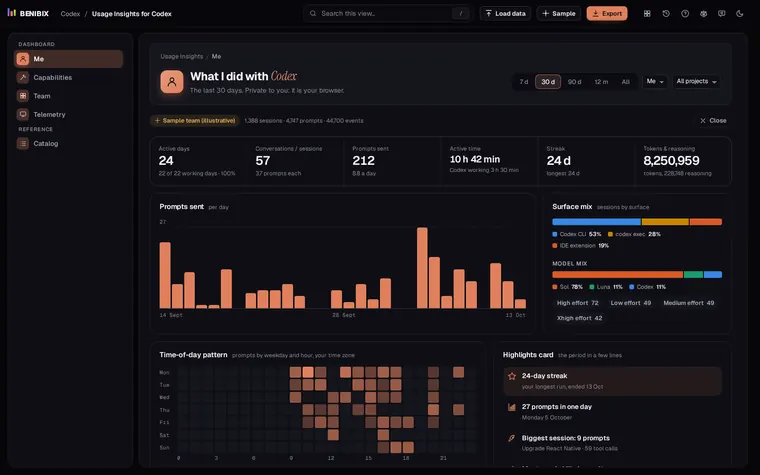
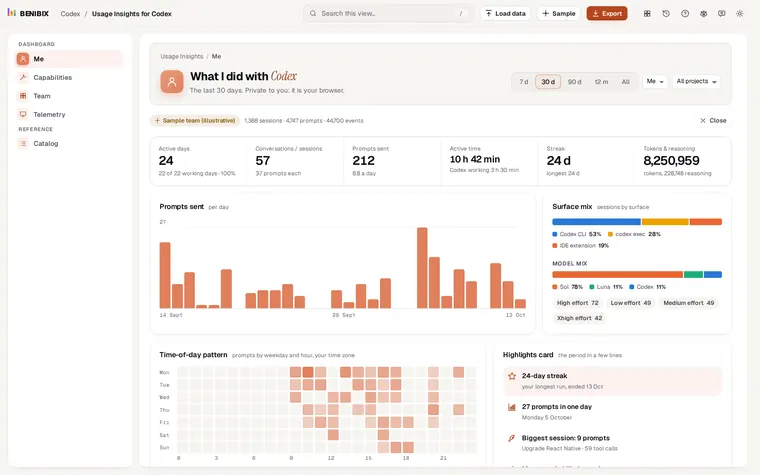
Usage Insights for Codex reads your sessions folder in the browser, compressed files included, and adds the tokens up the way described here: input, cached input, output and reasoning per response, per model and per effort, context compactions with the tokens before and after, and in the Team view the share of input that was cached. Nothing is uploaded, and prompt and response text never enters the dashboard.