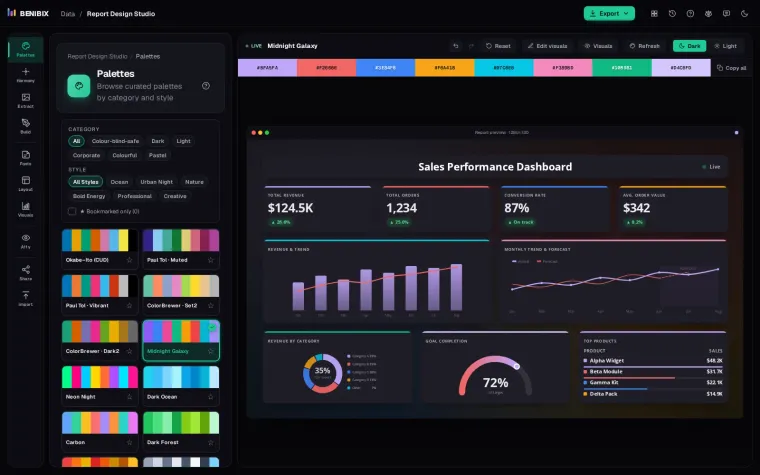
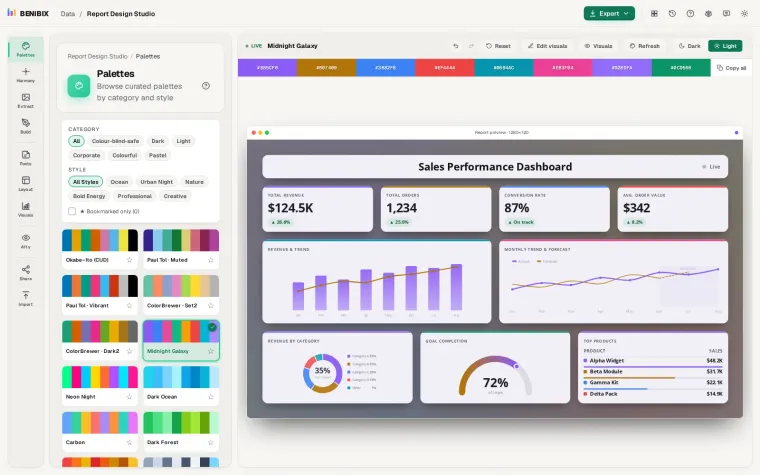
Short answer: to make a chart readable for people with colour blindness, avoid telling series apart by red against green, use a palette designed for it such as Okabe–Ito, make sure each colour differs in lightness and not only in hue, and never let colour be the only signal. Then look at the chart through a colour-blindness simulation before you publish.
That covers most of it. The rest of this post is the why, and a palette you can paste.
Who is affected, and how?
Around 8% of men and 0.5% of women have some form of colour vision deficiency. In a team of 25 people, one or two will probably see your dashboard differently from you. The common types:
| Type | What happens | Share of men |
|---|---|---|
| Deuteranomaly / deuteranopia | Green is weak or missing; red and green look alike | about 6% |
| Protanomaly / protanopia | Red is weak or missing; red looks dark | about 2% |
| Tritanopia | Blue and yellow are confused | rare |
| Achromatopsia | No colour at all, only lightness | very rare |
The first two together are the "red-green" colour blindness, and they are why the classic green-good, red-bad KPI is the riskiest choice on a dashboard.
Which rules fix most charts?
- Differ in lightness, not only in hue. Two colours of the same lightness can collapse into one. A dark blue and a light orange stay apart for almost everyone.
- Keep red and green apart. If you need good and bad, use blue and orange, or keep green and red but add an arrow, a sign or a label.
- Fewer colours. Past six or seven series, no palette stays distinct for everyone. Group, filter or use small multiples.
- Never colour alone. Label lines directly at their ends, add markers or patterns, and write "off target" next to the red.
Which palettes are made for it?
Okabe–Ito is the best-known colour-blind-safe palette, designed so its eight colours stay distinguishable for the common types:
#E69F00  orange
#56B4E9  sky blue
#009E73  bluish green
#F0E442  yellow
#0072B2  blue
#D55E00  vermillion
#CC79A7  reddish purple
#000000 blackPaul Tol's schemes (Bright, Muted, Vibrant) are another well-tested family, with sequential and diverging versions for heatmaps and maps.
On a dark background, drop the black and check the yellow's contrast: it is excellent on dark and poor on white.
How much contrast do chart marks need?
Colour blindness is one half; contrast is the other. WCAG 2.2 asks for a contrast ratio of at least 3:1 for the parts of a graphic needed to understand it (success criterion 1.4.11), such as bars, lines and pie slices against their background. Text needs 4.5:1, or 3:1 when it is large.
Pale pastels on white usually fail the 3:1 rule, however pretty they look. Darken them, or add an outline to each mark.
How do you test a report the way they see it?
You cannot judge a palette by looking at it with your own eyes. Use a simulation:
- Chrome and Edge DevTools can emulate vision deficiencies: open DevTools, then Rendering, then Emulate vision deficiencies.
- Design tools such as Figma have plugins for it.
- Report Design Studio has the simulation built in: switch the whole report preview to protanopia, deuteranopia, tritanopia or no colour, and its Accessibility panel checks every colour against its card and fixes the ones that fall short in one click.
Look for two things in the simulation: series that merge, and good or bad states that become the same colour.
Where can you check this?
- WCAG 2.2: Understanding Use of Color
- ColorBrewer: colour schemes for maps and charts
- Microsoft Learn: Design Power BI reports for accessibility
What is the short version?
- Around one man in twelve sees red and green as nearly the same.
- Use a tested palette such as Okabe–Ito or Paul Tol, lead with the most distinct colours, and vary lightness.
- Chart marks need 3:1 contrast against the background, text 4.5:1.
- Add labels, arrows or markers so colour is never the only signal, and test with a simulation.
The colour-vision lens on the Report Design Studio page shows the difference on a live report: move it over the KPIs and watch "on target" and "off target" turn into one colour. For putting a palette into a Power BI theme, see Power BI theme JSON explained.