Short answer: Claude Code keeps each session as a file in ~/.claude/projects/, in a folder named after the project's path, one .jsonl file per session. Every line is one event: your prompt, Claude's reply, a tool call, its result, with timestamps and token counts. By default, sessions older than 30 days are deleted; the cleanupPeriodDays setting changes that.
Where are the files?
~/.claude/projects/
  -Users-ada-code-api/
    3f1c2a9e-....jsonl
    8b7d0e41-....jsonl
  -Users-ada-code-website/
c04e9b12-....jsonlThe folder name is the project's full path with every character that is not a letter or a digit turned into a dash, so /Users/ada/code/api becomes -Users-ada-code-api. Each file name is the session's id. If you set CLAUDE_CONFIG_DIR, the folder is under that directory instead of ~/.claude.
On macOS and Linux, ~ is your home folder. On Windows it is C:\Users\<you>\.claude\projects\. The .claude folder is hidden: in a file picker, press ⌘ ⇧ . on a Mac or Ctrl H on most Linux desktops to show it.
What is in a session file?
JSONL means one JSON object per line. A line for one of Claude's replies looks roughly like this, shortened:
{"type":"assistant","timestamp":"2026-09-28T09:14:02.118Z","sessionId":"3f1c2a9e-...","cwd":"/Users/ada/code/api","message":{"model":"claude-sonnet-...","content":[...],"usage":{"input_tokens":1840,"output_tokens":412,"cache_read_input_tokens":20113,"cache_creation_input_tokens":0}}}The useful fields:
type:userfor your messages and tool results,assistantfor Claude's replies.timestamp: when it happened, in UTC.cwdand, when there is one, the git branch: where you were working.message.model: which model answered.message.usage: tokens in, tokens out, and tokens read from or written to the prompt cache.message.content: the text, and any tool calls with their inputs.
The exact fields change between Claude Code versions, so read them defensively if you write your own script.
How long is it kept?
Claude Code removes session files older than 30 days by default. To keep them longer, set cleanupPeriodDays in your user settings, ~/.claude/settings.json:
{
  "cleanupPeriodDays": 90
}If you want a longer record than that, copy the folder somewhere else from time to time.
What is the history used for?
- Resuming.
claude --continuepicks up the most recent session in the current folder, andclaude --resumelets you choose an older one. Both read these files. - Seeing what you did. Tokens, models, tools and timestamps are all there, so you can work out your rhythm, what each project cost and which tools you rely on.
- Judging the value. Cost, commits and the edits you kept are all recorded, which is enough to tell whether Claude Code is worth it for you.
- Searching. It is plain text, so
grepfinds the session where you solved something last week.
How do you keep it private?
These files contain your prompts, Claude's replies and the contents of files it read, which can include secrets from your code. Treat the folder like your source code: do not upload it to a service you have not checked, and do not commit it to a repository.
Where can you check this?
- Claude Code docs: Settings
- Claude Code docs: Where transcripts are stored
- Claude Code docs: Data usage
What is the short version?
~/.claude/projects/<project path with dashes>/<session id>.jsonl.- One JSON event per line, with model, tokens, tools and timestamps.
- Kept 30 days unless you set
cleanupPeriodDays. - It powers
--continueand--resume, and it is a full record of your usage.
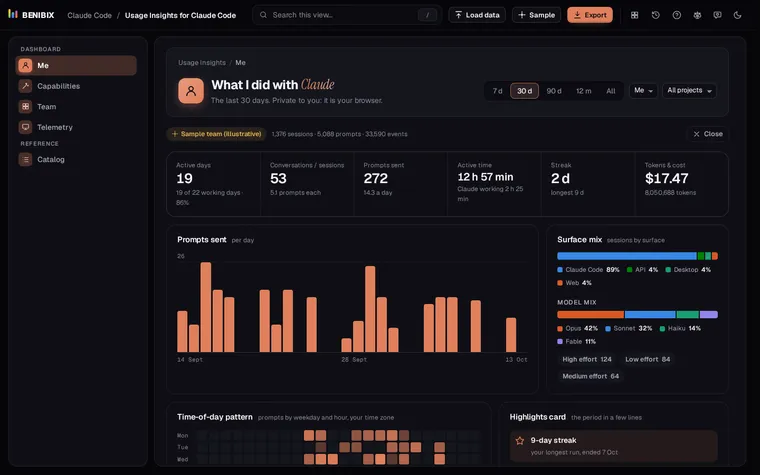
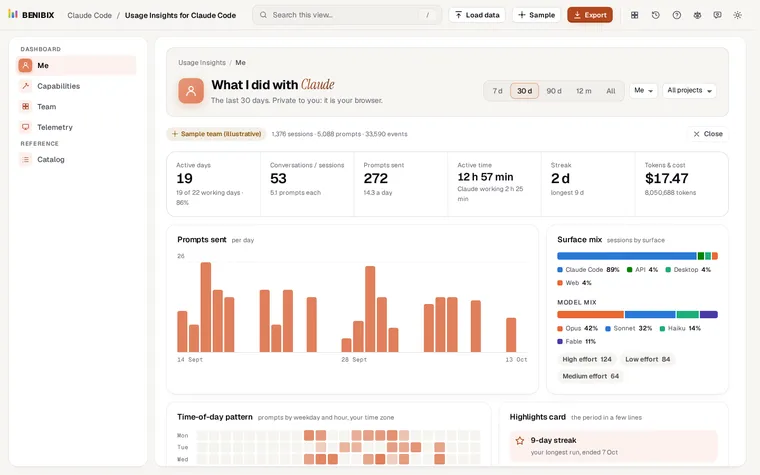
Usage Insights for Claude Code reads this folder in your browser, with nothing uploaded, and turns it into a dashboard: active days, a weekday by hour heatmap, projects, tools, skills, models, tokens and cost. For the cost side, see how to see what Claude Code costs you.