Short answer: to make an AI character sheet, ask for one image with a fixed number of panels (for example front, three-quarter, profile and back), the same character in every panel, a plain background, even lighting and no text. Describe the character once, in detail, and say that the design must be identical in every view. Then attach that sheet as a reference whenever you need the character again.
The sheet is not the goal. It is the tool that makes every later picture of the character match.
What kinds of character sheet are there?
| Sheet | What it shows | Use it for |
|---|---|---|
| Reference sheet | The character from 3 to 6 angles, often head to feet | A general reference for any later picture |
| Turnaround | Front, three-quarter, side and back in the same neutral pose, lined up | 3D modelling, animation, game sprites |
| Expression sheet | The same face with different emotions in a grid | Comics, storyboards, a mascot with moods |
Make the reference sheet first. Then use it as the reference image when you make the turnaround and the expression sheet, so all three show the same character.
How is a sheet prompt structured?
Every good sheet prompt has five parts:
- Layout. Say exactly how many panels and which views, in which order. "Exactly four panels: front, three-quarter, profile and back." A vague "multiple views" lets the model pick six, or two.
- The character. The identity block: who they are, face, hair, eyes, clothes, signature details. Same words you will use later.
- Consistency. "The character is identical in every panel: same face, same hair, same outfit, same proportions, same colours." Models need to be told.
- Look. One style, plain neutral background, even studio light. Drama (rim light, fog, a busy scene) hides the details you need.
- Output. Wide framing (3:2 or 16:9 for four views), sharp edges, and "no text, no labels". Models love to write "FRONT" and "BACK" in made-up letters.
How do you make a reference sheet from a description?
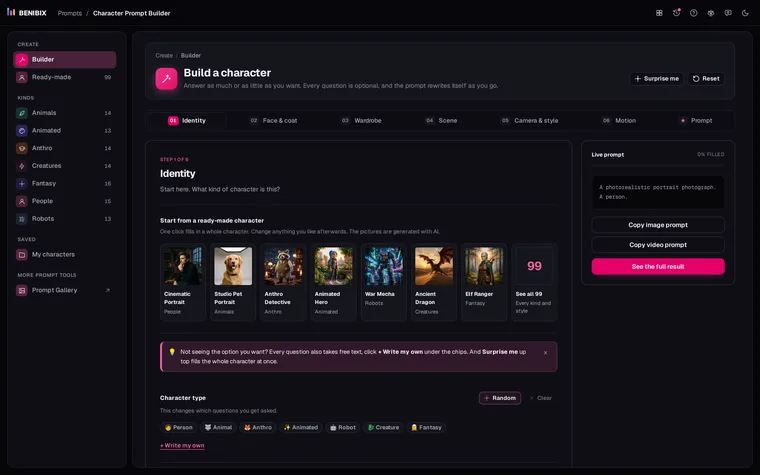
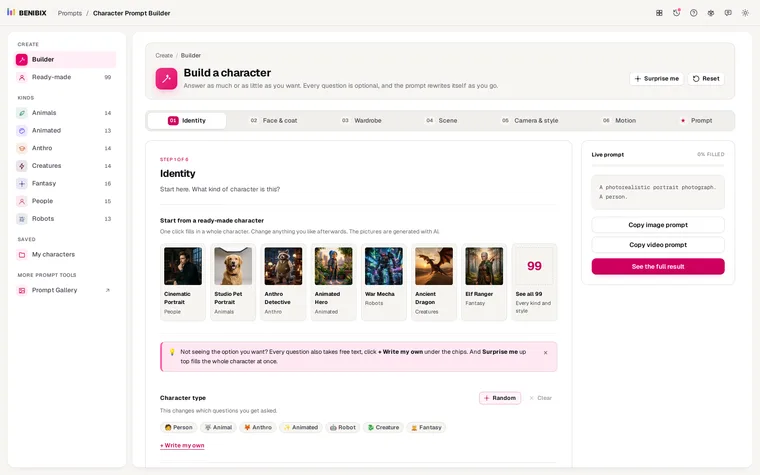
This is the prompt Character Prompt Builder writes for its ready-made Jungle Explorer when the art style is set to Character sheet:
A character concept sheet with multiple views, full body shot. A 34-year-old
Latino woman, athletic build. They have golden tan skin, auburn hair in a
sleek high ponytail, amber eyes, a compass tattoo on the inner wrist.
Wearing cargo pants with a cropped top, with a waterproof technical
backpack, a classic buckled leather belt and a chronograph wristwatch, in
black combat boots. Their face carries a subtle confident smirk. In a
seamless studio backdrop, lit by clean studio softbox lighting. The overall
mood is confident and bold. Aspect ratio: 1:1.To pin the layout down further, add the layout and consistency lines from above, and change the aspect ratio to 3:2:
Layout: exactly four panels, front, three-quarter, profile and back, the
same woman head to feet in every panel, evenly spaced, no text, no labels.
The character is identical in every panel. Aspect ratio: 3:2.The same works for any kind of character. An anthro lion captain, a cargo exosuit, a dwarf blacksmith and an insect queen are all among the ready-made characters with the Character sheet style, so you can start from one and swap in your own identity.
How do you prompt a turnaround?
A turnaround is stricter than a reference sheet: the same pose in every view, lined up, so a modeller can trace it.
An orthographic character turnaround: exactly four full-body figures side by
side, front, three-quarter, side and back, all in a neutral A-pose, aligned
on a shared horizon so the head, shoulder, hip and foot lines match across
every view. [identity block]. Same outfit and colours in every view. Even
flat lighting, no perspective distortion, plain light grey background, no
props, no ground shadow, no text or labels. Aspect ratio: 16:9."A-pose" (arms angled down, away from the body) beats "T-pose" for clothing that hangs, such as a coat or a cape. "Shared horizon" is the phrase that stops the figures floating at different heights.
How do you prompt an expression sheet?
An expression sheet of [identity block]. Six panels in a 3 by 2 grid, one
expression per panel, in this order: neutral, happy, sad, angry, surprised
and afraid. Same face, hair, clothing and camera distance in every panel;
only the expression changes. Plain neutral grey background, soft even light,
thin gutters, no text, no labels or numbers. Aspect ratio: 1:1.Keep the camera distance fixed (head and shoulders works best). If the crop changes between panels, the model treats each panel as a new portrait and the face drifts.
Can you start from a photo instead?
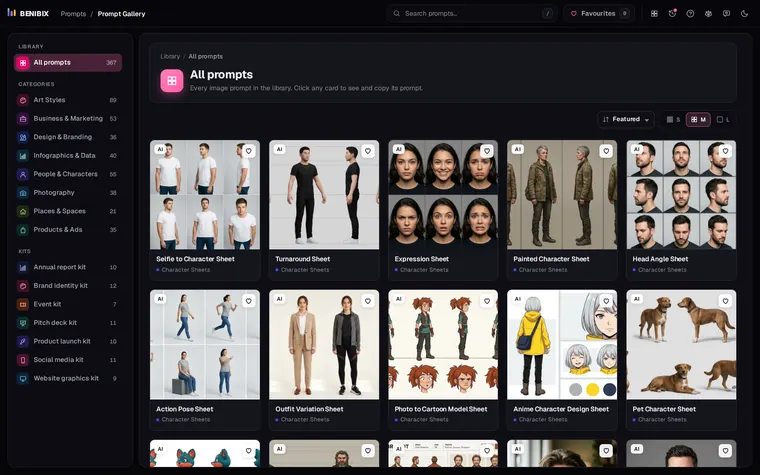
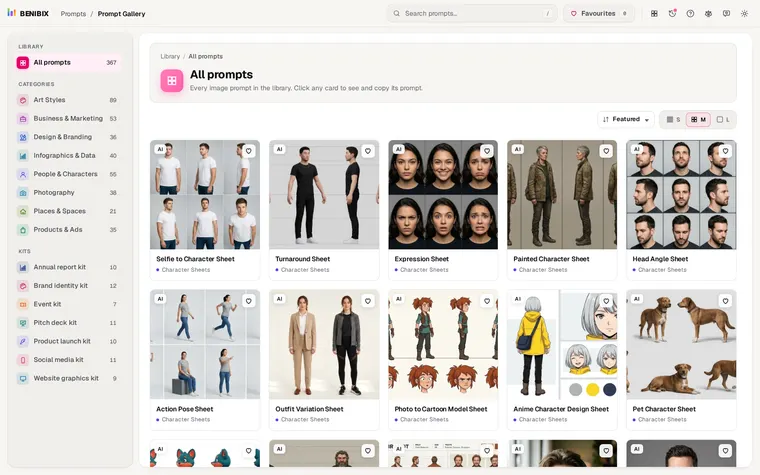
If the character is a real person (you, or someone who agreed), attach their photo and say "the subject from the reference photo" instead of an identity block. Add one line to protect the face: "Preserve the exact facial identity, bone structure, skin tone and hair of the reference." Prompt Gallery has tested prompts for all three sheets from a photo under People & Characters, each next to the image it made.
Which mistakes break a sheet?
- Too many views. Eight panels on one square image means tiny faces. Four views on 3:2, or six on 16:9, is plenty.
- A scene behind the character. A forest or a city takes detail away from the character and changes the colours. Plain background, always.
- Dramatic light. Rim light and deep shadow hide the costume. Use soft, even studio light for a sheet, and save the drama for the scenes.
- No "identical in every panel" line. Without it, the outfit changes colour or the hair grows between views.
- Letting it write labels. Say "no text" and "no labels" outright.
Where can you check this?
- Midjourney documentation
- Google AI for Developers: Image generation with Gemini
- OpenAI API docs: Image generation
How do you use the sheet afterwards?
Attach the sheet whenever you generate the character in a new scene: Midjourney's character reference (--cref in v6) or omni-reference (--oref in v7), or the reference image upload in Flux, Nano Banana, GPT Image and most video tools. Keep the identity block in the prompt as well; the words and the picture back each other up. How to keep an AI character consistent covers the rest.
To get the identity block itself, build the character in Character Prompt Builder, or start from one of its ready-made characters and set the art style to Character sheet.