Short answer: Describe the layout (how many boxes, in which order), then list every word the image may contain and close the list: "Text: the only words in the image are exactly "HOW WE WORK", "Research", "Design", "Launch", "Grow". Spell every word exactly as written. No other words, letters or numbers." That last rule is what stops an image model from filling empty space with made-up letters.
Image models have become good at text. Gemini's documentation says it is "capable of generating legible, stylized text for infographics, menus, diagrams, and marketing assets." What still goes wrong is the text you did not ask for: a subtitle in half-English, labels on every icon, a fake source line at the bottom. Leave space open and the model fills it with writing.
What does an infographic prompt need?
| Part | Example |
|---|---|
| The type and layout | "A process infographic showing four steps as four rounded cards in one horizontal row" |
| What is in each part | "a magnifying glass for "Research", a pencil for "Design"" |
| The title and where it sits | "A bold title "HOW WE WORK" centred above the row" |
| The style | "Flat vector infographic style, simple rounded icons with an even line weight" |
| The colours and background | "deep teal and coral on a warm off-white background" |
| The closed word list | "the only words in the image are exactly ..." |
| Size and format | "large enough to read on a phone", "Aspect ratio 16:9" |
Count the boxes, give the order, and keep the labels short: one or two words per label read best on a phone, and every extra word is one more the model can get wrong.
Infographic prompts to copy
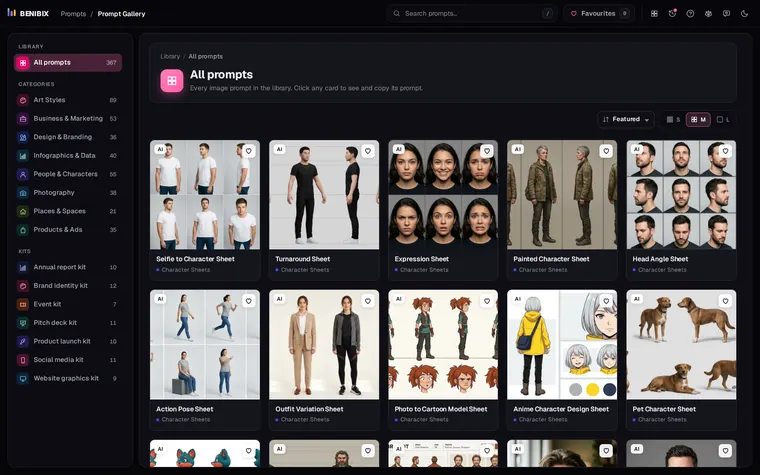
Each prompt below is from Prompt Gallery, with the result it made underneath. Replace the words in quotes with your own, and the parts in square brackets with your colours and font.
Process steps:
A process infographic showing four steps as four rounded cards in one horizontal row, joined by short arrows from left to right. Each card has a large step number in a small [accent colour] circle at the top, one simple icon in the middle and a one-word label underneath: a magnifying glass for "Research", a pencil for "Design", a rocket for "Launch" and a rising line chart for "Grow". A bold title "HOW WE WORK" sits centred above the row. The four cards are identical in size and evenly spaced. Flat vector infographic style: [primary brand colour] and [accent colour] on a warm off-white background, simple rounded icons with an even line weight, generous spacing and a clean grid alignment. Text: the only words in the image are exactly "HOW WE WORK", "1", "2", "3", "4", "Research", "Design", "Launch", "Grow". Spell every word exactly as written, in a clean [heading font] typeface, large enough to read on a phone. No other words, letters or numbers, no placeholder text, no watermark. Aspect ratio 16:9. Keep it original: do not depict any celebrity or real public figure, and do not copy any existing painting, artwork, film or game character, mascot, logo or trademarked design.A sales funnel:
A sales funnel infographic: four stacked horizontal layers forming a funnel, widest at the top and narrowest at the bottom, each layer a slightly deeper shade from light [accent colour] to [primary brand colour], with soft 3D depth on each band. Each layer carries its stage name inside it and a percentage to its right: "Awareness" 100%, "Interest" 45%, "Decision" 18%, "Action" 7%. A title "OUR FUNNEL" above. Clean flat vector with a subtle shadow under each layer, warm off-white background. Text: the only words in the image are exactly "OUR FUNNEL", "Awareness", "Interest", "Decision", "Action", "100%", "45%", "18%", "7%". Spell every word exactly as written, in a clean [heading font] typeface, large enough to read on a phone. No other words, letters or numbers, no placeholder text, no watermark. Aspect ratio 4:5. Keep it original: do not depict any celebrity or real public figure, and do not copy any existing painting, artwork, film or game character, mascot, logo or trademarked design.Old way, new way:
A split comparison infographic: the left half in soft grey titled "OLD WAY", the right half in [primary brand colour] titled "NEW WAY", with a small "VS" badge in [accent colour] on the dividing line. Each half lists three rows with an icon: on the left red crosses beside "Manual reports", "Scattered files", "Slow approvals"; on the right [accent colour] checkmarks beside "Automatic reports", "One workspace", "Instant approvals". The left side looks slightly tired and muted, the right side bright and clean. Flat vector infographic style: [primary brand colour] and [accent colour] on a warm off-white background, simple rounded icons with an even line weight, generous spacing and a clean grid alignment. Text: the only words in the image are exactly "OLD WAY", "NEW WAY", "VS", "Manual reports", "Scattered files", "Slow approvals", "Automatic reports", "One workspace", "Instant approvals". Spell every word exactly as written, in a clean [heading font] typeface, large enough to read on a phone. No other words, letters or numbers, no placeholder text, no watermark. Aspect ratio 4:5. Keep it original: do not depict any celebrity or real public figure, and do not copy any existing painting, artwork, film or game character, mascot, logo or trademarked design.A company timeline:
A horizontal timeline infographic: one straight line across the middle with five evenly spaced circular markers, each marker holding a small icon. Above each marker a year, below it a short caption: "2019" "Founded", "2020" "First customer", "2022" "Team of 100", "2024" "Global launch", "2026" "Next chapter". Captions alternate slightly up and down so none collide. A title "OUR STORY" in the top left corner. Flat vector infographic style: [primary brand colour] and [accent colour] on a warm off-white background, simple rounded icons with an even line weight, generous spacing and a clean grid alignment. Text: the only words in the image are exactly "OUR STORY", "2019", "2020", "2022", "2024", "2026", "Founded", "First customer", "Team of 100", "Global launch", "Next chapter". Spell every word exactly as written, in a clean [heading font] typeface, large enough to read on a phone. No other words, letters or numbers, no placeholder text, no watermark. Aspect ratio 16:9. Keep it original: do not depict any celebrity or real public figure, and do not copy any existing painting, artwork, film or game character, mascot, logo or trademarked design.Which aspect ratio should an infographic have?
Pick it for where it goes: 16:9 for slides and website sections, 4:5 for LinkedIn and Instagram feed posts, 1:1 when it has to work everywhere, 9:16 for Stories. A tall list (a funnel, a checklist) fits 4:5 better than 16:9. Aspect ratios for AI images has the full table.
When should you not use an AI infographic?
When the numbers have to be true to scale. An image model draws a chart that looks right; it does not plot your data, so a bar marked 45% may be as long as one marked 60%. For a funnel with made-up stages or a process with four steps, that does not matter. For your quarterly results, make a real chart from the data and use the AI image for the cover. Chart Compass suggests which chart fits your data and draws it with your numbers.
Check every word before you post. A closed list makes mistakes rare, not impossible, and a misspelled word on a company graphic is what people remember.
Where can you check this?
Where can you find more infographic prompts?
Prompt Gallery has 40 infographic prompts for processes, timelines, charts, comparisons, frameworks such as SWOT and the mind map, and explainers, each next to the image it made. Open one and use Customize to fill in your own words and apply your brand kit's colours and heading font.