Short answer: Save the script below as ~/.claude/statusline.sh, make it executable, and add "statusLine": {"type": "command", "command": "~/.claude/statusline.sh"} to ~/.claude/settings.json. It reads the folder from the JSON Claude Code sends, asks git for the branch with git symbolic-ref --short HEAD, and prints my-app ⎇ feature/login, in yellow with the number of changed files when the tree is not clean.
When Claude Code switches branches, makes a commit or runs a checkout for you, the only way to know which branch you are on is to ask, or to look in another terminal. A branch in the status line answers it at a glance, right under the prompt.
What does the script show?
| Situation | Status line |
|---|---|
| Clean branch | my-app ⎇ feature/login in green |
| Two files changed or new | my-app ⎇ feature/login ●2 in yellow |
| New repository, no commit yet | my-app ⎇ main |
| Detached HEAD (a checked-out commit) | my-app ⎇ a1b2c3d, the short commit hash |
| Not a git repository | my-app |
What is the script?
#!/bin/bash
input=$(cat)
DIR=$(echo "$input" | jq -r '.workspace.current_dir')
SESSION=$(echo "$input" | jq -r '.session_id')
CACHE="/tmp/statusline-git-$SESSION"

# Refresh the git part at most every 5 seconds.
if [ ! -f "$CACHE" ] || [ $(( $(date +%s) - $(stat -c %Y "$CACHE" 2>/dev/null || stat -f %m "$CACHE") )) -gt 5 ]; then
  if git -C "$DIR" rev-parse --git-dir >/dev/null 2>&1; then
    BRANCH=$(git -C "$DIR" symbolic-ref --quiet --short HEAD 2>/dev/null || git -C "$DIR" rev-parse --short HEAD 2>/dev/null)
    CHANGED=$(git -C "$DIR" status --porcelain 2>/dev/null | wc -l | tr -d ' ')
    echo "$BRANCH|$CHANGED" > "$CACHE"
  else
    echo "|" > "$CACHE"
  fi
fi
IFS='|' read -r BRANCH CHANGED < "$CACHE"

LINE="${DIR##*/}"
if [ -n "$BRANCH" ]; then
  if [ "$CHANGED" -gt 0 ]; then
    LINE="$LINE \033[33m⎇ $BRANCH ●$CHANGED\033[0m"
  else
    LINE="$LINE \033[32m⎇ $BRANCH\033[0m"
  fi
fi
echo -e "$LINE"I ran it against a test repository in all five situations of the table, and twice within five seconds to see the cache used. It needs jq and git; stat -c is the Linux form and stat -f the macOS one, so it runs on both.
How do you install it?
chmod +x ~/.claude/statusline.shThen in ~/.claude/settings.json:
{
  "statusLine": {
    "type": "command",
    "command": "~/.claude/statusline.sh"
  }
}The line appears with the next update: when a session starts, after each reply, after /compact and when the permission mode changes. How to set up the Claude Code status line has the rest of the setup.
Why symbolic-ref and not git branch?
Three ways to ask git for the branch, and they differ at the edges:
git branch --show-currentprints nothing on a detached HEAD, so the line would show an empty branch.git rev-parse --abbrev-ref HEADprints the wordHEADon a detached HEAD, which tells you nothing, and fails in a new repository before the first commit.git symbolic-ref --short HEADnames the branch even before the first commit, and fails cleanly on a detached HEAD, so the script falls back to the short commit hash.
Why does the script cache git?
Because Claude Code runs it often: once per update, after a 300 ms pause in which changes are batched. git status in a large repository can take longer than that, and the status line would lag or show stale output. Anthropic's documentation suggests caching git to a file and refreshing it every few seconds.
The cache file is named after the session_id from the JSON, not the process ID: the session ID stays the same for the whole session and differs between sessions, so two Claude Code windows in different repositories never read each other's branch. A process ID changes on every run and would make the cache useless.
Why is the branch out of date?
- Within five seconds of a switch, the cache still holds the old branch; it updates with the next refresh.
- While Claude Code is idle (for example, waiting on background subagents that change branches), nothing triggers an update. Add
"refreshInterval": 5next to"command"to re-run the script every five seconds as well. - The folder is not the one you think. The script reads
workspace.current_dir, the directory Claude Code is working in, which can differ from the one you started it in.
Where can you check this?
Can you build a status line with git and more without writing it?
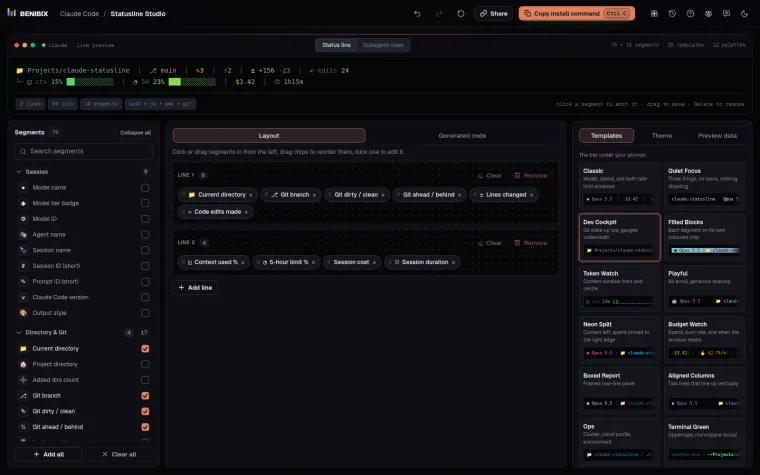
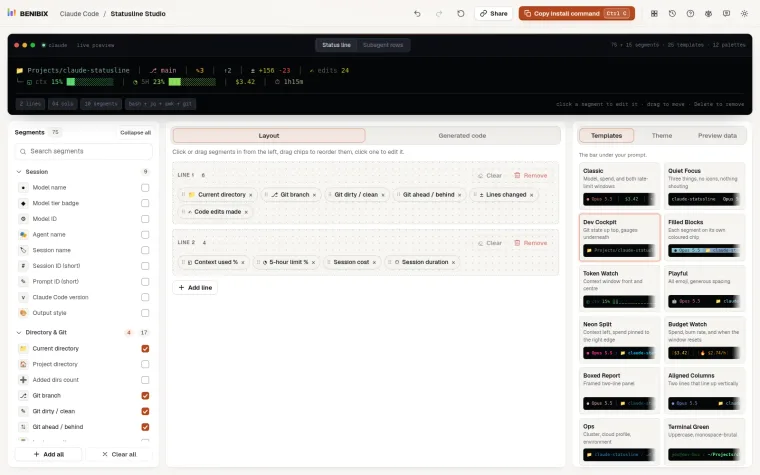
Statusline Studio has ten git segments (branch, dirty or clean, ahead and behind, untracked files, stash count, nearest tag, worktree, and the last commit's hash, message and age) among its 75. Pick and style them, watch the line render live, and copy a ready script in Bash, Python or Node.js.