Short answer: Employee turnover rate = leavers in the period ÷ average headcount in the period × 100. A company that averaged 200 employees over the year and saw 26 of them leave has a yearly turnover of 26 ÷ 200 = 13%. Use the average headcount, not the headcount on one day, and count the leavers over the same period.
Turnover is the HR number every manager is asked about and few calculate the same way. One team divides by the headcount at the start, another by today's, a third reports a month and calls it the year. Here is the version that holds up, and the variants worth reporting next to it.
What is the employee turnover formula?
Turnover rate = Leavers in the period ÷ Average headcount in the period × 100The average headcount is best taken from month-end figures: add the twelve month-end headcounts and divide by 12. If you only have the start and the end, (start + end) ÷ 2 is a fair approximation.
| Input | Value |
|---|---|
| Month-end headcounts, averaged over the year | 200 |
| Employees who left during the year | 26 |
| Yearly turnover | 26 ÷ 200 = 13% |
Why is monthly turnover not yearly turnover?
Because a month only holds a month's leavers. If two people leave in March out of 200, March's turnover is 1%, and that is not the yearly figure. Reporting it as "1% turnover" hides a yearly rate closer to 12%.
Two ways to get a yearly figure:
- Rolling twelve months: leavers in the last 12 months ÷ average headcount over those 12 months. Report it every month; it smooths the noise of single months.
- Add up the months: the sum of twelve monthly rates is close to the yearly rate when headcount is fairly stable.
The national figures are monthly too. In the US, 3.2% of all employees left their job in August 2026 alone: 1.9% quit and 1.0% were laid off or discharged, according to the Bureau of Labor Statistics. Twelve months at that pace is close to 40% a year across the whole economy. For a single company, KPI Atlas gives 10 to 20% a year as common in many industries, with retail and hospitality far higher.
Who counts as a leaver?
Decide once, write it down, and use it every time:
- Count: every employee whose employment ended in the period, whether they quit, were dismissed, retired or their contract was not renewed.
- Do not count: internal transfers and promotions (they did not leave the company), and usually contractors, interns and seasonal staff, who would swing the number with every season. If you include them, report them separately.
What other turnover rates should you report?
Turnover alone does not say whether people left because you wanted them to or because they wanted to:
| Rate | Formula | What it tells you |
|---|---|---|
| Voluntary turnover | Voluntary leavers ÷ average headcount × 100 | The part you can influence: pay, growth, managers, workload |
| First-year turnover | Hires who left within 12 months ÷ hires in that cohort × 100 | How well hiring and onboarding work |
| Retention rate | Employees at start still there at end ÷ employees at start × 100 | How many of the people you had, you kept |
First-year leavers are the most expensive kind: you paid for hiring and training, and got a few months of work back. Read the latest hiring cohorts only after a full year has passed, or the rate looks better than it will be.
Why is retention not 100% minus turnover?
Because they count different people. Turnover counts everyone who left, including people hired and gone within the same year. Retention counts only the people who were there on day one. A team that kept all of its original 50 people but hired and lost 5 newcomers has 100% retention and a turnover of about 10%. Report both, and the difference points at onboarding.
How do you calculate turnover in Power BI with DAX?
As KPI Atlas gives it, with leave dates related to the date table through an inactive relationship and a month-end headcount table:
Turnover % =
VAR Leavers = CALCULATE ( COUNTROWS ( Employees ), USERELATIONSHIP ( Employees[Leave Date], 'Date'[Date] ) )
VAR AvgHC   = AVERAGEX ( VALUES ( 'Date'[Month] ), CALCULATE ( SUM ( Headcount[Employees] ) ) )
RETURN DIVIDE ( Leavers, AvgHC )Put it on a visual filtered to a year for yearly turnover, or to a month for that month's rate.
How do you calculate turnover in SQL and Excel?
SQL, yearly:
SELECT DATE_TRUNC('year', leave_date) AS year,
       COUNT(*) * 100.0 / (SELECT AVG(employees) FROM headcount_monthly) AS turnover_pct
FROM employees WHERE leave_date IS NOT NULL GROUP BY 1;This divides every year by the average over the whole headcount table; for several years, join each year to its own average.
Excel, with an Emp table of employees and a Headcount table of month-end figures, and the period in the cells Start and End:
=COUNTIFS(Emp[Leave Date], ">="&Start, Emp[Leave Date], "<="&End) / AVERAGE(Headcount[Employees])How should you show turnover?
A line chart of rolling twelve-month turnover by month shows the trend without the noise. A sorted bar chart by department or manager shows where people leave. A stacked bar of voluntary against involuntary leavers by month shows which kind is growing, and a heatmap of department by tenure band shows whether people leave in their first year or after five.
Read it with voluntary turnover, first-year turnover, retention rate and employee net promoter score (eNPS).
Where can you check this?
Where do you find turnover and the HR KPIs around it?
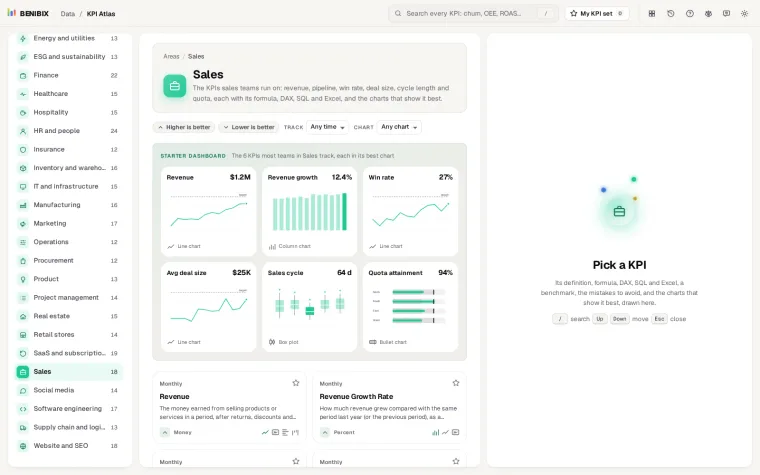
KPI Atlas has employee turnover, voluntary turnover, first-year turnover, regretted attrition and retention, each with its formula, the DAX, SQL and Excel, the mistakes to avoid and its best charts drawn. It holds 455 KPIs for 30 areas of a business.