Short answer: Put a PreToolUse hook with the matcher ^Bash$ in ~/.codex/hooks.json (or .codex/hooks.json in the project). Codex sends each shell command to your script as JSON on stdin; the script exits with code 2 and a reason on stderr to block it, or 0 to let it run. Then open /hooks in Codex and trust the hook: a new or changed hook is skipped until you do.
Rules and the sandbox decide what Codex may do in general. A hook is for the cases you want to judge yourself, with code: "never delete folders", "never force push", "never open .env". It runs on every matching call.
Where do Codex hooks go?
Codex reads hooks from hooks.json files or [hooks] tables in config.toml, next to each config layer. The four you will use:
| File | Applies to |
|---|---|
~/.codex/hooks.json | You, in every project |
~/.codex/config.toml ([hooks]) | The same, in TOML |
<repo>/.codex/hooks.json | Everyone in this repository |
<repo>/.codex/config.toml ([hooks]) | The same, in TOML |
Unlike other settings, hooks add up: Codex runs every matching hook from every file, and a project file does not replace yours. A project's hooks load only when you trust the project. Keep one form per folder; if a folder has both hooks.json and [hooks], Codex merges them and warns.
A hook that blocks risky commands
The script, saved as .codex/hooks/check_bash.py in your repository:
#!/usr/bin/env python3
import json
import re
import sys

BLOCKED = [
    (r"\brm\s+(-\S+\s+)*(-[a-zA-Z]*[rR]|--recursive)", "rm -r is blocked here. Delete the files you mean by name."),
    (r"\bgit\s+push\b.*(--force\b|\s-f\b)", "Force pushes are blocked. Push normally or ask me."),
    (r"(^|[\s/])\.env\b", "Commands that touch .env files are blocked: they hold secrets."),
]

event = json.load(sys.stdin)
command = str(event.get("tool_input", {}).get("command", ""))

for pattern, reason in BLOCKED:
    if re.search(pattern, command):
        print(reason, file=sys.stderr)
        sys.exit(2)

sys.exit(0)And .codex/hooks.json next to it:
{
  "hooks": {
    "PreToolUse": [
      {
        "matcher": "^Bash$",
        "hooks": [
          {
            "type": "command",
            "command": "/usr/bin/python3 \"$(git rev-parse --show-toplevel)/.codex/hooks/check_bash.py\"",
            "statusMessage": "Checking command",
            "timeout": 10
          }
        ]
      }
    ]
  }
}The git rev-parse --show-toplevel part finds the script from the repository's root, so it works when Codex is started in a subfolder; a plain .codex/hooks/... path would not.
Tested with the JSON Codex sends, the script blocked rm -rf build, rm -f -r x, rm --recursive x, git push -f, git push --force-with-lease, cat .env and cat config/.env.local, and let rm notes.txt, git push origin main, grep -r TODO src and pip install python-dotenv through. A blocked command does not run, and Codex reports your reason.
Why does my new hook not run?
Because Codex has not been told to trust it. Codex keeps a fingerprint of each hook it trusts, and skips any hook that is new or changed since; at startup it warns you to open /hooks. There you can review it, trust it, or turn it off. Managed hooks set by an administrator are trusted by policy.
The other usual causes:
| Symptom | Cause | Fix |
|---|---|---|
| Hook in the project never runs | The project is not trusted | Trust the project; your own ~/.codex hooks still load |
| Works in the root, not in a subfolder | A relative path to the script | Resolve it from git rev-parse --show-toplevel |
| Hooks do nothing at all | Turned off with [features] hooks = false | Remove that line; hooks are on by default |
A rule slips through, such as rm -r written another way | A pattern list never catches every spelling | Treat it as a guardrail, as OpenAI's docs say; the sandbox is the wall |
Which events can a Codex hook run at?
| Event | When | Matcher filters |
|---|---|---|
SessionStart | A session starts, resumes, is cleared or compacted | startup, resume, clear, compact, fork |
UserPromptSubmit | You send a prompt | Not supported |
PreToolUse | Before a tool runs; can block or rewrite it | The tool name (Bash, apply_patch or Edit/Write, an MCP tool) |
PermissionRequest | Codex is about to ask for approval | The tool name |
PostToolUse | After a tool ran; cannot undo it | The tool name |
PreCompact, PostCompact | Around a compaction | manual, auto |
SubagentStart, SubagentStop | A subagent starts or stops | The agent type |
Stop | Codex is about to stop; can send it round again | Not supported |
Interrupt | You interrupt a turn | Not supported |
SessionEnd | The session ends | other |
A hook times out after 600 seconds unless you set timeout; SessionEnd and Interrupt get 1 second by default and 3 at most. Hosted tools such as web search do not go through hooks.
Can a hook run without slowing Codex down?
Yes: add "async": true to a command hook and it runs in the background while Codex carries on. That suits logging, notifications and anything else that does not need to answer. A background hook cannot block, approve or rewrite anything, so a guard like the one above must stay synchronous. Codex runs up to eight background hooks at a time per session and cancels unfinished ones when the session ends.
Where can you check this?
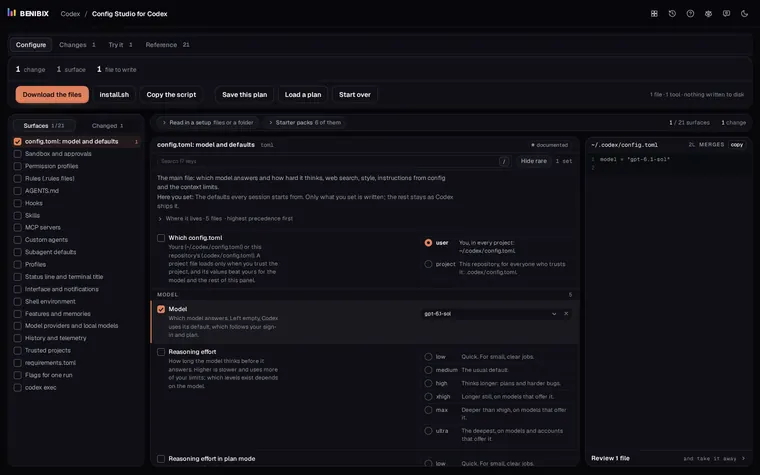
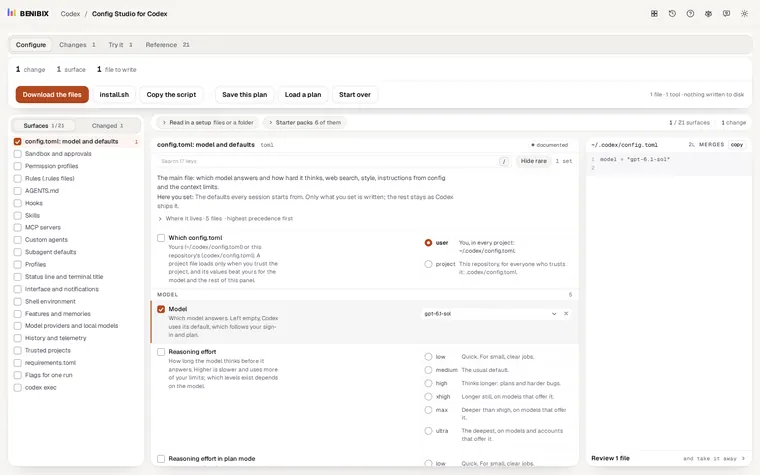
Can you write a hook without editing JSON by hand?
Config Studio for Codex has hooks as one of its surfaces: pick the event from the list above, the matcher, the command or an MCP tool, the timeout, the status line and the background switch, each explained, and it writes the entry into your own or the project's hooks.json. It reminds you that the hook runs only once you trust it in /hooks, and nothing is written to your computer until you run its install script yourself.