Short answer: a dual axis chart is fine for one volume and one rate of the same thing, like revenue as columns and margin % as a line, with both axes labelled. It misleads when it puts two lines on two axes, because whoever sets the two scales decides where the lines cross, so the chart can show any relationship you like. For two measures that are not a volume and its rate, use two charts stacked on one time axis, or index both to 100.
Why can two axes lie?
Take two monthly series, ad spend and website visits. Put spend on the left axis from 0 to 50,000 and visits on the right axis from 0 to 200,000, and the two lines run together: spend seems to drive visits. Move the right axis to start at 120,000, and visits now shoot up past spend in the spring: a breakthrough. Change it again and they never meet.
The data did not change. Only the scales did, and each scale was a free choice. A reader sees the shapes and the crossing points, not the axis labels, so they read a story the chart maker picked, often without meaning to.
When is a dual axis fine?
The column and line chart is the one dual axis chart that earns its place. It works when:
- The two numbers are a volume and a rate, such as revenue and margin %, orders and conversion rate, calls and the share answered in time. One is clearly a count, the other clearly a percentage, so nobody compares their heights.
- They share the time axis, one point per period for both.
- Both axes say their unit: "Revenue (€)" on the left, "Margin (%)" on the right.
Read it as two charts sharing an x-axis: compare each against its own scale, never the column against the line.
What are better options?
| Instead of | Use | Because |
|---|---|---|
| Two lines on two axes | Small multiples: two charts stacked, same time axis | Each line has its own honest scale, and the months still line up |
| Two measures with different units | Index both to 100 at the first period | One axis, and the lines show relative change, which is usually the question |
| "Does A drive B?" | A scatter plot of A against B | It shows the relationship directly, period by period |
| Actual and target | A column chart with a target line, or a bullet chart | Same unit, so one axis is enough |
Indexing is the most underused of the four. Divide every value by the first period's value and multiply by 100. Spend and visits both start at 100; a line at 140 grew 40%. Now one axis is honest for both.
How do you build the one that works?
| Tool | Column and line chart |
|---|---|
| Power BI | Line and clustered column chart: the volume in Column y-axis, the rate in Line y-axis |
| Tableau | Dual axis, one mark type Bar and one Line; do not synchronise the axes |
| Excel | Insert, Combo, and tick Secondary Axis for the line |
In every tool, label both axes with their units, start the column axis at zero, and keep the line in a contrasting colour so it does not read as one more column.
Where can you check this?
Can a tool warn you off?
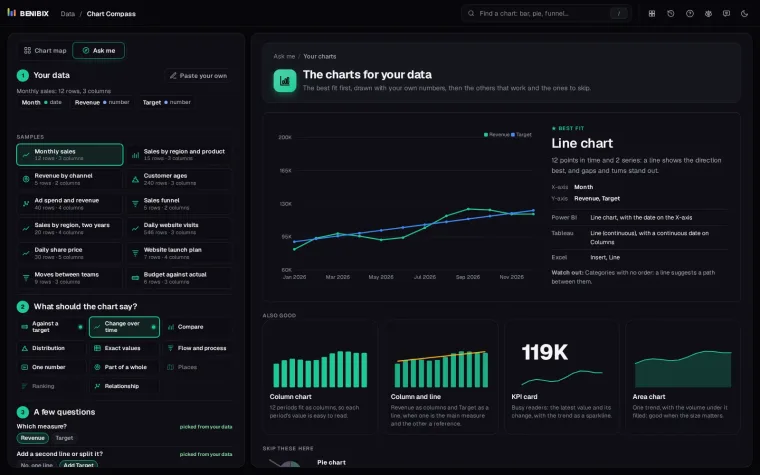
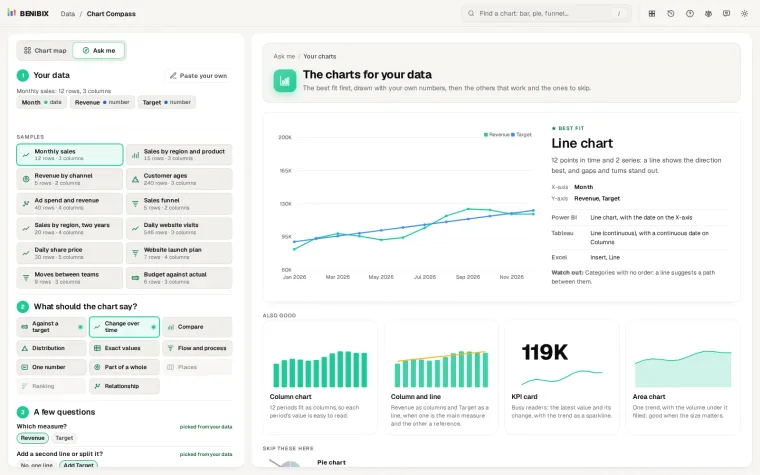
Chart Compass suggests the column and line chart when your data has a volume and a second measure over the same periods, giving it a high place when the two are on very different scales. When the question is whether two measures are related, it puts the scatter plot first and lists the dual axis under Skip these here, with the reason: Two lines on two axes suggest a link the scales can fake. Paste your table, pick what the chart should show, and it draws the chart that fits instead.