Short answer: Conversion rate = conversions ÷ sessions × 100. A shop with 3,000 sessions and 87 orders in a week has a conversion rate of 87 ÷ 3,000 = 2.9%. Decide once whether you divide by sessions (visits) or by users (people), and say which, because the two give different numbers for the same week.
Conversion rate is the number that tells you whether your traffic turns into anything. It is also one of the easiest to compare wrongly: a report by users next to one by sessions, a sale week next to a normal one, or a newsletter sign-up counted like a purchase.
What is the conversion rate formula?
Conversion rate = Conversions ÷ Sessions × 100A conversion is whatever the site is for: an order, a sign-up, a demo request. Count it once per session, so a visitor who orders twice in one visit does not make the session count twice.
| Input | Value |
|---|---|
| Sessions | 3,000 |
| Sessions with an order | 87 |
| Conversion rate | 87 ÷ 3,000 = 2.9% |
Should you divide by sessions or by users?
Either works, but never mix them. The same week, counted both ways:
| Way | Calculation | Rate |
|---|---|---|
| By sessions (visits) | 87 sessions with an order ÷ 3,000 sessions | 2.9% |
| By users (people) | 80 people who ordered ÷ 2,200 people | 3.6% |
The user rate is higher because people come back: someone who looked twice and bought on the third visit is three sessions but one user. Sessions suit a shop's day-to-day health; users suit a question like "how many of the people we reached became customers?"
Which conversion rate do you need?
KPI Atlas has three, each answering a different question:
| Rate | Formula | Shows |
|---|---|---|
| Website conversion rate | Sessions with a conversion ÷ Sessions × 100 | Whether the site does its job: buy, sign up, ask for a demo |
| E-commerce conversion rate | Orders ÷ Sessions × 100 | The health of a shop: traffic, product, price, trust and checkout together |
| Checkout conversion rate | Orders ÷ Checkouts started × 100 | The checkout alone; a drop here is almost always technical or about trust |
Keep small conversions (a newsletter sign-up) apart from the main one (a purchase). Added together they make a rate that rises while sales fall.
How does a funnel turn into one conversion rate?
The overall rate is every step's rate multiplied together. The same 3,000 sessions as a funnel:
| Step | People | Rate of the step before |
|---|---|---|
| Sessions | 3,000 | |
| Viewed a product | 1,200 | 40% |
| Added to cart | 240 | 20% |
| Started checkout | 168 | 70% |
| Ordered | 87 | 51.8% |
40% × 20% × 70% × 51.8% = 2.9%, the same rate as before, but now you can see where people leave. Here the biggest drop is between a product page and the cart, so that is where to look first.
Why does Google Analytics show a different conversion rate?
Google Analytics 4 calls conversions "key events" and has two rates. "Session key event rate" is "number of sessions in which a key event happened / total number of sessions"; "User key event rate" divides the users who performed a key event by all users. And by default a GA4 session "ends (times out) after 30 minutes of user inactivity."
So your shop's order count divided by GA4's sessions will not match GA4's own rate: orders from people who blocked tracking are in your shop but not in GA4, a visit that paused for 31 minutes is two sessions, and the key events may include more than purchases. Compare a rate only with itself, measured the same way.
What is a good conversion rate?
KPI Atlas gives these as typical ranges, not targets:
| Rate | Often |
|---|---|
| Website (e-commerce and lead generation) | 1–4% |
| E-commerce, desktop | 1.5–3.5%, lower on mobile |
The offer, the price and the source of the traffic move it more than anything on the page. Compare by device and channel, and against the same week last year, before you compare with anyone else.
How do you calculate conversion rate in Power BI with DAX?
As KPI Atlas gives it, for a website from a Sessions table with a Converted column:
Conversion Rate % =
DIVIDE ( CALCULATE ( COUNTROWS ( Sessions ), Sessions[Converted] = TRUE () ), COUNTROWS ( Sessions ) )And for a shop, orders over sessions:
Conversion Rate % = DIVIDE ( DISTINCTCOUNT ( Orders[Order ID] ), COUNTROWS ( Sessions ) )How do you calculate conversion rate in SQL and Excel?
SQL, by week:
SELECT DATE_TRUNC('week', session_start) AS week,
       COUNT(*) FILTER (WHERE converted) * 100.0 / COUNT(*) AS cvr_pct
FROM sessions GROUP BY 1 ORDER BY 1;Excel, with the sessions in a table named Sessions (format as %):
=COUNTIFS(Sessions[Converted], TRUE) / ROWS(Sessions[Session ID])How should you show conversion rate?
A line chart of weekly conversion rate with a target line shows the trend; for a shop, a daily line with a 7-day average and last year beside it. A bar chart by channel, device or landing page shows where it differs, and a funnel from product view to purchase shows where people leave.
Read it with sessions, bounce rate, average order value and cart abandonment rate.
Where can you check this?
Where do you find conversion rate and the shop KPIs around it?
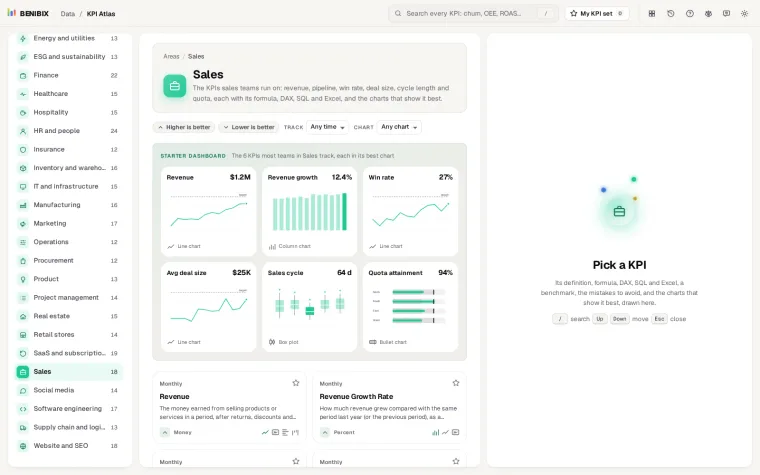
KPI Atlas has website, e-commerce, checkout, campaign and trial conversion rates, each with its formula, the DAX, SQL and Excel above, the mistakes to avoid and its best charts drawn. It holds 455 KPIs for 30 areas of a business.