Short answer: Put the icons in a row of <img> tags inside <p>: <img src="icons/python.svg" width="40" height="40" alt="Python">. Get the SVG files from Devicon (MIT licence), save them in your profile repository and link them with relative paths, so no outside service can break them. Logos drawn in black need a light version for GitHub's dark theme.
The row of small logos under "Tech stack" or "Tools I use" is on most developer profiles, because it answers "what does this person work with?" in a second. Here is how to build one that looks right in light and dark mode and keeps working.
How do you add a row of tech icons?
Markdown images cannot set a size, so use HTML. GitHub keeps the width, height, alt and align attributes:
<p align="left">
  <img src="icons/python.svg" width="40" height="40" alt="Python">
  <img src="icons/typescript.svg" width="40" height="40" alt="TypeScript">
  <img src="icons/react.svg" width="40" height="40" alt="React">
  <img src="icons/postgresql.svg" width="40" height="40" alt="PostgreSQL">
  <img src="icons/docker.svg" width="40" height="40" alt="Docker">
</p>The alt text matters: a screen reader reads "Python, TypeScript, React", and if an icon ever fails to load, the name still shows. Use align="center" for a centred row; How to centre an image or text in a GitHub README explains why align works where CSS does not.
Where do you get the icons?
| Source | How | Breaks when |
|---|---|---|
| Your repository | Download the SVGs, save them in a folder, link icons/python.svg | Never, unless you delete the file |
| Devicon from a CDN | https://cdn.jsdelivr.net/gh/devicons/devicon@v2.17.0/icons/python/python-original.svg | The CDN is slow or down |
| An icon service | One URL that draws a whole row for you | The service is limited, moves or shuts down |
| Badges with logos | Shields.io with ?logo=python | Shields.io is slow or limited |
GitHub's own advice for images in a repository is to "use relative links instead of absolute links", and it rewrites them to the branch you are on. Icon files in your repository load with the README itself, so the row never turns into broken images. If you link a CDN instead, pin the version (@v2.17.0) rather than @latest, so an icon cannot change under you.
How to add badges to a GitHub README covers the badge way.
How do you group icons under labels?
One paragraph per group, with its label on top:
<p align="left">
  <b>Languages</b><br>
  <img src="icons/python.svg" width="40" height="40" alt="Python">
  <img src="icons/r.svg" width="40" height="40" alt="R">
</p>

<p align="left">
  <b>Machine learning</b><br>
  <img src="icons/pytorch.svg" width="40" height="40" alt="PyTorch">
  <img src="icons/tensorflow.svg" width="40" height="40" alt="TensorFlow">
</p>Three groups of five read faster than one row of fifteen. Keep it to what you would be happy to be asked about in an interview; a wall of thirty logos says less than eight chosen ones.
Why does an icon disappear in dark mode?
Because some logos are drawn in black or very dark grey, and GitHub's dark theme puts them on a near-black page. Profile README Studio keeps a separate dark-mode version for 37 of its 196 icons for exactly this reason, among them GitHub, Apple, Rust and Express.
Two ways to fix it:
- Put each icon on a light rounded tile, so it reads on both themes.
- Give the dark icons a light twin and let GitHub pick by theme with
<picture>. Dark mode images in a GitHub README shows the code.
Can you use these logos?
Devicon's icon files are released under the MIT licence, so you can copy them into your repository; keep its licence note with them. The logos themselves stay their owners' trademarks: showing the Python logo to say you use Python is the normal use, presenting it as your own brand is not.
Where can you check this?
Can you pick the icons instead of writing the HTML?
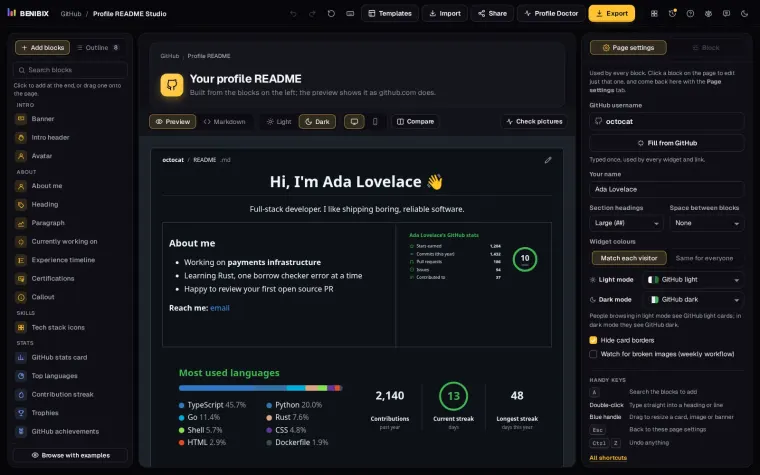
Profile README Studio has a Tech stack block with 196 icons from Devicon, in rows or labelled groups, and can suggest the icons from your own repositories' languages and topics. It draws each row as one SVG file saved in your profile repository, with light and dark versions when your theme follows the viewer, so the row works on both themes and never depends on an outside server.