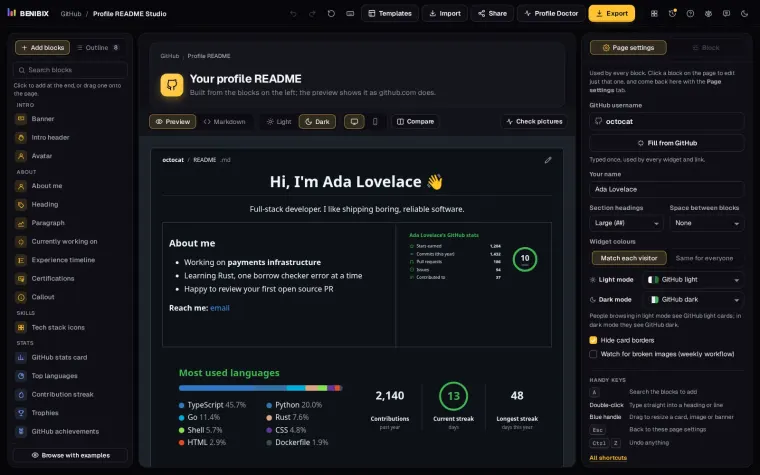
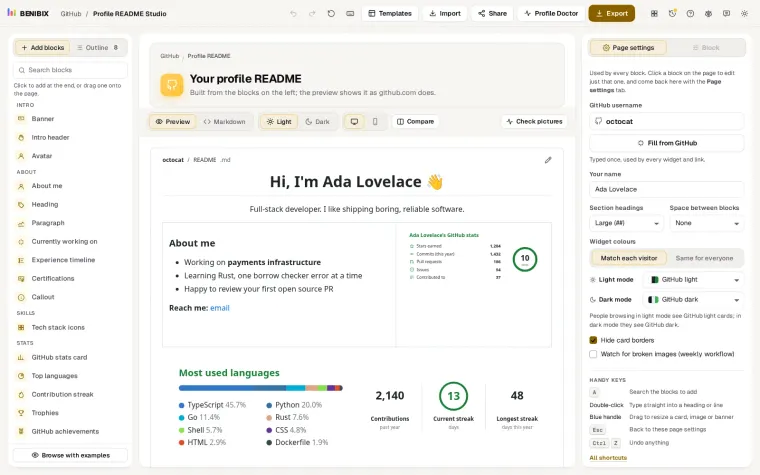
Short answer: open with one line on your role, stack and what you are looking for, show three projects with what each does, and make contact one click away. Leave out the badge walls and stats that say nothing about your work.
A recruiter who opens your GitHub profile wants three answers fast: what you do, what you have built, and how to reach you. Everything else is decoration.
How do you say what you do in one line?
Open with your name and a one-line tagline: your role, your stack, and what you are looking for. "Backend engineer, Go and Postgres, open to remote roles" beats a paragraph about your passion for technology.
How many projects should you show?
Pin cards for your best three to six repositories, each with a clear description. A row of 30 technology badges says less than one project that uses five of them well. One row of skill icons is enough.
Should you add an Open to badge?
The studio's Open to block adds small badges like "Open to: new job, freelance". Put it near the top so nobody has to guess.
How do you make contact easy?
Add your LinkedIn, a portfolio link and an email. Plain links load fastest; badges look more polished. Either is fine, as long as they work.
What does a good project description say?
Four things, in a line or two each: what the project does, who it is for, what your part was, and how to see it working. "A booking API for small clinics, built alone in Go with Postgres; live demo and load test results in the README" tells a recruiter more than the repository name ever will. Put the same sentence in the repository's own description, because that is what the pin card shows.
If a project has a live demo, a screenshot or a short video, link it. Most people who read your profile will not clone anything.
What if most of your work is private?
That is normal for anyone employed, and nobody expects a public employer codebase. Two things help:
- Show the count. Under your profile settings, turn on Include private contributions on my profile. The graph then shows that you work every week, without showing what on.
- Describe the work, not the code. A short section with two or three things you shipped at work ("moved nightly reports from four hours to twenty minutes") gives the same signal. Keep it to what you could say in an interview.
What should you leave out?
Visitor counters, quotes of the day, joke GIFs and long lists of every language you have touched. They push your projects below the fold and say little about how you work. A recruiter reads your profile for under a minute: spend that minute on your work.
Where can you check this?
How long should it be?
- Stats cards are optional. If your contribution graph is quiet because your work is private, leave them out.
- Check every image loads: broken widgets look careless. The Profile Doctor checks for you.
- Fill from a resume: Profile README Studio can read your resume PDF in your browser and offer your jobs, skills and certifications as blocks. The Career page layout is a good place to start.
The lessons Fill your profile README from GitHub, your resume or AI and Show your projects, tech stack and links walk through both steps with a picture of each.