Short answer: ROAS (return on ad spend) = revenue from ads ÷ ad spend. €20,500 of sales from €5,000 of ads is a ROAS of 4.1, often written 4.1x or 410%. Whether that is good depends on your margin: break-even ROAS = 1 ÷ gross margin, so at a 40% margin you need at least 2.5 before the ads pay for themselves.
ROAS is the number every ad dashboard shows first, and the one most often misread. A ROAS of 3 sounds like tripling your money; at a 30% margin, the ads cost more than the sales earn.
How do you calculate ROAS?
ROAS = Revenue attributed to ads ÷ Ad spend| Input | Value |
|---|---|
| Ad spend, one month | €5,000 |
| Revenue attributed to those ads | €20,500 |
| ROAS | 20,500 ÷ 5,000 = 4.1 |
Every euro spent on ads brought in €4.10 of sales. Of sales, not of profit: that is the part people forget.
What is break-even ROAS?
The ROAS at which the gross profit from the sales exactly covers the ads:
Break-even ROAS = 1 ÷ Gross margin| Gross margin | Break-even ROAS |
|---|---|
| 20% | 5.0 |
| 30% | 3.3 |
| 40% | 2.5 |
| 50% | 2.0 |
| 70% | 1.4 |
With a 40% margin, €20,500 of sales leaves €8,200 of gross profit; minus the €5,000 of ads, €3,200 is left. At a ROAS of 2.5 the €12,500 of sales would leave exactly the €5,000 the ads cost. How to calculate gross margin shows how to get your margin.
What is the difference between ROAS and ROI?
ROAS uses revenue and ignores what the products cost; marketing ROI uses gross profit and shows what is left:
| Metric | Formula | Example |
|---|---|---|
| ROAS | Revenue ÷ Ad spend | 20,500 ÷ 5,000 = 4.1 |
| Marketing ROI | (Gross profit − Ad spend) ÷ Ad spend × 100 | (8,200 − 5,000) ÷ 5,000 = 64% |
ROAS is the quick way to compare campaigns with each other. ROI is the answer to "did the ads make money?"
Why does Google Ads show ROAS as a percentage?
Because its Target ROAS bidding takes the ratio times 100. Google's own example: "$5 USD in sales ÷ $1 USD in ad spend x 100% = 500% target ROAS". So a ROAS of 4.1 is 410% in Google Ads, and a target of 250% is the break-even ROAS of 2.5 at a 40% margin. Google calls it "the average conversion value (for example, revenue) you'd like to get for each dollar you spend on ads", so it is only as right as the conversion values you send it.
Why do the ad platforms add up to more than my sales?
Because each platform claims every sale it touched. A customer who saw an ad on one network, clicked one on another and then searched for you can be counted as a sale by all three. Add the platforms' attributed revenue together and you get more than you sold.
Two ways to keep it honest:
- Measure ROAS with one attribution model across all channels, from your own shop data, not each platform's report.
- Look at the blended number too: total revenue ÷ total ad spend for the month. It cannot double-count.
What is a good ROAS?
KPI Atlas gives 3 to 5x as common for e-commerce, but the only number that decides is your own break-even. A brand campaign meant to make people know your name will show a low short-term ROAS by design; judge it over months, not weeks.
How do you calculate ROAS in Power BI with DAX?
As KPI Atlas gives it, from an attribution table and a spend table:
ROAS =
DIVIDE ( SUM ( Attribution[Revenue] ), SUM ( Spend[Ad Spend] ) )How do you calculate ROAS in SQL and Excel?
SQL, by campaign:
SELECT campaign, SUM(attributed_revenue) / NULLIF(SUM(spend), 0) AS roas
FROM campaign_daily
GROUP BY campaign
ORDER BY roas DESC;Excel, with the campaign name in A2:
=SUMIFS(Campaigns[Revenue], Campaigns[Name], A2) / SUMIFS(Campaigns[Spend], Campaigns[Name], A2)How should you show ROAS?
A sorted bar chart of ROAS by campaign or channel, with a line at break-even, shows at a glance which pay for themselves. A scatter plot of spend against ROAS per campaign shows where more money still pays and where it has stopped. A line chart shows the weekly trend per channel.
Read it with customer acquisition cost, marketing ROI and cost per click.
Where can you check this?
Where do you find ROAS and the marketing KPIs around it?
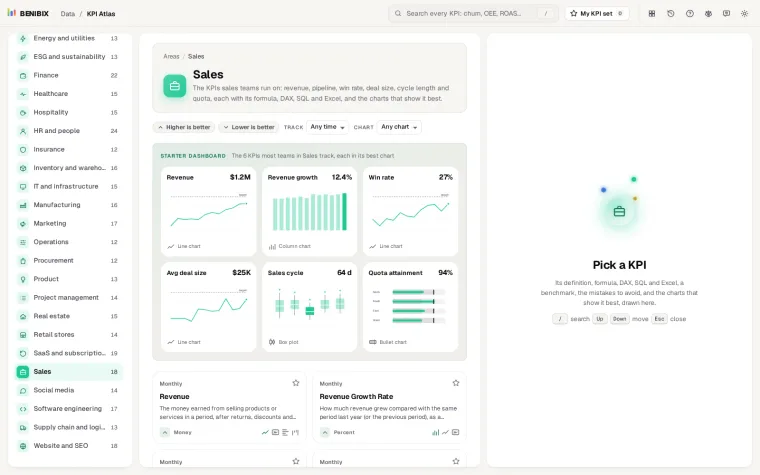
KPI Atlas has ROAS with its formula, the DAX, SQL and Excel above, the mistakes to avoid and its best charts drawn, next to marketing ROI, customer acquisition cost and cost per click. It holds 455 KPIs for 30 areas of a business.