Short answer: Name the camera move the way a film crew would: static, pan, tilt, dolly, truck, crane, arc, aerial or zoom, plus a speed ("slow dolly in"). A dolly moves the camera itself closer or further, so the background shifts and the shot feels real; a zoom only changes the lens, so the camera stays put and everything flattens. Put the move after the subject, the action and the scene, and before the style.
"Cinematic" is the word most AI video prompts use for the camera, and it tells the model almost nothing. Video models are trained on footage described in film language, so one exact term gets you a predictable shot where a vague one gets you a random drift.
What are the five parts of a video prompt?
Google's prompt guide for Veo builds every prompt from the same parts, and they work in the other video models too:
- Subject: who or what the shot is about, with the details that matter.
- Action: what they do, in a verb you could film.
- Scene: where and when: the place, the time of day, the weather.
- Camera: the angle and the move.
- Style: the look, the light and the mood.
Written as one line: A grey-haired fisherman in a yellow raincoat hauls a net onto a small boat, on a stormy grey sea at dawn, slow dolly in from a wide shot to a medium shot, desaturated film look with cold blue light.
Which camera moves can you write?
These are the moves Google's guide lists, with what each one does and a line to copy:
| Move | What the camera does | Example line |
|---|---|---|
| Static | Does not move at all | static shot of a quiet harbour at night |
| Pan | Turns left or right from one spot | slow pan left across a city skyline at dusk |
| Tilt | Turns up or down from one spot | tilt down from her face to the letter in her hands |
| Dolly | Moves itself towards or away from the subject | slow dolly in on the chef as he plates the dish |
| Truck | Moves sideways, parallel to the subject | truck right alongside a cyclist on a country road |
| Pedestal | Moves straight up or down | pedestal up to reveal the full height of the tree |
| Crane | Rises or sweeps in an arc, often for a reveal | crane shot rising over the crowd to reveal the stage |
| Arc | Circles around the subject | arc shot around a couple standing in the rain |
| Aerial | Flies over the scene, like a drone | sweeping aerial shot over a chain of islands |
| Handheld | Shakes a little, like a person holding it | handheld shot following a runner through a market |
| Zoom | Changes the lens only; the camera stays still | slow zoom in on an old compass on a map |
One move per clip is the safe default. Two moves in a five-second clip, like "pan left then crane up", often give you neither.
Why is a dolly not a zoom?
Both make the subject bigger in the frame, which is why prompts mix them up. The guide spells out the difference: in a dolly the camera physically moves closer, and in a zoom the lens changes its focal length while the camera stays where it is.
On screen that changes everything around the subject. In a dolly the background slides and objects pass at different speeds, so you feel you are walking into the scene. In a zoom the whole picture just gets bigger and flatter, like a security camera. Use "dolly in" for a moment that should feel personal, "zoom in" when you want that flat, watched look on purpose. Combine both in opposite directions and you get the dolly zoom (vertigo effect): the subject stays the same size while the background rushes away.
Which move fits which shot?
- Introducing a place: an aerial shot or a slow crane up.
- A person's reaction: a slow dolly in, ending on a close-up.
- Showing two things are connected: a tilt or a pan from one to the other.
- Action and chase: handheld, or a truck alongside the subject.
- A product or a character to admire: an arc around it.
- Calm, a still moment: static. Doing nothing is a camera choice too.
Where can you check this?
- Google Cloud: Video generation prompt guide, the prompt parts, camera angles and every camera move above, including dolly against zoom
- Kling: Text-to-video prompt guide, Kling's own formula of subject, movement, scene, camera language and lighting
Can a generator write the whole video prompt for you?
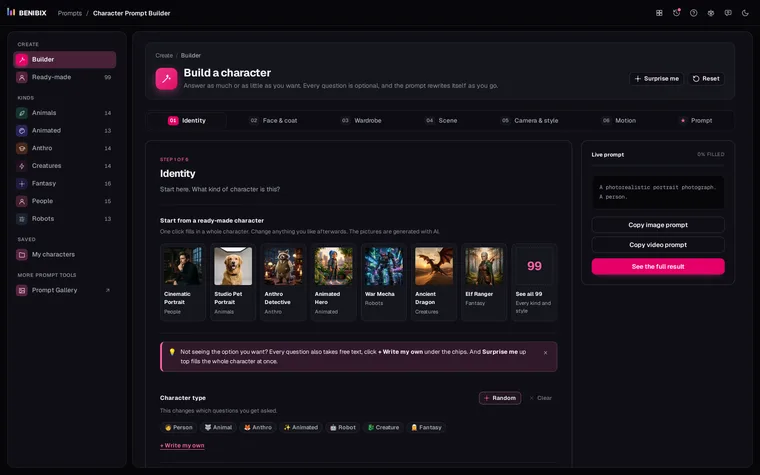
Yes. Character Prompt Builder asks a few questions about your person, animal, creature or robot, then writes the still and the video prompt, with the motion and the camera move you pick in plain sentences. Hit Surprise me for a starting point, open the video prompt and copy it into Veo, Kling or Sora. For the order of the parts in longer clips, see the AI video prompt formula.