Short answer: Describe colours, shapes and light rather than a scene, keep the area where your clock or icons sit calm ("the top third kept calm and darker so a clock can sit over it"), set the ratio for the screen (9:16 for a phone, 16:9 for a desktop) and end with "no text, no watermark, no logos". Then check the size: many image tools give you a picture smaller than your screen, so upscale it before you set it.
A wallpaper is the one AI picture you look at a hundred times a day, and the easiest one to make: no faces to keep, no likeness to lose. The only things that matter are that it is calm where the clock and icons go, that it fits the screen, and that it is sharp.
What makes a good wallpaper prompt?
Three things a normal picture prompt leaves out:
- Room for the clock and icons. Ask for a calm area where they sit: "the top third kept calm and darker" for a lock screen, "plenty of empty space on the left third" for a desktop with icons on the left.
- No subject. Wallpapers work best without one clear object the eye keeps returning to: "no hard edges and no recognisable objects".
- No text. Models like to add a word or a fake logo to anything that looks like a design. Say "no text, no letters, no watermark, no logos".
Wallpaper prompts to copy
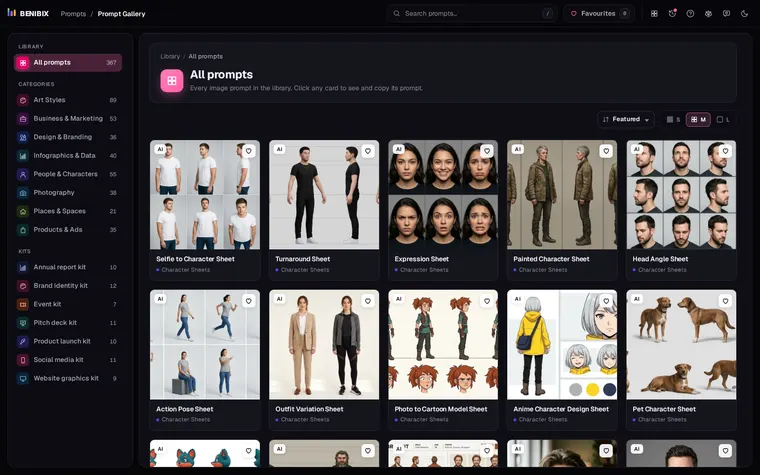
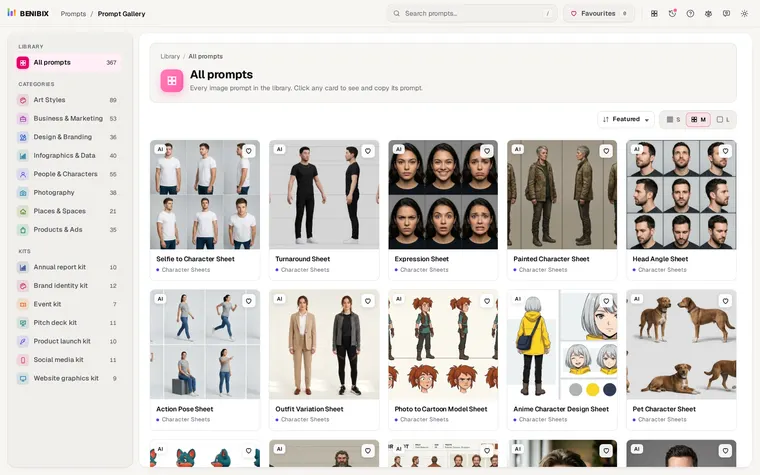
All five are in Prompt Gallery, written for Nano Banana, Flux, Midjourney and Imagen. No photo needed.
Night sky phone wallpaper (9:16):
A vertical phone wallpaper of a dreamy night sky: a deep indigo-to-violet gradient filled with fine stars and a faint band of the Milky Way running diagonally, above a row of soft rounded hill silhouettes along the bottom edge with a faint pink glow on the horizon. The top third is kept calm and darker so a clock can sit over it. Soft digital illustration, gentle glow, indigo, violet and pink palette. No text, no watermark, no logos. Aspect ratio 9:16. Keep it original: do not depict any celebrity or real public figure, and do not copy any existing painting, artwork, film or game character, mascot, logo or trademarked design.Topographic lines (9:16):
A minimal wallpaper of topographic contour lines: thin smooth lines tracing the shapes of imaginary hills and valleys across the whole frame, spaced closely around two peaks and more widely in the flatter areas. Thin lines in soft sand colour on a deep forest green background, no shading, no labels. Seen perfectly flat. Clean vector illustration, calm and even. No numbers, no text, no map symbols, no watermark, no logos. Aspect ratio 9:16. Keep it original: do not depict any celebrity or real public figure, and do not copy any existing painting, artwork, film or game character, mascot, logo or trademarked design.Fluid gradient (16:9):
An abstract wallpaper of smooth flowing gradients: large soft waves of violet, hot pink and warm peach blending into each other like silk or liquid, with gentle highlights along the crests of the waves and a subtle fine grain across the whole image. No hard edges and no recognisable objects. Full-frame composition with the brightest area slightly off centre. Clean digital abstract art, soft glowing light. No text, no shapes that read as letters, no watermark, no logos. Aspect ratio 16:9. Keep it original: do not depict any celebrity or real public figure, and do not copy any existing painting, artwork, film or game character, mascot, logo or trademarked design.Floating 3D shapes (16:9):
An abstract background of glossy 3D shapes floating in soft space: a large torus, a sphere, a twisted ribbon and a few small cubes, in iridescent pearl, soft blue and pale gold materials, arranged with plenty of empty space on the left third for a headline. Soft pastel gradient background from pale blue to lavender. Clean 3D render, soft studio light with gentle reflections and soft shadows. No text, no letters, no watermark, no logos. Aspect ratio 16:9. Keep it original: do not depict any celebrity or real public figure, and do not copy any existing painting, artwork, film or game character, mascot, logo or trademarked design.The gallery's fifth wallpaper is a seamless terrazzo pattern (1:1) that can be tiled to any size.
Which aspect ratio for which screen?
| Screen | Ratio | Typical size in pixels |
|---|---|---|
| Phone | 9:16 (tall phones are closer to 9:19.5; 9:16 crops a little at top and bottom) | about 1,080 × 2,400 |
| Desktop or laptop | 16:9 (16:10 on many laptops) | 1,920 × 1,080, 2,560 × 1,440 or 3,840 × 2,160 |
| Tablet | 3:4 or 4:3 | about 1,640 × 2,360 |
| Ultrawide monitor | 21:9 | 3,440 × 1,440 |
For a phone, keep anything important away from the top and bottom edges: the clock, the notch and the dock cover them, and a slightly different ratio crops them. Aspect ratios for AI images explains why to set the ratio before you generate rather than crop after.
Why does my AI wallpaper look blurry?
Because it is smaller than your screen. Many image tools give you a picture of one or two million pixels, while a phone screen has two to three million and a 4K monitor more than eight. The phone or computer stretches it to fit, and edges go soft.
Check the file's size in pixels before you set it. If it is smaller than your screen, choose a higher resolution where your tool offers one, or upscale it: Prompt Gallery's Upscale prompt asks for four times the pixels while keeping everything else the same. Smooth gradients and soft night skies survive upscaling best, which is one more reason they make good wallpapers.
How do you check that a pattern is really seamless?
Put four copies of it side by side in a 2 × 2 grid (any image editor, or a slide). If you can see a line or a jump where they meet, it is not seamless. Ask again with "seen perfectly flat and straight on, evenly lit with no shadows or perspective, so the edges tile seamlessly", as the terrazzo prompt does.
Where can you check this?
Where can you find more wallpaper and background prompts?
Prompt Gallery has these five with their results, next to cover, icon and typography prompts. Open one and use Customize to add your details and pick one of five aspect ratios before you copy it.