Short answer: Paid Claude plans have two clocks. The session limit starts when you send your first message and resets in full five hours later. The weekly limit covers all models and resets at a fixed day and time that belongs to your account, whenever you started using Claude. Chat, Claude Code and the desktop app all count toward the same limits. You see both in Settings, then Usage.
"You've hit your limit" in the middle of a task is the most common complaint about Claude, and most of the confusion comes from not knowing which clock ran out. The two behave very differently: one is back in a few hours, the other can take days.
Checked against Anthropic's help center on 23 November 2026.
How does the five-hour session limit work?
The window opens with your first message, not on the hour. Send a message at 9:40 and the session limit resets in full at 14:40, however much or little you used in between. If you reach the limit before then, you wait for that reset.
Two things the help center adds: the five-hour period controls how much you can use Claude within that window, and verified Ultra accounts have no five-hour limit at all, only the weekly one.
How does the weekly limit work?
The weekly limit applies across all models. It resets at a fixed time each week that is assigned to your account, and that day and time stay the same no matter when you start using Claude or when your subscription began. Each cycle you get your full weekly allowance back.
Some plans have a second weekly limit just for the largest model: Max and Ultra plans have a separate weekly limit for Fable. Settings, then Usage shows your next reset time.
| Session limit | Weekly limit | |
|---|---|---|
| Starts | With your first message | At your account's fixed reset time |
| Resets | In full, five hours later | In full, once a week |
| Covers | All models | All models (plus a separate Fable limit on Max and Ultra) |
| Verified Ultra | Not there | There |
Do Claude and Claude Code share the limit?
Yes. The help center is direct about it: usage on claude.ai, in Claude Code and in Claude Desktop counts toward the same limit. An afternoon of long chats leaves less room for a coding session in the evening, and the other way round. Cloud sessions of Claude Code on the web count too, with no separate charge for the cloud machine.
Why do some sessions use the limit faster?
The help center lists what drives usage: the length and complexity of the conversation, the features you use, which model you chat with and the effort level. Its best practices page adds file size, tools such as research and web search, and multi-step tasks like running code or browsing. A long chat costs more with every message, because Claude reads the whole conversation again each time.
How do you make the limit last longer?
Four habits from Anthropic's own advice:
- Start a new chat when one gets long. Longer conversations, especially ones that trigger automatic context management, use more of your limit. In Claude Code,
/cleardoes the same between unrelated tasks. - Lower the effort for routine work. Higher effort uses more tokens. On models where thinking is always on, the lower effort level is the saving.
- Turn off tools you don't need. Connected apps and web search are token-heavy; switch them off when a conversation does not need them.
- Put reused files in a project. Project content is cached and counts less when you reuse it.
If you still hit the wall, the options are to wait for the reset, upgrade (the new plan's limits apply right away) or turn on usage credits so work continues on credits instead of stopping.
Where can you check this?
- Claude Help Center: How do usage and length limits work?, the five-hour and weekly limits, shared usage and reset times
- Claude Help Center: Usage limit best practices, what drives usage and Settings, then Usage
- Claude Help Center: Using Claude Code with your Pro or Max plan, the limits shared with Claude Code and the separate Fable limit
Can you see where your Claude Code usage goes?
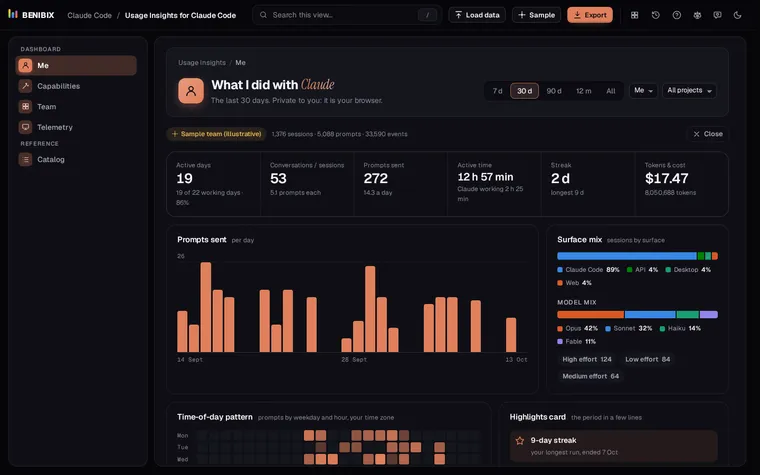
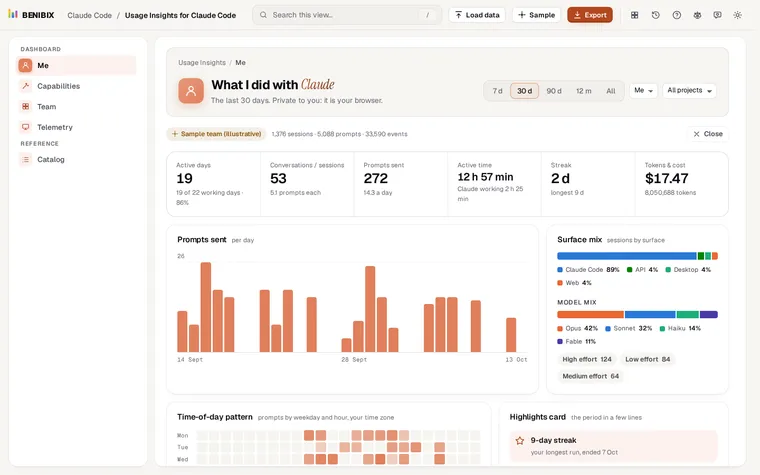
Settings, then Usage shows how full each clock is. It does not show what used it. Usage Insights for Claude Code reads the session files in ~/.claude/projects in your browser, without uploading them, and shows your rhythm, what you built, the tools and skills you used and what it cost, so you can see which sessions ate the week. To keep an eye on both limits while you work, Show your Claude Code 5-hour and weekly limits in the status line puts them under your prompt.