Short answer: Put an AGENTS.md in the root of your repository with the commands, conventions and rules Codex should follow there, and an optional personal one in ~/.codex/AGENTS.md for rules that apply everywhere. Codex reads them when a session starts, from your home folder down through the repository to the folder you are in, and joins them, so the file closest to your work has the last word.
Without it, Codex guesses: which test command to run, which package manager you use, whether it may touch the migrations folder. It guesses well surprisingly often, and wrong exactly when it costs the most. A short file removes the guessing.
Where does Codex look for AGENTS.md?
When a session starts, Codex builds a chain of instruction files:
| Where | File | For |
|---|---|---|
Your Codex home (~/.codex, or CODEX_HOME) | AGENTS.override.md if it exists, otherwise AGENTS.md | Your personal rules in every project |
| Each folder from the repository root down to your current folder | AGENTS.override.md, then AGENTS.md, then any fallback name you configured | The project, then each part of it |
Three rules shape the chain, all from OpenAI's documentation:
- One file per folder. "Codex includes at most one file per directory": an
AGENTS.override.mdhides theAGENTS.mdnext to it. - Root first, closest last. "Codex concatenates files from the root down, joining them with blank lines", and "files closer to your current directory override earlier guidance because they appear later in the combined prompt."
- Once per session. The chain is built "once per run; in the TUI this usually means once per launched session". Edit the file, then start a new session to see the change.
Empty files are skipped, and so is everything once the combined size reaches project_doc_max_bytes, 32 KiB by default.
Can Codex read my CLAUDE.md?
Yes, if you tell it to. project_doc_fallback_filenames in ~/.codex/config.toml adds file names Codex accepts in each folder when there is no AGENTS.md:
project_doc_fallback_filenames = ["CLAUDE.md"]A team that uses both Claude Code and Codex can then keep one instruction file. Names that are not on the list are ignored.
What should go in AGENTS.md?
What Codex cannot work out from the code, or would work out slowly:
# Project notes for Codex

## Commands
- Install: `pnpm install`. Never use npm or yarn here.
- Test one package: `pnpm --filter <name> test`. The full suite takes 9 minutes; run it only before a commit.
- Lint and types: `pnpm lint && pnpm typecheck`.

## Conventions
- TypeScript strict; no `any` in new code.
- Database changes go through a new migration in `db/migrations/`; never edit an old one.

## Do not touch
- `vendor/` and `generated/` are written by scripts.
- Never commit `.env` files or print their values.

## Before you finish
- Run the tests of the package you changed and say which ones you ran.Short, concrete lines beat paragraphs: a command to copy, a folder name, a yes or no. Put a rule about one part of the repository in that folder's own AGENTS.md (services/payments/AGENTS.md), so it only loads when Codex works there.
What should stay out of it?
- What the code already says. The folder structure, the framework, the list of dependencies: Codex reads those itself, and a copy goes stale.
- Long documents. A 30-page style guide eats the 32 KiB and gets cut off. Link to it and name the three rules that matter.
- Secrets. The file is in your repository and in every prompt.
- Rules you would not enforce. "Always write perfect code" changes nothing; "add a test for every bug fix" does.
The same advice holds for Claude Code's equivalent: What to put in CLAUDE.md, and what to leave out.
How do you check what Codex loaded?
Start a session in the folder you care about and ask: "Summarize the current instructions." Codex should repeat what your files say. For the exact chain, run it with a log, codex -c log_dir=./.codex-log, and read ./.codex-log/codex-tui.log.
If a rule is ignored: check that the file is not empty, that a closer file does not contradict it, that the combined size is under the limit, and that you started a new session after editing.
Where can you check this?
Can you see every file Codex reads in one place?
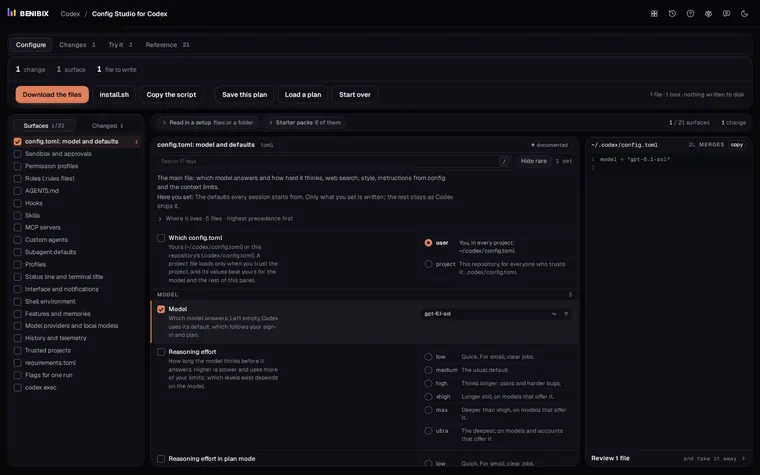
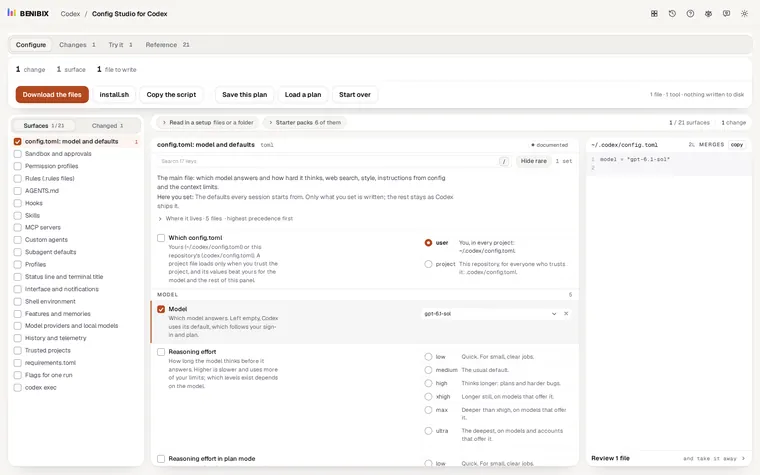
Config Studio for Codex explains all 21 surfaces Codex reads, AGENTS.md among them, next to config.toml, sandbox and approvals, rules, hooks, skills, MCP servers and the status line. It shows which layer wins when two files set the same thing, and its editor writes the files for you; nothing is written until you run the install script yourself.