Short answer: Codex CLI is OpenAI's coding agent in your terminal. Install it (on macOS or Linux: curl -fsSL https://chatgpt.com/codex/install.sh | sh), open your project and type codex. Then five commands cover most of it: /init writes your AGENTS.md, /status shows this session's setup, /permissions sets what Codex may do without asking, /model picks the model and reasoning effort, and /review checks your changes. Its settings live in ~/.codex/config.toml.
Codex has dozens of slash commands, and a full list is a lot to take in on day one. These five are the ones the Codex CLI page itself suggests when you start, and they are enough to work safely from the first task.
Checked against the Codex docs on 14 November 2026.
How do you install and start Codex CLI?
On macOS or Linux:
curl -fsSL https://chatgpt.com/codex/install.sh | shOn Windows, the docs give a standalone installer to run from a new PowerShell window, and npm and Homebrew work too. Running the same line again updates Codex.
Then open a project folder and type codex. The first time, choose Sign in with ChatGPT or another sign-in method. A good first prompt is the one the docs use: "Tell me about this project".
Which five commands should you learn first?
| Command | What it does | When to use it |
|---|---|---|
/init | Creates an AGENTS.md with instructions for Codex | Once per project, then edit it to match how you build and test |
/status | Shows the current session's configuration | When something behaves oddly: which model, which permissions, which folder |
/permissions | Chooses what Codex is allowed to do | Before a task that needs more (or less) freedom than the default |
/model | Picks the model and the reasoning effort | Lower effort for small, clear tasks; higher for debugging and big changes |
/review | Reviews your changes and finds issues, without editing files | After every task, before you commit |
/review only appears inside a Git repository. It can review your uncommitted changes, one commit, or your branch against a base branch.
Where do Codex's settings live?
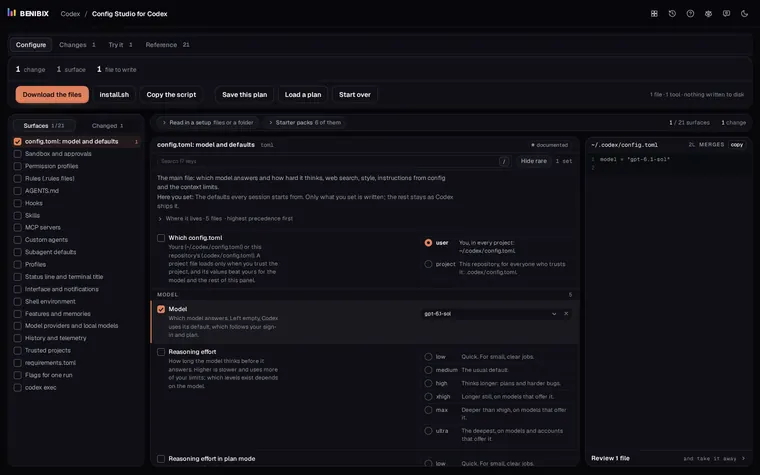
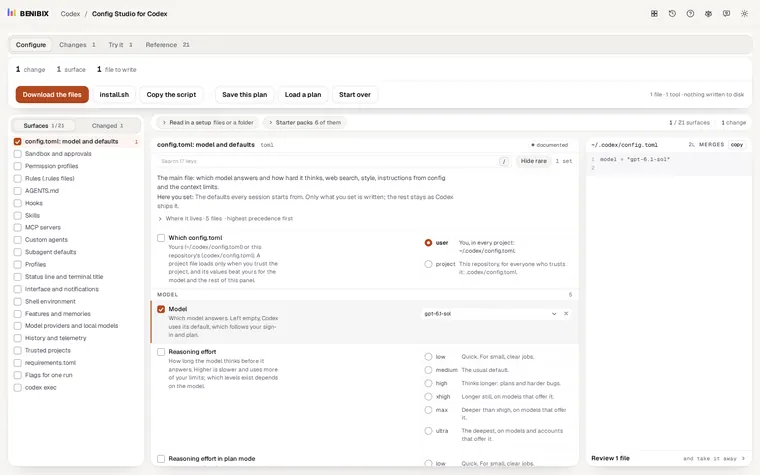
In config.toml. Your personal defaults are in ~/.codex/config.toml, inside the .codex folder in your home directory. A project can add its own .codex/config.toml, which Codex loads only when you trust the project; the closest file to your working folder wins. What you pick with /model or /permissions applies to the session; to make it the default, set it in config.toml.
What comes after these five?
When the five feel natural, the next ones worth knowing are /compact to shrink a long conversation, /new to start fresh, /diff to see the changes and codex exec to run Codex from a script. All of them, with what each does: the 20 Codex CLI commands worth knowing.
Where can you check this?
- Codex docs: Codex CLI, install, sign-in and the five starting commands
- Codex docs: Config basics, where
config.tomllives and which layer wins - Codex docs: Commands and slash commands
Can you write config.toml without learning every key?
Config Studio for Codex explains all 21 surfaces Codex reads, from config.toml and the sandbox to AGENTS.md and rules, with 6 starter packs to begin from. Pick what you want to change, see the exact file it would write and copy it; nothing touches your disk until you do.