Short answer: use SVG for icons on websites and in apps: one small file stays sharp at every size and can take its colour from your CSS. Use PNG where SVG is not supported or not reliable, mainly email, app and store icons, and some office and design tools, and export it at twice the size it is shown.
I default to SVG and only reach for PNG when something refuses it. These are the places that still do.
Why is SVG the default?
- Sharp at every size. An SVG is drawn from shapes, so the same file is crisp at 16 pixels and at 512.
- Small. A typical line icon is a few hundred bytes. The same icon as a sharp PNG for high-resolution screens is often several kilobytes.
- Styleable. An inline SVG drawn with
currentColortakes the text colour around it, so one icon works on light and dark backgrounds and changes colour on hover with no second file.
<button class="danger">
  <svg width="16" height="16" viewBox="0 0 24 24" fill="none"
       stroke="currentColor" stroke-width="2" aria-hidden="true">
    <path d="M3 6h18M8 6V4h8v2M6 6l1 14h10l1-14"/>
  </svg>
  Delete
</button>.danger { color: #dc2626; }
.danger:hover { color: #991b1b; }Where do you still need PNG?
| Place | Why |
|---|---|
| Many email clients do not show SVG images | |
| App icons, Apple touch icon | Platforms ask for PNG at fixed sizes, such as 180 × 180 for the Apple touch icon |
| Social preview images | Link previews expect PNG or JPEG |
| Some office and older design tools | SVG support is missing or inconsistent |
When you export a PNG, make it twice the size it is shown (a 24-pixel icon as a 48-pixel PNG), so it stays sharp on high-resolution screens.
What about icon fonts?
Icon fonts were popular before SVG was well supported. They are harder to make accessible, can show as empty boxes when the font fails to load, and pull in every icon to show one. Inline SVG or an SVG sprite has replaced them for most new projects.
How do you make each one accessible?
- An icon next to a text label is decoration: add
aria-hidden="true". - An icon that is the only content of a button needs a name:
aria-label="Delete"on the button.
Where can you check this?
What about Power BI?
Power BI can show an SVG in a table or matrix when a measure returns it as a data URL and the measure's data category is set to Image URL. That is how status icons in every row work, without image files. SVG icons in Power BI tables shows the measure.
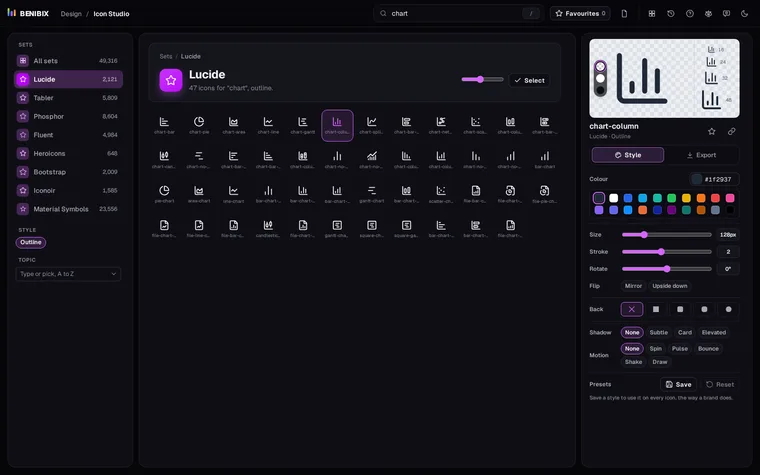
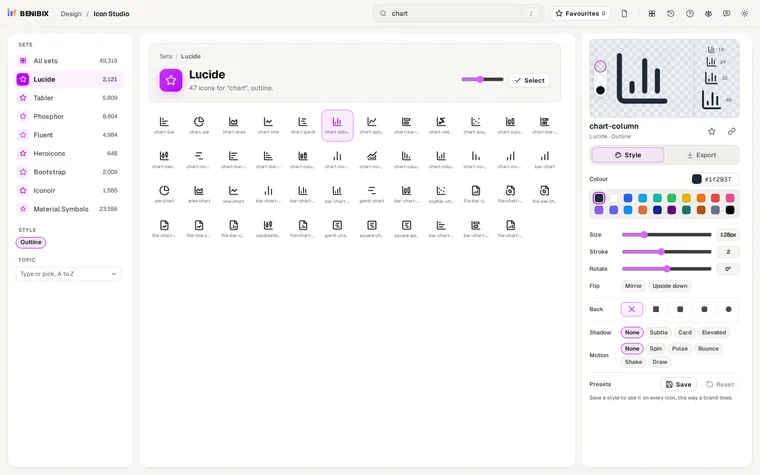
Icon Studio searches nearly 50,000 free icons from eight open-source sets, Lucide, Tabler, Phosphor, Fluent, Heroicons, Bootstrap Icons, Iconoir and Material Symbols, styles them with your colour, and exports SVG, PNG, a React component, CSS or a Power BI measure.