Short answer: "Claude 2.0" is a nickname creators use for Claude's rebuilt desktop app. It is not a new model, and it is not a name in Anthropic's release notes. The real Claude 2 was a model Anthropic released on 11 July 2023. What people mean is the desktop app's Code tab, where you can run several Claude Code sessions side by side, open side chats with /btw, and start cloud sessions that keep running after you close the app.
If you searched for Claude 2.0 expecting a model to switch to, there is none. The models today are Fable 5.2, Opus 5.5, Sonnet 5.5 and Haiku 5.5. What changed is where and how you work with Claude Code.
Checked against the Claude Code desktop docs (10 November 2026).
Where does the name come from?
From videos and posts about the redesigned desktop app, which looked different enough to feel like a new version of Claude. The name stuck because it is short. Anthropic's own pages talk about the Claude desktop app and Claude Code; "Claude 2" in Anthropic's history is the July 2023 model that brought a 100K-token context window and the first beta of claude.ai.
What can the desktop app's Code tab do?
| Feature | What it does | How |
|---|---|---|
| Parallel sessions | Several tasks at once, each with its own context and changes | + New, or Cmd+N / Ctrl+N; Ctrl+Tab to switch |
| Split view | Two sessions side by side | Option-click (macOS) or Alt-click (Windows) a session |
| Worktrees | Each session on its own git checkout, so edits never collide | Turn on Worktree for the session |
| Side chats | Ask a question about the session without adding to it | /btw, or Cmd+; / Ctrl+; |
| Cloud sessions | Run on Anthropic's machines and keep going when you close the app | Start a cloud session; check it at claude.ai/code or in the mobile app |
What is /btw for?
For the question you would otherwise type into the main chat and regret: "what does this function do again?", "which file was that in?". A side chat can read everything in the main thread up to that point, answers you, and adds nothing back to the main conversation. Side chats are not saved to disk, so they are gone when you close the app.
Do your terminal settings still apply?
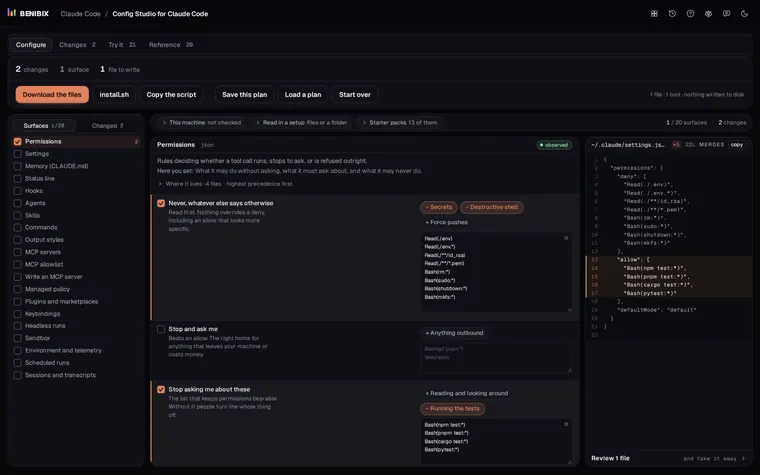
Local sessions read the same user settings as the terminal: ~/.claude/settings.json, for example your environment variables and your starting permission mode, and your personal skills in ~/.claude/skills/. Cloud sessions are different: they load skills from your claude.ai account. So if you have set Claude Code up well in the terminal, the desktop app picks most of it up on your machine.
Do cloud sessions cost extra?
Not separately. They run on Anthropic-managed machines, and their use counts toward your subscription plan limits, with no separate compute charge.
Where can you check this?
- Claude Code docs: desktop app: parallel sessions, split view, side chats, cloud sessions and which settings local sessions read
- Anthropic: Claude 2, the 2023 model announcement
Can you set it up once for the terminal and the app?
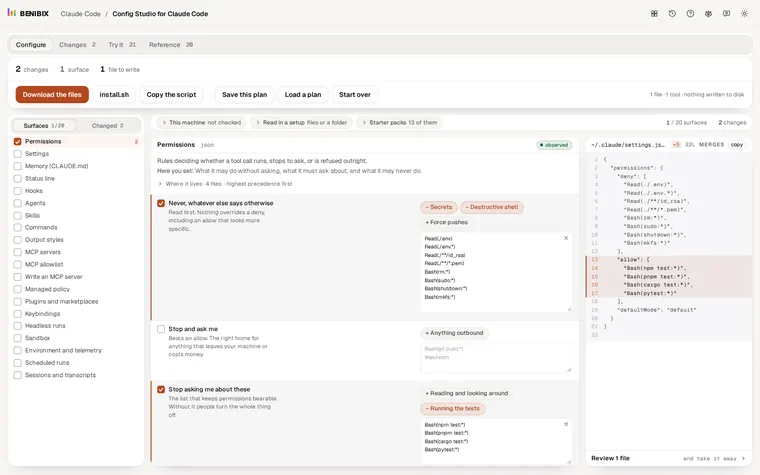
Config Studio for Claude Code explains all 20 surfaces Claude Code reads, from settings and permissions to skills, hooks and MCP servers, shows which file wins and writes it for you. Set it once in your user settings and your local sessions in the desktop app read it too. New to Claude Code altogether? Claude Code for beginners starts at the beginning.