Short answer: Codex is OpenAI's coding agent. You start it in your project, ask in plain English, and it reads the files it needs, edits them and runs commands. It works in your terminal (Codex CLI), in your editor (the IDE extension), in the ChatGPT desktop app or in the cloud. Locally it runs inside a sandbox, and a file called AGENTS.md tells it your project's rules.
A chat answers questions about code you paste in. Codex works on the project itself: it finds the right files, changes them, runs the tests and shows you the diff. That is the difference between a chat and an agent.
Checked against the Codex docs (4 November 2026).
Where does Codex run?
| Surface | What it is for |
|---|---|
| Codex CLI | The terminal: explore a repo, plan a change, edit files, run your local tools, or call codex exec from scripts and CI |
| IDE extension | The same agent inside your editor, next to the files it changes |
| ChatGPT desktop app | Local chats that run commands on your machine, in the same sandbox |
| Codex Cloud | Tasks that run in a cloud environment while you do something else, with the results to review after |
The CLI is where most people start, because it needs nothing but a terminal and a project folder.
How do you start it in your project?
Install it once. On macOS or Linux:
curl -fsSL https://chatgpt.com/codex/install.sh | shIn Windows PowerShell:
powershell -ExecutionPolicy ByPass -c "irm https://chatgpt.com/codex/install.ps1 | iex"npm install -g @openai/codex and brew install --cask codex work too. Then open a terminal in your project and run:
codexThe first time, choose Sign in with ChatGPT. A good first prompt is the one the docs suggest: "Tell me about this project". Make a Git commit before and after a task, so you can take a change back.
What does the sandbox do?
By default Codex runs commands with network access off, inside a sandbox enforced by the operating system that limits what it can touch, typically to the current workspace. Everything it runs, from git to the test runner, inherits that boundary. When a task needs to go beyond it, the approval policy decides whether Codex stops and asks you first. The two are separate controls: the sandbox is the wall, the approval policy is when it knocks. Codex sandbox and approval modes shows the settings for both.
What is AGENTS.md?
Codex reads AGENTS.md before it does any work. One in ~/.codex/ applies to every project; one in the repository root applies to that project; one in a subfolder adds to it for work in that folder. Put in it what you would tell a new colleague on day one: how to run the tests, what to never touch, which package manager to use. The combined files stop at 32 KiB by default. AGENTS.md for Codex has a worked example.
Codex or Claude Code?
They do the same job in the same place: a coding agent in your terminal that asks before it acts. Codex signs in with a ChatGPT account and Claude Code with a Claude account, so the plan you already pay for usually decides. What is Claude Code? is the matching explainer.
Where can you check this?
- Codex docs: Codex CLI
- Codex docs: Sandbox
- Codex docs: Agent approvals and security
- Codex docs: Custom instructions with AGENTS.md
Where do you set it up?
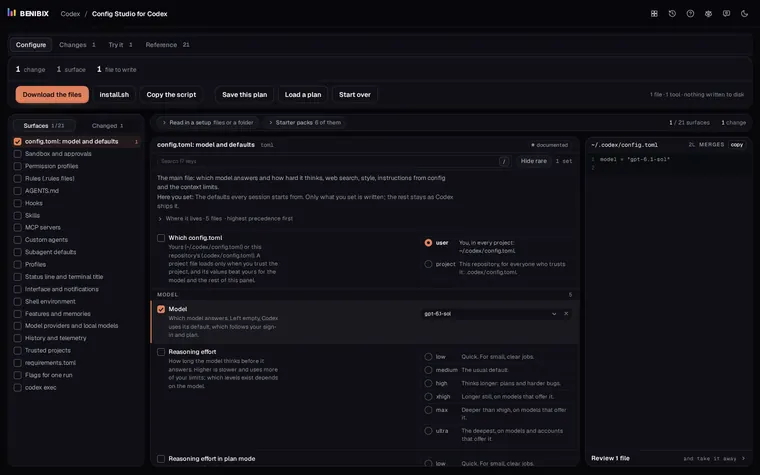
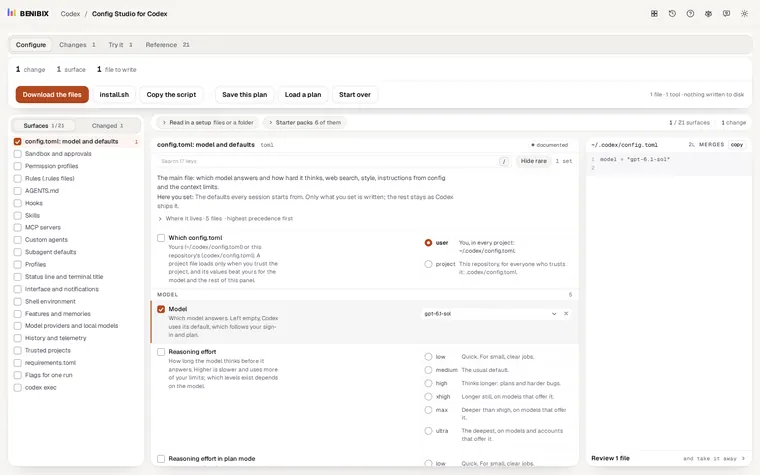
After the first run come config.toml, the sandbox and approval settings, AGENTS.md, rules, hooks and MCP servers. Config Studio for Codex explains all 21 surfaces Codex reads, gives you 6 starter packs to begin from, and writes the files for you. Nothing touches your disk until you run what you take away.